AI in Media and Entertainment: 8 Use Cases Across Content, Audiences, and Operations
TL;DR
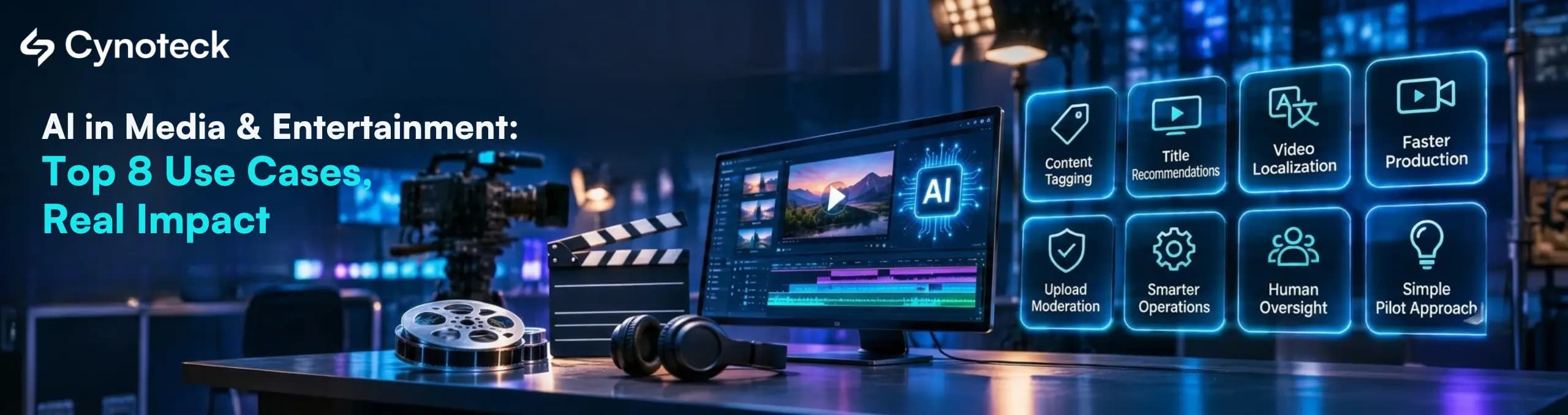
AI in media and entertainment helps teams find content, recommend titles, and localize video. It also moderates uploads, speeds up production, and cuts back-office work. The best results come from a simple split: AI handles the repetitive steps, and people keep control of creative choices, rights, and anything the public sees.
- Where it pays first: Content tagging, recommendations, and localization usually pay off first. Most media companies already hold the data they need.
- Where people stay in charge: Final creative calls, likeness and voice use, and moderation appeals need a human reviewer. Union contracts and federal rules now say so in several cases.
- How to start: Pick one workflow, measure it for 30 days, then run a small pilot before you buy anything large.
Your content library keeps growing, yet your team still searches for old clips by hand. Subtitles get written one file at a time, and promotion often comes down to guesswork. AI in media and entertainment can take on much of that work. This guide explains eight practical use cases, the data each one needs, and where human review still matters. It's written for owners, operations leads, and technical teams, whether you're new to AI or already running pilots.
What Is AI in Media and Entertainment?
AI in media and entertainment is the use of machine learning, generative AI, and computer vision to create, organize, deliver, and sell content. It reads video, audio, text, and viewing data. Then it suggests or completes tasks, such as tagging scenes, recommending titles, translating dialogue, or flagging harmful uploads.
In simple terms, AI spots patterns in your content and your audience faster than a person can. People then decide what to do with those patterns.
A few terms come up often, so here they are in plain English:
Machine learning: Software that learns patterns from past data, such as which viewers finish which shows.
Generative AI: AI that creates new text, images, audio, or video from a prompt. Our guide to what generative AI is covers it in more depth.
Computer vision: AI that "reads" images and video, such as spotting faces, logos, or scene changes.
Metadata: The labels attached to a file, such as title, cast, genre, language, and rights window.
Why Are Media Companies Using AI Now?
Media companies are using AI now because advertising, streaming, and global distribution all reward faster, more personal content. At the same time, teams are under pressure to produce more versions of everything without adding staff. AI helps close that gap.
First, advertising is shifting toward personalization: Entertainment and media advertising passed $1 trillion in 2025, according to PwC's Global Entertainment & Media Outlook 2026–2030 (June 2026). PwC expects it to reach $1.4 trillion by 2030. PwC credits much of that growth to AI-powered personalization.
Second, media lags other industries on AI skills: Microsoft's 2026 Work Trend Index looked at advanced AI users, which Microsoft calls Frontier Professionals. Only about 10% of media and entertainment workers qualify, compared with 16% across all industries, according to a September 2026 Microsoft post. This means there's room to gain ground.
Third, spending is expected to keep rising: Grand View Research estimates the AI in media and entertainment market at $43.1 billion in 2026 and projects $159.3 billion by 2033. That's a projection, so treat it as a direction, not a promise.
Which Sections Matter Most for Your Role?
Different readers need different parts of this guide. Find your role below, then jump to the sections that answer your questions first.
Your role | Start with | Why it matters to you |
Owner, CEO, or founder | Use cases 1, 2, and 8, then "Which AI use case should you start with?" | Clear first steps, likely payback, and realistic timelines |
CTO or IT head | The data table and the rules table | What to connect, secure, and govern before you build |
Content operations or production leader | Use cases 1, 4, and 6 | Less manual tagging, faster versions, shorter post-production |
Marketing, audience, or ad sales leader | Use cases 2, 3, and 7 | Better discovery, clearer audience insight, more ad variants |
Finance, legal, or procurement | Use case 8 and the rules table | Rights, licensing, and cost risks to check before you sign |
Table 1. Where each reader should start.
What Are the Main AI Use Cases in Media and Entertainment?
The main AI use cases in media and entertainment fall into three groups. Content covers tagging, production, and creation. Audiences cover recommendations, insights, and moderation. Operations covers localization and back-office work. The table below shows what each one fixes, what data it needs, and where a person should review the result.
# | Use case | Problem it solves | Data it needs | Where a person reviews | First-step difficulty |
1 | Content tagging and search | Teams can't find old clips or assets | Video, audio, scripts, existing metadata | Tag accuracy on a sample | Low to medium |
2 | Recommendations | Viewers leave before they find something | Viewing history, catalog metadata | Editorial rules and promoted titles | Medium |
3 | Audience insights | Unclear why viewers stay or cancel | Engagement, subscription, survey data | What the numbers mean and what to change | Medium |
4 | Localization | Subtitles and dubbing take weeks | Scripts, audio, glossaries, voice consent | Translation quality and voice rights | Medium |
5 | Content moderation | Harmful uploads and slow takedowns | User uploads, policies, past decisions | Appeals and borderline cases | Medium to high |
6 | Production and post-production | Slow editing, VFX, and audio cleanup | Raw footage, audio, project files | Every creative decision | Medium |
7 | Generative content | More formats and versions needed | Brand rules, licensed source material | Final approval and rights check | Low to medium |
8 | Business operations | Manual inbox, rights, and ad work | Emails, contracts, ad orders | Exceptions and contract terms | Low to medium |
Table 2. Eight AI use cases in media and entertainment, with the data and review points for each.
1. How Does AI Help Tag and Search Content?
AI tags content by watching and listening to each file, then adding labels for people, places, objects, spoken words, and topics. Your team can then search by what's inside a clip, such as "sunset over a city, no faces." File names stop being the only clue.
This matters because untagged content is hard to reuse or license. Once a library is searchable, archive clips can feed promos, social posts, and new shows.
What you'll need: Video and audio files, scripts or transcripts, and whatever metadata you already have.
A good first step: Tag one collection, such as last year's episodes, and check a random sample of about 100 tags by hand.
Common pitfalls: Wrong labels on faces or sensitive scenes, and tags that don't match the category names your team already uses.
Go deeper: Most tagging systems now store "embeddings," which are number-based summaries of each clip. They let people search by meaning instead of exact keywords. Agree on your taxonomy (your list of approved labels) before tagging, or you'll re-tag later. |
2. How Does AI Recommend Movies, Shows, and Music?
AI recommends content by studying what each viewer watches, skips, and finishes. It compares that with similar viewers and with your catalog's metadata. Then it ranks titles, rows, and even the artwork each person sees. Netflix, for example, describes systems that choose personalized artwork and video previews for each member in an August 2026 Netflix TechBlog post.
Still, you don't need Netflix's scale to benefit. Even a smaller streaming app or music service can improve discovery. A simple model can rank its "continue watching" and "you may like" rows.
Data required: Viewing or listening history and a clean catalog with good genre and cast tags. You also need a way to recognize the same user across devices.
Try this first: Test a new ranking on one row of your home screen for a few weeks, then compare it with the current order.
Be careful with: Brand-new titles that have no viewing history yet (the "cold start" problem), and models that keep pushing the same hits.
Note: Keep editorial control. Your team should still be able to pin titles, protect new releases, and block a recommendation that doesn't fit your brand. |
3. How Does AI Turn Viewing Data Into Audience Insights?
AI finds patterns in engagement, subscription, and feedback data that would take analysts weeks to spot. It can flag viewers who are likely to cancel, group audiences by taste, and summarize thousands of comments by mood and topic.
This means your team spends less time building reports and more time acting on them. However, a person still needs to decide what a pattern means. A drop in viewing could reflect a weak show, a price change, or simply the end of a season.
Inputs: Viewing sessions, subscription and payment events, survey results, and social or app-store comments.
Pilot idea: Build one churn dashboard for one product, then test a single retention offer on the viewers most likely to cancel. Tools like Power BI dashboards make these signals readable for non-technical teams.
Risks: Privacy rules on viewing data, and decisions based on a model nobody on your team can explain.
Plan for analytics early. On the Runn TV streaming platform, a project we worked on, watch analytics were part of the first build. That made it possible to see which channels held attention without reworking the app's tracking later.
4. How Does AI Speed Up Localization, Subtitles, and Dubbing?
AI speeds up localization by transcribing dialogue, translating it, timing subtitles, and in some cases producing a synthetic voice track. A human linguist then reviews the result for meaning, tone, and cultural fit. This turns a job that once took weeks into a review task.
Localization also covers more than language. Finnish media group Sanoma replaced one national weather update with automated forecasts for 26 regions, using Azure AI, Microsoft reports. Seven in ten people who tested it felt the AI voice worked well for news. That's a vendor-reported example, but it shows how AI can make local versions affordable.
What to gather: Scripts or transcripts, clean audio, and a glossary of character names and recurring terms. You also need signed consent for any voice you plan to replicate.
Where to begin: Subtitles are the safer start. Pick one back catalog and one new language, and have a native speaker review every file.
Biggest risk: Voice rights. SAG-AFTRA's tentative 2026 Television Animation Agreement generally requires consent before a voice actor's digital replica dubs a performance into another language, as Loeb & Loeb summarized in November 2026.
5. How Does AI Help Moderate User Content?
AI moderation scans uploads, comments, and live chats against your policies, then removes clear violations and routes unclear cases to human reviewers. As a result, a small trust and safety team can handle volumes that would otherwise need a large staff.
In the US, speed now also has a legal deadline for one category of content. The Federal Trade Commission began enforcing the TAKE IT DOWN Act on May 19, 2026. Covered platforms must remove reported nonconsensual intimate images, including AI-made deepfakes, and known identical copies within 48 hours of a valid request. Violations can bring civil penalties of up to $53,088 each.
Data behind it: Your written content policy, past moderation decisions, user reports, and appeal outcomes.
Low-risk start: Let AI sort the report queue by risk, while people still make every removal decision.
Keep an eye on: Posts removed by error, jokes or news footage read out of context, and weaker accuracy in languages other than English.
Note: Duplicate detection is where AI helps most with the 48-hour rule. Matching tools can find copies of a reported file across your platform far faster than manual search. |
6. How Does AI Support Production, VFX, and Post-Production?
AI supports production by handling the slow, technical steps. These include rough cuts, rotoscoping (cutting a subject out of each frame), noise removal, slow-motion frames, and scheduling. Editors, VFX artists, and sound engineers then spend their time on choices that shape the story.
For example, Autodesk lists machine learning tools in Flame that create extra frames for slow-motion shots and isolate skies or faces for compositing. Autodesk also says one animation studio used its MotionMaker tool in Maya to animate several characters for a short film in six weeks. Those are vendor claims, but they reflect where AI fits best: the first draft of technical work.
The same pattern applies to podcasts and audio. AI can clean up background noise, level voices, and produce transcripts and show notes in minutes. In games, studios use AI to drive non-player character (NPC) behavior and dialogue. Designers usually set firm limits on what those characters can say.
You'll work with: Raw footage and audio, project files, and approved style references.
Quick win: Automate one repetitive job, such as audio cleanup or transcripts for a single show.
Check first: If the project involves union talent, read the rules section below on digital replicas and synthetic performers before you go further.
7. How Can Generative AI Create Scripts, Music, and Marketing Assets?
Generative AI can draft loglines, episode summaries, trailer scripts, social captions, thumbnails, and background music. It's most useful for producing many versions quickly, so your team can test which one works and then polish the winner.
That said, ownership is the big question. The US Copyright Office's January 2025 report says copyright requires human authorship. Purely AI-generated material isn't protected, and prompts alone don't count as authorship. Human edits, selection, and arrangement can still be protected.
Music also shows how quickly the market is changing. In late 2025, Warner Music Group and Universal Music Group settled some lawsuits against AI music generators. Those deals moved toward licensed models, Reuters reported. Other cases are still in court, so check the license terms of any AI music tool before you use its output commercially.
Raw material: Brand guidelines, approved examples, and source material you have the rights to use.
Easy first test: Generate caption or thumbnail options for one show, and keep a person as the final approver.
Red flags: Tools that won't say what their models were trained on, look-alike or sound-alike output, and content you can't copyright.
8. How Does AI Cut Back-Office Work in Media Companies?
AI cuts back-office work by reading and routing emails, pulling key terms from contracts, checking ad orders, and tracking rights windows. Because these jobs are repetitive, rule-based, and easy to measure, they make a strong first project.
Here's an example from our own work. A US B2B digital advertising and media company had staff reading, sorting, and routing every incoming email by hand. The fix was a machine learning model that classifies emails automatically, plus simple controls so non-technical admins can update filter rules. Manual effort dropped by 90%, according to the media company case study.
Starting data: A sample of past emails or documents, each labeled with the right category.
First project: Automate one inbox or one document type, and keep a person on anything the model marks as uncertain.
Don't overlook: Sensitive data in emails and contracts, which needs encryption and limits on who can see it.
Go deeper: Many teams now explore AI agents that can take actions, such as updating a rights database after reading a contract. Start with read-only access, add approval steps, and log every action. Our guide to what agentic AI is explains how agents differ from chatbots. |
Where Should People Stay in Charge?
People should stay in charge of any decision that affects creative quality, a performer's rights, legal exposure, or what the public sees. AI can draft, sort, and suggest, but a named person should approve these outcomes.
Decision | What AI does | What a person does |
Final edit or cut | Suggests rough cuts and options | Chooses the story and pacing |
Voice or likeness use | Generates a replica or synthetic voice | Confirms consent, contract terms, and pay |
Translation and dubbing | Produces a first draft | Checks meaning, tone, and cultural fit |
Moderation appeals | Flags and ranks reports | Decides borderline cases and appeals |
Generated marketing assets | Produces many variants | Approves brand fit and rights |
Contract and rights terms | Extracts dates and clauses | Interprets and signs off |
Table 3. Human review points for AI in media and entertainment.
This is why human review belongs in the design from the start. Otherwise, you'll add it after launch, which is slower and usually costs more.
What Data Do You Need Before You Start With AI?
You need content files you can access, metadata you trust, and audience data that's connected across your systems. Many media AI projects stall for the same reasons. Files sit in separate storage, tags don't match, and viewing data lives apart from subscriptions.
Data type | Where it usually lives | Use cases that need it | Common problem |
Video, audio, and images | Asset management system, cloud storage | 1, 4, 6, 7 | Files spread across many locations |
Metadata and tags | Asset system, CMS, spreadsheets | 1, 2, 7 | Inconsistent labels and missing fields |
Viewing and engagement | Streaming platform, analytics tools | 2, 3 | Same user counted as several people |
Subscriptions and payments | Billing system, CRM | 3 | Not linked to viewing data |
Policies and past decisions | Trust and safety tools | 5 | Rules not written down clearly |
Contracts and rights | Legal folders, rights database | 4, 7, 8 | Terms buried in PDFs |
Table 4. The data behind each use case.
Not sure where you stand? Our AI readiness checklist helps you find the gaps before you spend.
Which AI Use Case Should You Start With?
The best first project is a problem you can measure, with data you already have, and a clear person to review the results. Match your biggest problem to a starting point below.
If your biggest problem is... | Start with | First number to track |
Nobody can find archive content | Content tagging (1) | Search time per request |
Viewers churn early | Recommendations (2) or audience insights (3) | Viewing time and cancellation rate |
Slow international releases | Localization (4) | Days from final cut to localized release |
A growing report queue | Moderation (5) | Time to first action on reports |
Long post-production schedules | Production support (6) | Hours per finished minute |
Not enough content versions | Generative content (7) | Variants produced and tested per week |
Manual inbox or contract work | Business operations (8) | Hours of manual handling per week |
Table 5. Match your problem to a first AI project.
Next, run a short pilot. A simple 90-day plan works for most teams:
Days 1 to 30: Choose one workflow, record today's baseline, and check your data against Table 4.
Days 31 to 60: Build a small prototype for one show, one library, or one inbox.
Days 61 to 90: Run it with real users, compare results with the baseline, and decide to scale, adjust, or stop.
A focused prototype often takes three to four weeks. For full project timing, see this guide to the generative AI project timeline. If you're unsure whether you need strategy or a build first, AI consulting vs. AI development explains the difference.
What Rules and Risks Should US Media Companies Watch?
US media companies should watch copyright ownership, performer consent, takedown deadlines, music licensing, and viewer privacy. These rules change quickly, so treat the table below as a starting checklist and confirm the details with your legal team.
Area | What it means for you | Source and date |
Copyright | Purely AI-generated material isn't protected. Human contributions can be. | US Copyright Office, Jan 2025 |
Actors and synthetic performers | Producers must notify the union and show "significant additional value" before using a synthetic performer. | SAG-AFTRA 2026 TV/Theatrical Agreement, effective Jul 1, 2026 |
Voice dubbing | Consent is generally needed before dubbing a voice actor's replica into another language. | SAG-AFTRA tentative animation agreement, Nov 2026 |
Deepfake takedowns | Remove reported intimate images within 48 hours of a valid request. | FTC, TAKE IT DOWN Act, enforced May 19, 2026 |
AI music | Some label lawsuits settled into licensing deals, while others continue. | Reuters, Nov 2025 |
Viewer privacy | Viewing and payment data need consent, limits, and secure storage. | Your state privacy laws |
Table 6. Rules and risks to check before you launch.
SAG-AFTRA members ratified the 2026 TV/Theatrical Agreement in June 2026 with 91.42% voting in favor, LA Magazine reported. It runs through June 30, 2030. Under its new terms, a producer must show that a synthetic performer adds "significant additional value" before using one, RightsTech reported. If your projects involve union talent, build its consent and notice steps into your AI workflow. This guide is general information, not legal advice.
What Should You Ask Before Hiring an AI Partner?
Ask any AI partner, vendor, or in-house team five questions before you start. Their answers show whether they can run a measurable pilot without creating rights or security problems.
What will we measure? A good pilot plan names one baseline number, such as search time or days to localize, and a target.
Where do people review the output? Ask them to show the human review steps for creative, rights, and moderation decisions.
How do you handle consent and licensing? This covers voice and likeness consent, union terms, and the license behind any AI model or music tool.
Where will our data live? Ask who can access your content and viewer data, and whether the team holds security certifications such as ISO 27001.
What will it connect to? The AI has to read from your asset system, CMS, CRM, or billing tools, so check integration experience early.
If you'd like a second opinion on these questions, our AI services & solutions team works on machine learning and generative AI projects, and you can see our streaming and smart TV work on the media and entertainment solutions page.
Related Reads
Frequently Asked Questions
How is AI used in media and entertainment businesses?
Media and entertainment businesses use AI to tag content, recommend titles, and analyze audiences. They also use it to localize video, moderate uploads, speed up editing, draft marketing assets, and automate office work. Most companies start with one workflow, such as tagging or subtitles, and keep people approving the results.
What are the most common AI use cases in media and entertainment?
The most common AI use cases in media and entertainment are content tagging, recommendations, and audience analytics. Others include subtitles and dubbing, moderation, post-production support, generated marketing content, and email or contract automation. The right first choice depends on your biggest bottleneck and the data you already hold.
Which streaming services use AI to recommend movies and shows?
Most major streaming services use AI to recommend movies and shows. Netflix, for example, publicly describes machine learning systems that rank titles and choose personalized artwork and video previews for each member. Smaller platforms can use similar methods on a smaller catalog.
How is AI used in visual effects for movies?
AI handles technical VFX steps such as rotoscoping, isolating skies or faces, and creating extra frames for slow motion. Some tools also turn live footage into editable 3D scenes. Artists still set the look, check every shot, and make the final creative decisions.
Can AI-generated content be copyrighted in the US?
Purely AI-generated content can't be copyrighted in the US, according to the US Copyright Office's January 2025 report. Prompts alone don't count as authorship. However, human contributions, such as meaningful edits, selection, and arrangement, can still be protected within a larger work.
Will AI replace writers, actors, or editors?
AI is changing these jobs more than replacing them today. It drafts, cleans, and sorts, while people make creative and legal decisions. The 2026 SAG-AFTRA agreement also limits synthetic performers, requiring producers to notify the union and justify their use first.
What data does a media company need to start with AI?
You need accessible content files, reasonably consistent metadata, and viewing or business data for the workflow you choose. Tagging needs video and audio files. Recommendations need viewing history. Back-office automation needs sample emails or contracts with the correct labels.
How long does an AI project in media take?
A focused AI pilot in media can often produce a working prototype within three to four weeks. A full rollout takes longer. It depends on how many systems you connect, how clean your data is, and how many review steps you need.
Is AI only for large studios and streamers?
No. Smaller publishers, podcast networks, and regional broadcasters can start with low-cost uses such as transcripts, subtitles, audio cleanup, or inbox automation. Starting with one measurable task keeps costs down and shows whether a larger project is worth it.
Explore comprehensive blogs, best practices, and insights from our technology experts.

 What Al Services Does a Business Actually Need in 2026.webp)
10 Proven Benefits of Custom CRM Software for Modern Businesses (2026)
Discover the top 10 benefits of custom CRM software development for modern businesses. Learn how tailored CRM solutions improve efficiency, enhance customer relationships, and drive business growth.
 How Much Does It Cost to Build an Enterprise AI Chatbot in 2026.webp)
How Much Does It Cost to Build an Enterprise AI Chatbot in 2026?
Integrations, HIPAA and state privacy rules, and conversation complexity drive what US companies pay for enterprise AI chatbots. Includes budget ranges, an offshore partner checklist, and a payback calculation using BLS wage data.

A Quick Intro to Artificial Intelligence (AI) & Its Components
What is Artificial Intelligence? Artificial intelligence (AI) is intelligence demonstrated by machines, which makes it possible for machines to learn from experience, adjust to new inputs and perform human-like tasks.
Turning expertise into action for your business.
We are more than just developers and consultants—we are your partners in navigating the digital landscape. Let us be the engine behind your next big success while you focus on your core vision.
Explore Opportunities!