7 Business Problems Computer Vision Solves in Mobile Apps
TL;DR
Computer vision in mobile app development uses AI models and smartphone cameras to identify objects, detect defects, scan documents, verify identities, and analyze visual information. It helps businesses automate manual inspections, improve operational accuracy, reduce repetitive work, and make faster decisions. From manufacturing and retail to healthcare, logistics, banking, and construction, computer vision mobile apps turn images into actionable business insights.
- Key Use Cases: Quality inspection, inventory counting, damage detection, identity verification, equipment identification, and safety monitoring.
- Business Benefits: Reduce manual effort, improve accuracy, speed up operations, and simplify customer experiences.
- Implementation: Prioritize image quality, data privacy, device performance, and model accuracy before integrating computer vision into your mobile app.
Mobile apps are no longer limited to buttons, forms, and menus. Businesses are using cameras and computer vision to help apps understand what users see and turn visual information into useful actions.
From identifying products and scanning documents to detecting defects and verifying identities, computer vision helps businesses solve problems that are difficult to handle through traditional app features.
But adding computer vision is not automatically the right choice. Its value depends on the problem you are trying to solve, the type of visual data involved, and how accurately the app needs to interpret it.
In this blog, we’ll look at 7 business problems computer vision solves in mobile apps, the industries where it delivers the most value, and what businesses should consider before building it into an app.
What Is Computer Vision in Mobile Apps?
Computer vision in mobile apps uses the phone’s camera and an AI model to understand what appears in an image. The model is trained to identify specific visual information, such as product defects, missing items, damaged packages, faces, documents, or equipment. The app then uses that information to perform a useful action, such as giving a pass/fail result, counting items, detecting a problem, or verifying a match.
Computer vision is not a single general-purpose capability that can recognize everything in front of the camera. A model trained to detect label misalignment on bottles will not automatically recognize damage on a car bumper. Each use case requires training with images that closely represent the conditions the app will encounter.
This is why computer vision should be planned around a specific business problem, not simply added as an AI feature.
Why Businesses Are Investing in Computer Vision Mobile Apps
Businesses are using computer vision to reduce manual work, improve accuracy, and make everyday processes faster. Instead of relying entirely on employees or customers to inspect, enter, or verify visual information, mobile apps with computer vision capture and analyze it within seconds.
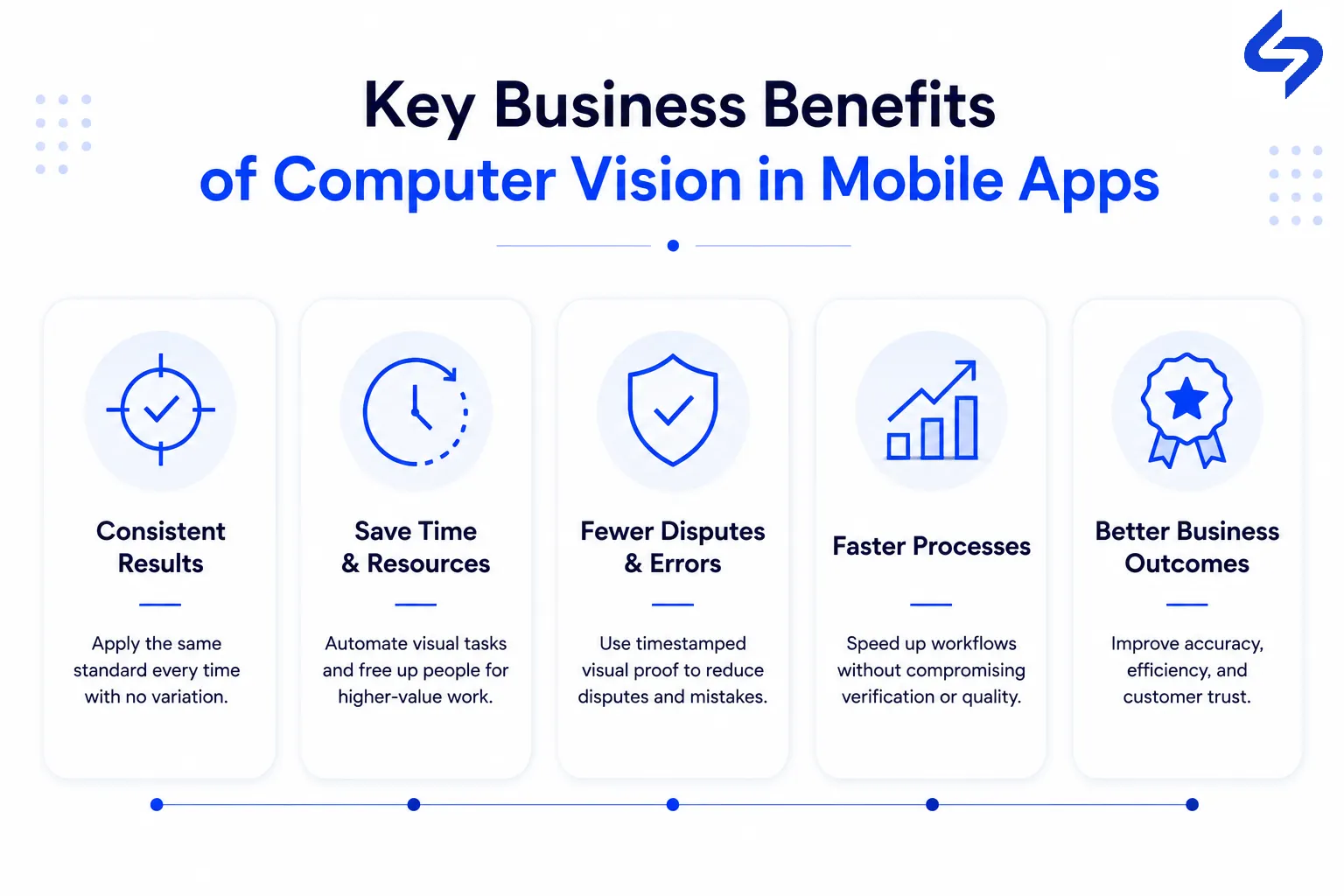
The main business benefits include:
Faster Operations:
Automates visual tasks such as product checks, document scanning, and item verification.Consistent Results:
Applies the same detection criteria across inspections, reducing variation in manual checks.Lower Operational Effort:
Reduces repetitive work and frees employees to focus on tasks that require human judgment.Faster Decisions:
Processes visual information immediately, helping teams respond without waiting for manual reviews.Better Customer Experience:
Simplifies tasks such as scanning documents, identifying products, and verifying identity.Easier Dispute Resolution:
Creates timestamped visual records for deliveries, inspections, claims, and safety checks.Better Business Outcomes:
Combines faster processes, consistent results, and reduced manual effort to improve overall operational efficiency.
You’ll get the most value from computer vision when you use it to improve a business process that already takes time, effort, or manual judgement.
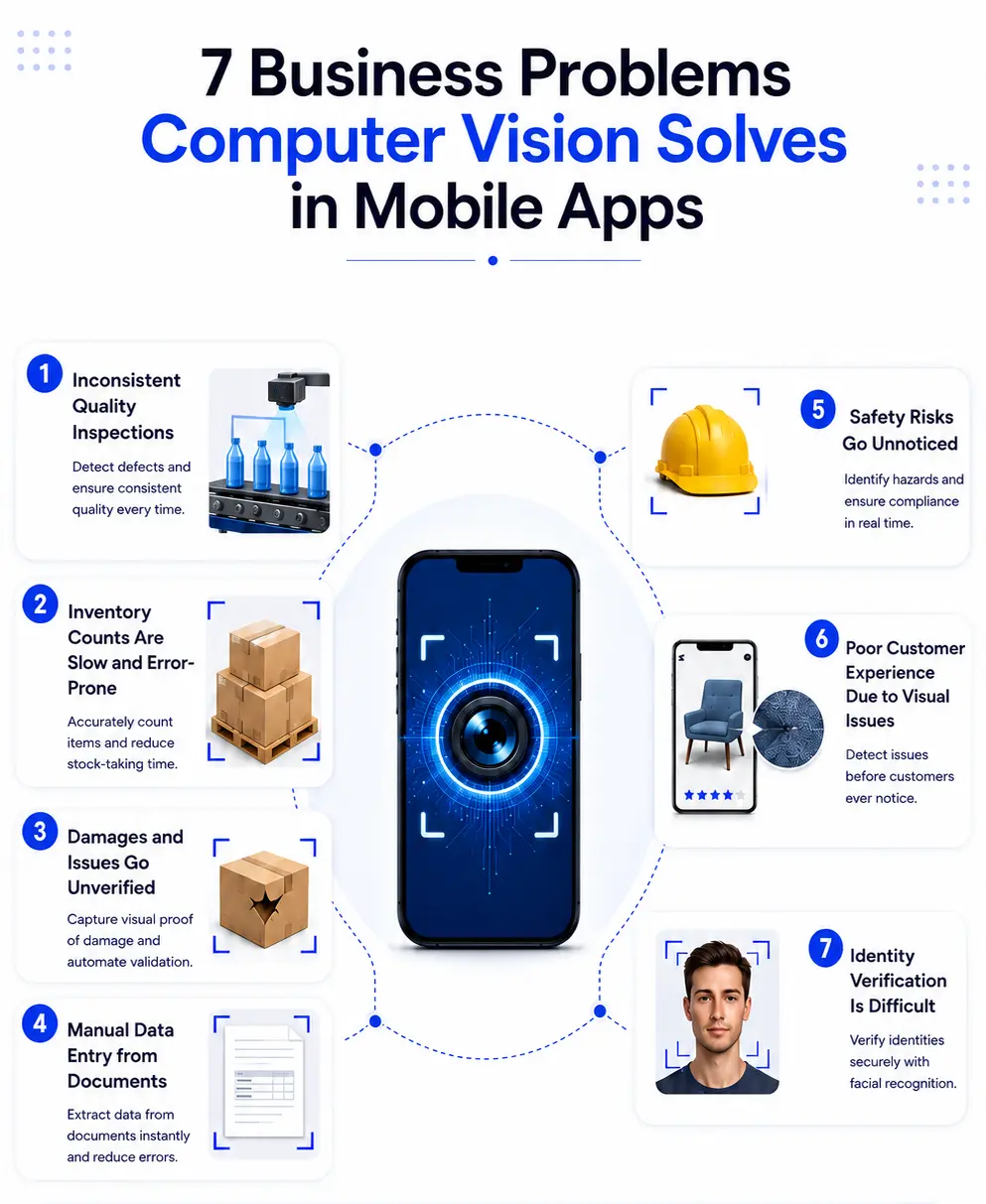
7 Business Problems Computer Vision Solves in Mobile Apps
Computer vision becomes useful when a business needs to understand something through images. Here are seven common problems where it can improve a mobile-based process.
1. Quality Inspection Depends on Who's Doing the Looking
Manual quality checks can vary from one inspector to another. Fatigue, workload, and different inspection standards can lead to missed defects.
A mobile app with a trained computer vision model capture a product image and check it against defined quality standards. For example, a beverage company can use it to detect label misalignment, damaged packaging, or incorrect fill levels.
You just need to train the AI model with images of the actual defects you want your app to detect.
2. Retail Shelf Checks Eat Staff Hours Without Much to Show for It
Retail teams often need to check whether products are available, correctly placed, and displayed according to the planogram. Checking every shelf manually takes significant staff time.
With computer vision, a staff member can take a photo of the shelf and the app can identify products, missing items, and placement issues. This gives retailers a faster way to track shelf conditions across multiple locations.
3. Damage and Delivery Disputes Are Hard to Resolve Remotely
Delivery and insurance processes often involve disputes about the condition of an item. Without clear evidence, resolving these cases takes time and often requires manual review.
A mobile app can capture and timestamp photos during delivery, vehicle inspection, or claim submission. Computer vision then identify visible damage and support an initial assessment.
For complex cases, human review remains important. The technology works best as a first layer of assessment and documentation.
4. Identity Verification Creates Friction Right When You Need Trust
Banks, fintech companies, and other regulated businesses need to verify customer identities carefully. Manual document checks slow down onboarding, especially when review volumes are high.
Computer vision read identity documents, compare a selfie with the document photo, and check for signs of document tampering. This helps move straightforward applications through verification faster.
5. Field Technicians Diagnose Equipment Without Always Having the Right Reference
Technicians often work with equipment they need to identify, inspect, or repair without having every manual available on site. A wrong identification result in delays and repeat visits.
A computer vision mobile app identify equipment, parts, and visible issues through the camera. Then show the relevant model information, specifications, maintenance history, or troubleshooting guidance.
This works best when the business has a well-documented equipment catalog and known asset types.
6. Counting and Measuring Physical Things by Hand Doesn't Scale
Counting stock, plants, materials, and other physical items manually takes time and becomes difficult as operations grow.
A mobile camera capture an image and use computer vision to count items and estimate measurements. A warehouse worker could scan a pallet to count units, while an agriculture app could count plants and assess visible crop conditions.
Accuracy depends on factors such as camera angle, distance, and lighting. The app should guide users to capture images in suitable conditions.
7. Safety Monitoring Is Usually Reactive, Not Proactive
Safety checks often depend on supervisors noticing problems during site visits. This makes it difficult to identify every PPE violation, restricted-area entry, or unsafe situation.
Computer vision analyze camera images to detect specific safety conditions, such as missing protective equipment or entry into restricted zones. The results can then be recorded in a mobile dashboard for follow-up.
It should support an existing safety program, not replace human supervision. Clear rules for alerts, review, and false detections are important for reliable use.
Turn Manual Visual Tasks Into Intelligent Mobile Workflows
Reduce manual effort, improve accuracy, and streamline everyday business operations through your mobile app.
Book Free ConsultationWhat to Think About Before Building This Into a Mobile App
Computer vision is useful when it solves a clear business problem. Before adding it to your app, you need to look at how the feature will work in real-world conditions, what it will require, and how you’ll maintain it over time.
Define the Problem First
Start with one question: What problem will computer vision solve?
If your users spend too much time checking products, entering information, or inspecting images, computer vision could reduce that effort. If a standard mobile feature already solves the task well, adding AI could increase development time and cost without enough value.
Understand How Users Will Capture Images
Your computer vision model is only as good as the images it receives.
Think about where your users will capture images. Warehouses, hospitals, retail stores, construction sites, and outdoor locations all have different lighting and conditions. Blurry images, poor lighting, and different camera angles can affect accuracy.
Your app should make it easy for users to capture images that the model can process reliably.
Decide Where the Processing Should Happen
You need to decide whether images will be processed on the device, in the cloud, or through a combination of both.
On-device processing can provide faster responses and support certain offline features. Cloud processing gives you access to more powerful models and computing resources. Your choice should fit your performance, privacy, and budget requirements.
Think About Privacy from the Beginning
Your app could handle sensitive visual data such as faces, identity documents, medical images, and vehicle details.
You need to decide what data you’ll collect, how long you’ll keep it, and who can access it. Planning these controls from the beginning helps you avoid privacy and security problems later.
Consider Device Performance
Computer vision features require processing power. If you don’t optimize them properly, they can slow down the app, increase battery usage, and create problems on older devices.
Your goal should be to deliver the required computer vision capability without compromising the overall app experience.
Plan for Future Improvements
You should treat computer vision as an ongoing capability, not a one-time feature. As your products, environments, and user inputs change, your model may need new training data, testing, and updates.
Plan for regular monitoring and improvements from the beginning. This helps you maintain accuracy as your business and user requirements evolve.
Before you build computer vision into your app, make sure you understand the problem, the data, the user environment, and the ongoing effort required to maintain the feature. Good planning at this stage helps you avoid building an expensive AI feature that doesn’t deliver enough value.
When Does Computer Vision Make Sense for a Mobile App?
Not every mobile app needs computer vision. You should consider it when your team is regularly looking at images, checking physical items, or making visual decisions that take time and effort.
Computer vision makes more sense when:
The task happens frequently:
A visual check done hundreds of times a day has more value to automate than one done only a few times a year.The process is repetitive:
If people follow the same visual checks repeatedly, computer vision can help make the process faster and more consistent.The visual information is clear:
The model needs enough consistent visual data to recognise the things you want it to detect.Manual work is costly:
If the task takes significant employee time, automation can create measurable savings.The risk is manageable:
You should still have human review where an incorrect result could lead to serious financial, safety, or customer problems.
Computer vision makes less sense when the task happens rarely, the visual information is too inconsistent, or the cost of a wrong result is too high. In these cases, a simple checklist or manual review could be the better solution.
Industries That Benefit Most from Computer Vision Mobile Apps
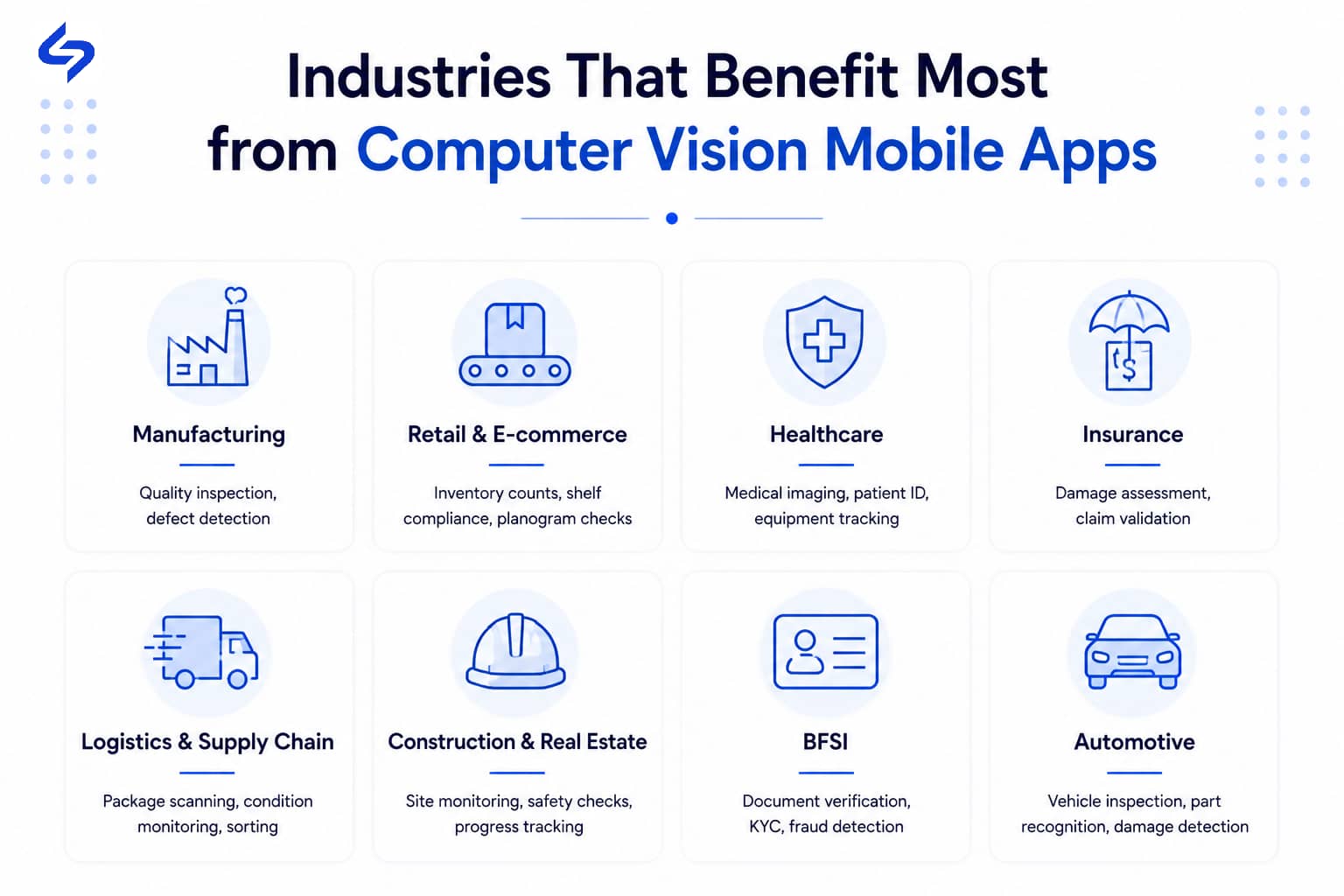
Computer vision is especially useful in industries where teams regularly inspect, identify, count, verify, or monitor physical items. The industries below are strong examples:
Manufacturing and Food Production:
Quality inspection and defect detection.Retail and CPG:
Shelf audits, product recognition, and stock checks.Insurance and Logistics:
Damage documentation and delivery condition checks.Fintech and Banking:
Identity and document verification during onboarding.Utilities and Field Service:
Equipment identification and on-site diagnosis.Agriculture and Warehousing:
Counting, measuring, and stock assessment.Construction:
PPE checks and safety monitoring.
The important point is that your industry alone does not determine whether computer vision makes sense. Look at the specific tasks your team performs. If you have a high-volume visual task that depends heavily on manual inspection, computer vision is worth evaluating.
Conclusion
Computer vision makes sense when your business has tasks like product checking, damage inspection, counting, equipment identification, or safety monitoring.
If you’re planning to add it to your mobile app, first look at which tasks take too much time, need repeated manual checking, or often lead to inconsistent results. If the process is clear and happens regularly, computer vision could be a good fit.
First find the problem. Then decide if computer vision is the right solution.
Not Sure If Computer Vision Is Right for Your Mobile App?
Our experts can assess your business workflows and recommend whether computer vision is the right investment for your mobile app.
Talk to Our Mobile App ExpertsFrequently Asked Questions
Does computer vision in mobile apps work without an internet connection?
It depends on how the app is built. Some vision models run directly on the phone and don't need a connection, though they're limited to what the phone's processor can handle. Others send images to a server for processing, which allows for more accurate models but requires connectivity. Field service and logistics apps often use a mix: basic checks on-device, more complex analysis when a connection is available.
How much training data does a computer vision feature actually need?
There's no fixed number, since it depends on how varied the real-world conditions are. A narrow use case, like reading a standard barcode format, needs far less data than something like detecting product damage across dozens of packaging types and lighting conditions. What matters more than volume is that the training images reflect the actual conditions the app will face in use, not a controlled sample set.
Is computer vision accurate enough to replace human review completely?
For most of the use cases above, it's more accurate to say it filters and prioritizes rather than fully replaces human review. It handles the straightforward cases reliably and flags the ambiguous ones for a person to look at, which reduces the volume of manual work without removing human judgment from decisions that need it.
What industries benefit most from computer vision in mobile apps?
It varies more by process than by sector, though manufacturing, retail, insurance, logistics, field service, agriculture, and construction are where it shows up most often, as covered above. The common thread isn't the industry itself, it's whether the business relies on a person looking at something and making a judgment call, repeatedly and at some scale.
Does adding computer vision to a mobile app significantly increase development cost?
It can increase app development costs, but the impact depends on the complexity of the feature. A simple use case, such as barcode scanning or object counting, is generally less expensive than advanced features like visual search or real-time image recognition. The more focused the use case, the easier it is to control development costs while delivering meaningful business value.
Do computer vision mobile apps always require cloud app development?
No. It depends on how the feature is designed. Simple computer vision tasks can often run directly on the user's device, while more advanced image processing may require cloud app development to handle larger AI models, store data securely, and process images at scale. The right approach depends on your app's performance, privacy, and business requirements.
Explore comprehensive blogs, best practices, and insights from our technology experts.

Benefits of Mobile Healthcare Apps: How mHealth Is Improving Patient Care
Mobile healthcare apps improve patient care by enabling remote monitoring, timely reminders, secure data access, better communication, and cost-efficient healthcare services through mHealth technology.


10 Reasons Why B2B Apps Are a Great Investment for Your Business
B2B apps help businesses streamline operations, enable on-the-go access to data, improve client engagement, support omnichannel sales, and drive scalable revenue by simplifying complex business workflows.
Turning expertise into action for your business.
We are more than just developers and consultants—we are your partners in navigating the digital landscape. Let us be the engine behind your next big success while you focus on your core vision.
Explore Opportunities!