How Much Does It Cost to Build an Enterprise AI Chatbot in 2026?
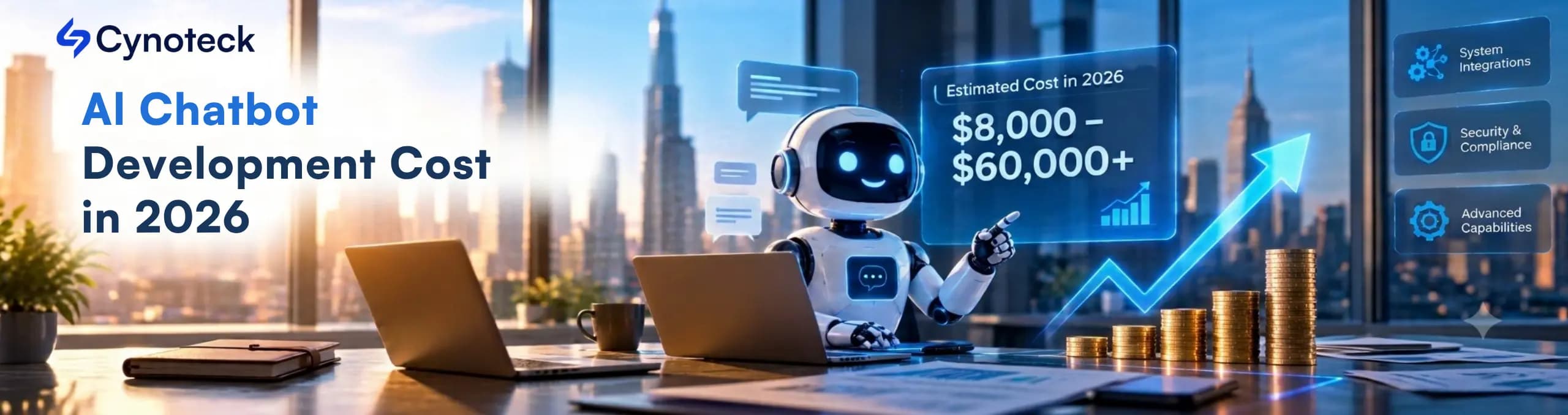
In 2026, most US businesses can expect to pay between $8,000 and $60,000 or more to build an enterprise AI chatbot with an experienced offshore team. US-based agencies usually charge more for similar projects. The main things that drive the price are how many business systems the chatbot connects to, your security needs, and how much the chatbot can do on its own. For instance, a chatbot that just answers questions from your documents will cost less. If you want it to check live orders or create support tickets, the price goes up.
A chatbot that answers simple questions about product returns is usually straightforward. But if you want a chatbot that checks orders in your ERP, updates customer records in your CRM, and opens support tickets, the project gets much more complex. The cost difference between these examples is big, so one price estimate is rarely enough for planning.
This guide breaks down the main costs and shows how to estimate your budget. It also covers important US compliance rules and what to prepare before you ask for a quote. Each AI chatbot development cost estimate is labeled so you can plan with real numbers and compare them to actual proposals.
For most US businesses, building an enterprise AI chatbot costs between $8,000 and $60,000 or more. The final price depends on your project’s scope, how many systems the chatbot connects to, your security needs, and how complex the conversations are. If you need a large rollout across several departments, strict compliance, or lots of custom workflows, expect the cost to be higher.
To estimate your budget, first list what you need the chatbot to do. The table below shows four common types of chatbots and their usual cost ranges.
Chatbot type | Indicative development cost (USD) | Typical use case |
|---|---|---|
Basic AI chatbot | $3,000 to $8,000 | Answers common customer questions |
Knowledge-based chatbot | $8,000 to $15,000 | Answers questions using company documents and policies |
Integrated enterprise chatbot | $12,000 to $26,000 | Connects with CRM, helpdesk, and business data |
Advanced enterprise chatbot | $26,000 to $60,000 or more | Supports multiple channels, complex workflows, and stronger security controls |
Table 1. These are planning ranges for 2026, based on an experienced offshore team. Your actual quote will depend on your project’s scope, your current systems, how ready your data is, and the team’s rates.
For example, if your chatbot only needs to answer questions from product manuals, your budget will be different from a company that wants live customer data and approved actions. Quotes can also vary because vendors define the work differently, and US-based agencies usually charge more than offshore teams for similar projects. Always check what is included before you compare prices.
Three main things drive most of the final price: system integrations, compliance requirements, and how complex the chatbot’s conversations are. Here’s how each one affects your budget, with practical examples.
Every system your chatbot connects to adds extra work for building and testing. For example, an online retailer might get hundreds of order-status questions every day. A basic chatbot can explain the delivery policy, but most customers want to know the status of their own orders.
To answer these questions, the chatbot needs access to order data from your ERP, store platform, or order system. The team has to build a secure connection, check customer identity, pull the right record, handle errors, and give a clear answer.
System | What the chatbot needs to do | Cost impact |
|---|---|---|
CRM | Retrieve customer details and approved account data | Moderate |
Helpdesk | Create tickets and retrieve support status | Moderate |
ERP | Check inventory, orders, invoices, and delivery details | High |
Payment system | Verify transaction status and handle payment requests | High |
Several internal systems | Coordinate data across departments | High to very high |
Table 2. Relative cost impact of common system integrations. The levels are relative, so they aren’t fixed prices.
A system with a well-documented API is usually easier to connect. Older systems with little documentation often need more custom work. The time and effort needed can vary a lot depending on your current tools and how they are set up.
Budget tip: List every system your chatbot needs to connect to. For each one, note if the chatbot just reads data, updates records, or takes actions. This helps your partner estimate the real workload.
Security rules affect the whole design and every phase of the build. Enterprise chatbots often handle data that not every user should see. For example, a healthcare provider might want a chatbot to answer questions about appointments and patient records. The chatbot needs to check identity, respect permissions, protect sensitive data, and keep a record of its actions.
A general-purpose chatbot without these controls won’t be enough. Depending on your industry, you may need several of these safeguards.
Control | What it does |
|---|---|
Role-based access | Limits who can see specific data |
Encryption | Protects data in transit and at rest |
Single sign-on (SSO) | Works with your company’s login system |
Audit logs | Record important actions and access events |
AI disclosure notice | Tells users they’re talking to a bot, where the law requires it |
Retention and deletion rules | Control how long data stays |
Security testing and compliance reviews | Check the system before launch and after changes |
Table 3. Common security controls in enterprise chatbots.
HIPAA applies if your chatbot handles protected health information, so healthcare providers and their vendors need the right safeguards and agreements. California’s privacy laws, along with those in many other states, can cover the personal data a chatbot collects. Enterprise buyers also often ask vendors for SOC 2 evidence during security reviews.
Chatbot disclosure rules are growing too. Maine requires businesses to tell consumers clearly when they might otherwise think they’re talking to a person, and California restricts bots that mislead people in online sales, according to Cooley. Utah requires disclosure when a consumer asks whether they’re talking to AI, according to DLA Piper. The FTC can also act against deceptive bots in any state. These rules change quickly, so ask counsel what applies in the states you serve.
The exact rules depend on your business, your data, and where your users are. Ask your legal team to confirm which ones apply. Adding security controls after the build often means expensive rework, since the design, testing, and documentation all need updates.
Budget tip: Share your security policies and compliance needs early. This lets the team include the right controls in the first estimate.
The more tasks your chatbot can handle on its own, the higher the build and testing costs. For example, a basic chatbot might answer 'What is your return policy?' using approved website content. An advanced chatbot may need to identify the customer, check the purchase date, verify the return window, review the product category, and start a return. This kind of automation needs a reliable process behind every answer.
Level | What the chatbot does | Example |
|---|---|---|
Level 1: Answer questions | Answers from FAQs, product manuals, and approved documents | “How long does delivery usually take?” |
Level 2: Retrieve business data | Pulls data from connected systems after the required access checks | “Has my order shipped?” |
Level 3: Complete business tasks | Follows defined rules, performs approved actions, and confirms the result | “Create a return request for my damaged product.” |
Table 4. Three levels of chatbot work.
Each level takes a different amount of work. Completing tasks also means handling errors, checking permissions, confirming actions, and testing for unusual cases. The most advanced chatbots work much like AI agents.
Budget tip: List the top 10 to 20 chats your chatbot should handle at launch. For each one, note the expected answer, the data it needs, the business rules, and the final action.
Other factors like preparing your knowledge base, supporting multiple channels, language support, and thorough testing also affect your budget. These are easy to overlook, so plan for them early.
Knowledge base preparation. A chatbot that answers from company documents needs reliable source material. If your manuals are up to date and your support articles are well organized, prep can go quickly. If your information is scattered in old PDFs, spreadsheets, emails, or conflicting policies, the team will need extra time to clean and check them. An AI readiness checklist can help you spot these gaps early.
Retrieval-augmented generation (RAG) can help businesses that are looking for document-based chatbots. RAG allows an AI chatbot to pull relevant details from your approved documents before answering. As a result, it helps businesses to keep the replies based on the company’s knowledge. Moreover, RAG requires careful testing, as it can lead to incomplete answers.
Number of channels. A chatbot built for one website usually costs less than one that runs on a website, mobile app, SMS, and internal tools like Microsoft Teams or Slack. Each extra channel may need its own setup, interface tweaks, login handling, and testing. Text messaging also brings consent and opt-out rules under the Telephone Consumer Protection Act (TCPA). Decide which channels your customers and staff actually use before expanding the project.
Language support. A chatbot that only supports English has a smaller scope than one that handles several languages, regional terms, and mixed-language chats. For example, a support chatbot serving customers across the US may need to handle both English and Spanish. The team has to test language understanding, answer quality, fallback handling, and how well it handles your business terms.
Chatbot Testing and Ongoing Maintenance: Every AI chatbot is required to go through a testing process before launch and regular monitoring. Therefore, the teams should check that they give accurate answers, handles unexpected questions, respects permissions, and transfers chats to a person when needed. After launching the chatbot solution, plan for ongoing updates and improvements.
After launch | What it covers |
|---|---|
Usage monitoring | Model and API usage, so costs stay visible |
Knowledge base updates | New products, policies, and support articles |
Fixes and patches | Bug fixes and security updates |
Quality reviews | Answer accuracy and overall performance |
Connection upkeep | Changes to the systems the chatbot uses |
Improvements | Updates based on real customer chats |
Table 5. Ongoing work to budget for after launch.
Put these items in your running budget from the start. Then they won’t show up as surprise expenses.
To see how the cost to build an enterprise AI chatbot adds up, take a mid-sized US e-commerce company with 10,000 support chats a month. Its team spends a lot of time on three repeat questions. Where is my order? What’s the status of my refund? How do I raise a return request?
The company wants a chatbot that handles these questions on its website and connects to its CRM, order system, and helpdesk. Here’s a sample planning estimate.
Project component | Illustrative budget |
|---|---|
Requirements and conversation design | $1,500 |
Chatbot build and knowledge setup | $5,000 |
CRM, order system, and helpdesk integrations | $5,000 |
Security controls and testing | $2,000 |
Deployment and launch support | $1,500 |
Estimated initial project cost | $15,000 |
Table 6. Illustrative budget for a customer support chatbot. It’s an example, so it isn’t a vendor quote. System complexity, data quality, login needs, and the number of workflows can all change the real figure.
Suppose the chatbot handles 40% of the 10,000 monthly chats without human help. That’s 4,000 chats a month. If each chat would have taken an employee six minutes, the saved time adds up quickly. The table below shows the calculation.
Step | Calculation | Result |
|---|---|---|
Chats resolved automatically | 40% of 10,000 | 4,000 per month |
Staff time saved | 4,000 × 6 minutes | 24,000 minutes, or 400 hours |
Value of that time | 400 hours × $30 per hour | $12,000 per month |
Monthly running cost (assumption) | Model usage, hosting, monitoring, and updates | $1,000 per month |
Net monthly value | $12,000 − $1,000 | $11,000 per month |
Payback on the $15,000 budget | $15,000 ÷ $11,000 | About 1.4 months |
Table 7. Simple savings illustration. It assumes $30 is the fully loaded hourly cost of support staff time. The Bureau of Labor Statistics reports a median wage of $20.59 an hour for customer service representatives, and benefits and overhead add to that.
You can lower your AI chatbot development cost without cutting corners on security or answer quality. The savings come from skipping unnecessary work.
Start with one clear problem: First, go through the problem and build the chatbot that can handle this problem, instead of building a chatbot that handles everything. For example, you can pick one measurable problem, such as appointment booking, internal IT help, or staff policy questions.
Reuse your existing systems where possible: If you already have APIs and strong access controls in your existing CRM, login system, helpdesk, and knowledge base, it would be good to use reliable tools you have already have to reduce AI chatbot development cost.
Prepare your data before you start: Before starting, it is a must to prepare your data. Make sure to organize your policies, product details, support documents, and FAQs. Also, delete outdated content and assign owners to important files & documents.
Choose the simplest technical approach that works: A document-based assistant may not need a custom-trained model if a well-designed RAG setup is enough. In the same way, a chatbot that follows fixed paths may not need a large language model for every step.
Release your chatbot in phases: This is the most important task if you want to reduce chatbot development cost. You must review real chats, find gaps, and measure resolution rates before adding more features.
Custom development isn’t the right choice for every company. This table shows where each option usually fits.
Requirement | Better starting point |
|---|---|
Standard website FAQs | Existing chatbot platform |
Basic lead capture | Ready-made chatbot with some setup |
Answers from company documents | Knowledge-based chatbot platform or custom RAG solution |
Live data from several business systems | Custom development may suit you |
Sensitive data and complex access rules | A solution designed around your security needs |
Unique workflows across departments | Custom development may give you more control |
Table 8. Where build and buy options usually fit.
Before finalizing on the custom AI chatbot development, you must compare platform subscription fees, integration options, security controls, usage limits, and customization limits. Once you're done with the detailed comparison, choose the one that looks more affordable and within budget.
An experienced offshore team can lower your costs, but there are important questions US buyers should address early. Labor rates are the main reason for the price difference, and US-based agencies often charge more for similar work. Make sure you understand what is included before you decide.
Question to ask | Why it matters |
|---|---|
Where will our data live? | US cloud regions help with data residency and customer expectations |
Who owns the code and trained assets? | Your contract should assign the intellectual property to you |
How do you handle HIPAA and state privacy rules? | You may need a business associate agreement or data processing terms |
What security evidence can you share? | Ask for certifications, such as ISO 27001, and for your deployment’s security design |
How will we work across time zones? | Agree on overlap hours, response times, and escalation paths up front |
Who supports the chatbot after launch? | Monitoring and maintenance need a named owner |
Table 9. Questions to settle with an offshore chatbot partner before you sign.
Look for partners with relevant certifications, such as ISO 27001 and ISO 9001. Ask for clear documentation of the security design so your legal and IT teams can review how data is handled. If a partner cannot answer these questions clearly, consider it a warning sign.
An enterprise chatbot with a narrow scope and simple integrations can usually go live in 8 to 12 weeks after discovery. Projects with more integrations, several languages, or strict compliance take longer. Longer schedules also increase costs, since each extra week adds team time.
For a phase-by-phase view of how a schedule builds up, read our guide to the generative AI project timeline.
A useful quote starts with a clear scope. The more specific you are, the easier it is to compare proposals from different partners. Bring answers to these questions to your first call.
Detail | What to decide |
|---|---|
Business goal | What problem should the chatbot solve? |
Target users | Customers, employees, partners, or support agents? |
Chat volume | How many chats do you expect each month? |
Channels | Website, mobile app, WhatsApp, Microsoft Teams, or another channel? |
System integrations | Which CRM, ERP, helpdesk, payment, and internal systems are involved? |
Knowledge sources | Which documents, databases, and policies will the chatbot use? |
Required actions | Will it only answer questions, or also retrieve records, create tickets, and update data? |
Security needs | Which login methods, access controls, audit logs, and compliance steps do you need? |
Compliance scope | Which rules apply, such as HIPAA, state privacy laws, or SOC 2 expectations? |
Human handoff | When should the chatbot pass a chat to an employee? |
Success measures | How will you track resolution rate, answer accuracy, time saved, and customer satisfaction? |
Table 10. A quote-preparation checklist.
You don’t need a full technical spec to get started. A clear business goal, a shortlist of workflows, and a list of connected systems give you a strong start. For help choosing an AI development company, use a checklist to compare partners side by side.
The right enterprise chatbot starts with a clear understanding of your business needs. Review your requirements, plan system integrations, and design around your workflows and data.
You might want to reduce repeat support requests, help staff find company information, or connect customer chats to business systems. Either way, the first step is to define what you need the chatbot to do.
To get a custom AI chatbot development cost quote, share your use case, current systems, and expected outcomes. This helps you plan a solution that fits your needs and budget.
An enterprise AI chatbot may cost $8,000 to $60,000, or more, depending on the chatbot solution's features and requirements. However, the final cost estimate depends on factors such as system connections, security needs, complexity, and features.
An enterprise AI chatbot with clean integrations and narrow scope can go live in 8 to 12 weeks. However, if a chatbot requires several integrations, strict security rules, and complex workflows, it can take from several weeks to several months. Also, data preparation, access approvals, and testing affect the AI chatbot project timeline.
System integrations are often the biggest factor. A chatbot that answers from approved documents takes less work than one that pulls live data from several systems and takes actions. Compliance and chat complexity also shape the estimate.
You may have to pay for API usage, model, hosting, monitoring, security updates, knowledge base upkeep, and ongoing maintenance. However, the monthly amount totally depends on your design, usage, infrastructure, and your service levels.
It can be, if the partner meets your security and compliance needs. Ask about certifications such as ISO 27001, where the vendor will store your data, who owns the code, and whether you need a business associate agreement for health data. Get the answers in writing before you sign.
The rules can vary depending on the state. Maine and Utah have disclosure regulations, and the FTC can act against deceptive bots anywhere. With clear labeling, it is a simple safeguard, but ask counsel which rules apply to you.
It can be, when the chatbot needs special workflows, deep integrations, tighter control over data, or features that standard platforms lack. So compare the total cost with measurable gains, such as shorter handling time, more support capacity, and faster service. Our guide on whether AI development is expensive can help with that comparison.
No. A chatbot that follows fixed paths may need a language model for only some steps, or none at all. Use the simplest approach that works reliably.
Yes, and it’s often the smartest route. Launch one high-value workflow, review real chats, and add features as the results justify them. If you’re unsure whether to start with a design review or a build, our guide to AI consulting versus AI development can help.
Define the business problem, chat volume, required integrations, data sources, security needs, and success measures. A partner can then scope the work and prepare a realistic estimate.
 How Much Does It Cost to Build an Enterprise AI Chatbot in 2026.webp)
Integrations, HIPAA and state privacy rules, and conversation complexity drive what US companies pay for enterprise AI chatbots. Includes budget ranges, an offshore partner checklist, and a payback calculation using BLS wage data.

What is Artificial Intelligence? Artificial intelligence (AI) is intelligence demonstrated by machines, which makes it possible for machines to learn from experience, adjust to new inputs and perform human-like tasks.
We are more than just developers and consultants—we are your partners in navigating the digital landscape. Let us be the engine behind your next big success while you focus on your core vision.
Explore Opportunities!
 What Al Services Does a Business Actually Need in 2026.webp)