Power Apps Pricing 2026: Per-App vs Premium vs Pay-As-You-Go
How much does Power Apps cost in 2026?
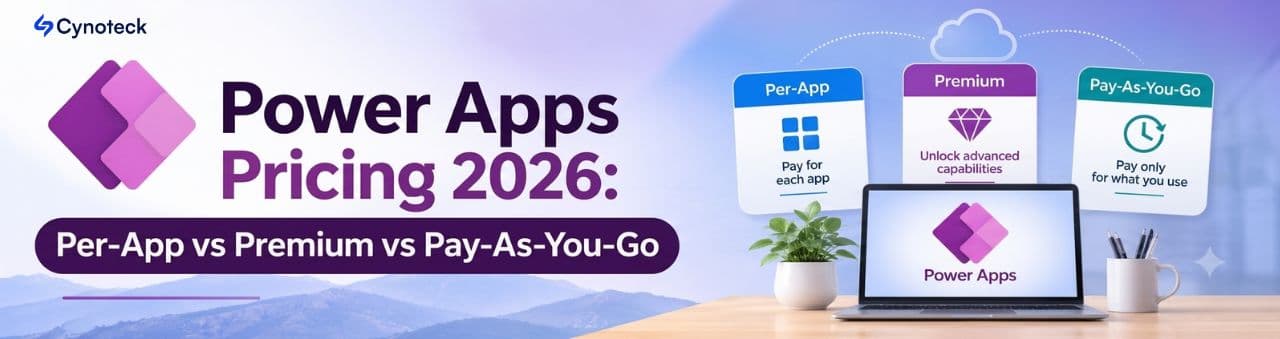
Power Apps costs $20 per user per month for Power Apps Premium, $5 per user per app per month for the Per App plan, or $10 per active user per app per month on pay-as-you-go. Building and testing is free with the Developer Plan, and many Microsoft 365 users can already run simple apps at no extra cost.
Two dates change the picture. From January 1, 2027, Power Apps Premium rises to $22 per user per month, and the 2,000-seat volume plan rises from $12 to $14. Since January 2, 2026, the $5 Per App plan is no longer sold to most new customers, although CSP buyers can still purchase it.
.png)
Here is the simple rule most businesses can use:
Choose Premium when a person uses three or more premium apps regularly.
Choose Per App (if you can buy it) when people need one or two specific apps every day.
Choose pay-as-you-go when usage is occasional, seasonal or hard to predict.
All prices are US list prices, billed annually, as shown on Microsoft’s Power Apps pricing page on November 20, 2026. Your actual price can differ by country, currency and agreement.
Who actually needs a paid Power Apps license?
Every person who runs a premium app needs a license or must be covered by a meter, not just the people who build it. The question that decides cost is not “how many makers do we have?” but “which apps use premium features, and who opens them?”
Power Apps licensing splits apps into two groups:
Standard apps. Canvas apps that only use standard connectors, such as SharePoint, Excel Online, Outlook and Teams. Users with an eligible Microsoft 365 or Office 365 license can run these at no extra cost. Microsoft calls this included right “Power Apps Basic”.
Premium apps. Any app that uses Microsoft Dataverse, a premium connector (for example SQL Server or Salesforce), a custom connector or the on-premises data gateway. Model-driven apps are always premium because they run on Dataverse. Every user of a premium app needs Premium, Per App or pay-as-you-go coverage.
Three other rules save a lot of confusion:
Dynamics 365 licenses include Power Apps rights, but only in context. A Dynamics 365 user can run custom apps that extend their licensed Dynamics 365 application in the same environment. A separate app in a non-Dynamics environment needs its own Power Apps license, and Dynamics 365 Professional licenses carry no Power Apps rights at all. If you run both, our guide to Dynamics 365 vs Power Apps explains where each one fits.
The Developer Plan is free but not for production. It gives makers three developer environments to build and test. As soon as real users run the app, they need a paid option.
You can mix license types. Microsoft allows Premium for some users, Per App for others and pay-as-you-go in selected environments. Most cost savings come from mixing well.
This is why the cheapest plan is rarely obvious from the price list. You first need an inventory of your apps, their connectors and their real users. Cynoteck’s Power Apps consultants include this licensing review in the discovery stage of every project.
Power Apps Premium: unlimited apps for one user
Power Apps Premium is a per-user license that lets one person run unlimited custom apps and Power Pages websites. It costs $20 per user per month today and $22 for terms that start on or after January 1, 2027.
What one Premium license includes:
Unlimited canvas apps, model-driven apps and Power Pages sites for the assigned user
Standard, premium, custom and on-premises connectors
Dataverse capacity of 250 MB database and 2 GB file per user, pooled across your tenant
Power Automate flows that run within the context of the app
Managed Environments for governance, plus agentic features in model-driven apps and Microsoft 365 Copilot Chat inside apps
The volume plan. Organizations that buy at least 2,000 new Premium licenses pay $12 per user per month, rising to $14 in 2027. The 2,000-seat minimum must be kept for the whole agreement term, so it suits company-wide rollouts rather than a growing department.
The January 2027 price increase. Microsoft announced on September 9, 2026 the first Premium list-price rise in more than five years. Key points for budgeting:
Only the two Premium plans change. Per App, pay-as-you-go and other Power Platform prices stay the same.
Existing subscriptions keep their current price until the term ends. New purchases, renewals and co-terminations with a term starting on or after January 1, 2027 pay the new price.
The increase applies to monthly and annual billing, worldwide, with similar changes in local currencies.
Power Apps rights included in Microsoft 365 and Dynamics 365 plans are not affected.
In plain numbers, 100 Premium users cost $24,000 a year at $20 and $26,400 at $22. If your renewal date is close, ask your licensing partner whether timing the new term changes what you pay.
Premium is the best fit when people use several premium apps, you plan to build more apps over time, or you want one predictable cost per person. It also removes the need to track which user has which app.
Power Apps Per App: $5 for one app, if you can still buy it
The Per App plan licenses one user to run one app or one Power Pages website in a specific environment for $5 per user per month. It is the cheapest paid option for focused, daily use of a single premium app, but it is no longer available to every buyer.
Is the Power Apps Per App plan discontinued? Not completely. Microsoft ended sales to new customers on January 2, 2026, then clarified in March 2026 that the Cloud Solution Provider (CSP) channel is not affected. In practice:
CSP customers (new or existing) can still buy, use and renew Per App licenses. This is how most small and mid-sized businesses buy Microsoft licenses.
Existing Enterprise Agreement customers who already own Per App can keep renewing and adjust counts at true-up.
MPSA customers can use their licenses until the agreement ends, then have 60 days to move to another option.
Other new customers cannot buy it and should compare Premium with pay-as-you-go instead.
How Per App works day to day:
Licenses are stackable. A user who needs two apps needs two Per App licenses.
Licenses are tied to an environment. The same app deployed in two environments needs coverage in each.
A model-driven app with embedded canvas components counts as one app.
Admins allocate app passes to an environment in the Power Platform admin center, and sharing the app consumes them.
Each license adds 50 MB of Dataverse database and 400 MB of file capacity to the tenant pool, far less than Premium.
Per App is the best fit when a defined group uses one or two premium apps every working day. Common examples are field inspections, site audits, maintenance requests or an expense app connected to finance. Cynoteck has built this kind of single-purpose app for clients, such as the property issue-tracking app for a real estate company.
Power Apps pay-as-you-go: pay only for people who open the app
Pay-as-you-go charges $10 per active user per app per month through an Azure subscription. An active user is anyone who opens the app at least once that month. If nobody opens it, you pay nothing for that app.
To use it, an admin links a Power Platform environment to an Azure subscription. From then on, every app in that environment is billed through the meter. The counting rules matter, and Microsoft documents them on its pay-as-you-go meters page:
A user is counted once per app per month, however many times they open it. Opening a second app adds a second charge.
Users who already have Power Apps Premium, or a Dynamics 365 license with equivalent rights, are not counted.
Microsoft 365 users running an app that only uses standard connectors are not counted either.
Guest users can run apps in a pay-as-you-go environment.
Per App passes already assigned to that environment are ignored, not consumed. You cannot mix app passes and the meter in one environment, so move the passes elsewhere.
You can exclude an app from the meter, but then its users need per-user licenses.
.png)
Storage is metered too. A pay-as-you-go environment includes the first 1 GB of Dataverse database and 1 GB of file storage. Beyond that, database storage costs $48 per GB per month, file storage $2.40 and log storage $12. Your tenant’s pooled Premium capacity does not apply to these environments.
Cost control is your job. Charges appear in Azure Cost Management, with up to 24 hours of delay, and detailed user-level reports sit in the Power Platform admin center. Set an Azure budget and alerts before launch, so a popular app does not surprise finance.
Pay-as-you-go is the best fit when usage is seasonal, occasional or unknown. Think annual benefits enrollment, quarterly audits, event registration, a pilot, or an approval app that most staff open only now and then. It also suits new buyers who can no longer purchase Per App.
Power Apps Per App vs Premium vs pay-as-you-go at a glance
Premium has the highest price per person but covers everything; Per App and pay-as-you-go are cheaper only while each person uses one or two apps.
Option | Price now (US) | Price from Jan 1, 2027 | What one license covers | Dataverse capacity added | Who can buy it | Best fit |
Power Apps Premium | $20 per user/month | $22 per user/month | Unlimited apps and Power Pages sites for one user | 250 MB database + 2 GB file per user, pooled | Everyone | People using 3+ premium apps |
Premium, 2,000-seat minimum | $12 per user/month | $14 per user/month | Same as Premium | Same as Premium | Buyers of 2,000+ new licenses | Company-wide rollouts |
Power Apps Per App | $5 per user/app/month | $5 (no change announced) | One app or one Power Pages site, in one environment | 50 MB database + 400 MB file per license | CSP buyers; existing EA customers | Daily use of 1–2 apps |
Pay-as-you-go meter | $10 per active user/app/month | $10 (no change announced) | One app, only in months the user opens it | First 1 GB database + 1 GB file per environment, then metered | Anyone with an Azure subscription | Occasional or seasonal use |
Developer Plan | Free | Free | Build and test only, no production use | 2 GB database | Individual makers | Learning and prototypes |
Microsoft 365 included rights | Included | Included | Canvas apps with standard connectors only | None for premium data | Eligible Microsoft 365 users | SharePoint and Excel based apps |
Prices are list prices billed annually and exclude taxes and partner discounts.
What costs are not included in the Power Apps license price?
The license is usually not the whole bill. Six other items decide what Power Apps really costs your business.
1. Dataverse storage. Every Premium user adds 250 MB of database capacity to a shared tenant pool. That fills up faster than most teams expect once attachments, audit logs and history pile up. Extra database capacity costs $40 per GB per month on subscription, or $48 per GB in a pay-as-you-go environment. A clean data model and a retention plan keep this line small.
2. Power Automate flows outside the app. Power Apps licenses cover flows that run in the context of the app. A flow that runs on its own, for example a nightly sync between SQL Server and a CRM, needs separate Power Automate licensing. Our Power Automate consultants can tell you which flows need it.
3. AI features now use Copilot Credits. From November 1, 2026, new and renewed Power Apps licenses no longer include seeded AI Builder credits. Features such as invoice reading, document processing and AI prompts now draw on Copilot Credits, which cost $0.01 each on pay-as-you-go or less with a pre-purchase plan. If an app depends on AI, budget for it separately. The same applies to agents built with Copilot Studio.
4. Power Pages for external users. A Premium license lets your own staff use Power Pages websites. Customers, partners and vendors who sign in to a portal are licensed separately, by Power Pages capacity or the Power Pages pay-as-you-go meter.
5. Licensing enforcement from February 2027. Microsoft is tightening checks on requirements that already exist. Users without the right license will be blocked from opening affected apps, including apps in Managed Environments (even standard apps), model-driven apps, and custom apps outside the licensed Dynamics 365 context. Admins have seen notifications since 2026. Check the “users requiring licenses” report in the Power Platform admin center now, so you fix gaps on your own timeline.
6. Building, integrating and supporting the app. Microsoft charges for the right to run apps, not for building them. Design, data migration, integration with systems like Dynamics 365 or Business Central, testing, training and support are separate costs. They often exceed the first year of licensing, so plan for them from day one. For reporting on the data your apps collect, Power BI has its own licenses as well.
Which Power Apps plan is cheapest for your business?
The cheapest plan depends on two numbers: how many premium apps each person uses, and how many of them open those apps in a typical month. At the 2027 Premium price of $22, the break-even points are simple.
Per App vs Premium: Per App is cheaper for up to four apps per user ($20). From five apps, Premium wins ($22 vs $25).
Pay-as-you-go vs Premium: pay-as-you-go is cheaper when a user opens one or two apps a month ($10 or $20). From three apps, Premium wins ($22 vs $30).
Per App vs pay-as-you-go for one app: pay-as-you-go is cheaper when fewer than half of the people who have access actually open the app each month.
On the 2,000-seat plan ($14): Premium beats pay-as-you-go from the second app and Per App from the third.
At today’s $20 price the lines sit slightly lower: four Per App licenses and two pay-as-you-go apps both cost exactly the same as Premium.
Four worked examples
These are illustrative examples using US list prices at 2027 rates. They exclude storage, AI usage, taxes and discounts.
Field inspection team: 40 inspectors, one premium app, used daily. Per App costs $200 a month. Pay-as-you-go costs $400 because all 40 are active every month. Premium costs $880. Per App wins if you buy through CSP; otherwise pay-as-you-go does.
Annual benefits enrollment: 300 employees, one app, used two months a year. Pay-as-you-go costs about $6,000 a year. Per App costs $18,000 and Premium $79,200. Pay-as-you-go wins by a wide margin.
Operations team: 25 people using five premium apps daily (inventory, purchasing, quality, maintenance and timesheets). Premium costs $550 a month, Per App $625 and pay-as-you-go $1,250. Premium wins, and new apps add no license cost.
Mixed company: 120 staff. Twenty managers use six apps; the other 100 can use one approval app, but only about 40 open it each month. Premium for the 20 managers ($440) plus pay-as-you-go for the approval app (about $400) costs around $840 a month. Premium for everyone would cost $2,640.
The fourth example shows why a mix of license types, set up per environment, often costs far less than one plan for everyone.
A five-step way to decide
List every app in your tenant with its connectors, environment and owner. Retire the ones nobody opens.
Separate standard apps from premium apps. Standard apps may need no new license at all.
Count real users per app per month from the Power Platform admin center, not the number of people the app is shared with.
Group users by pattern: heavy users of many apps (Premium), daily users of one or two apps (Per App), occasional users (pay-as-you-go).
Add the extras: Dataverse storage, standalone flows, Copilot Credits and external portal users. Then check your renewal dates against the January 2027 price change.
If you would rather not do this alone, Cynoteck’s Power Platform consulting team runs this review and recommends the cheapest option that keeps you compliant.
Common Power Apps licensing mistakes to avoid
Most overspending, and most compliance surprises, come from a short list of avoidable mistakes.
Assuming Microsoft 365 covers everything. It covers standard-connector canvas apps only. The day an app moves to Dataverse or SQL Server, every user needs premium coverage.
Buying Premium for everyone “to be safe”. Premium is right for heavy users, but paying $22 a month for someone who opens one app twice a year wastes money.
Counting shared users instead of active users. An app shared with 500 people may have 60 real users. Base your plan on usage data.
Turning on pay-as-you-go in an environment that holds Per App passes. The passes are ignored, and you pay the meter for everyone. Keep the two models in separate environments.
Deploying the same app to two environments and expecting one Per App license to cover both. It does not.
Forgetting standalone flows and AI. Background flows and AI Builder features carry their own costs, especially now that seeded AI Builder credits have ended for new and renewed licenses.
Ignoring renewal dates. A term that starts on or after January 1, 2027 pays the new Premium price, so plan renewals and budgets now.
Waiting for February 2027 enforcement. Fixing gaps after users are blocked is more expensive and more disruptive than fixing them now.
A good Power Apps development partner designs apps with licensing in mind. Sometimes a small design choice, such as keeping a simple app on SharePoint instead of Dataverse, changes which license users need.
How Cynoteck helps you pay less for Power Apps
Cynoteck reviews your apps, users and renewal dates, then recommends the cheapest license mix that keeps every user compliant. Licensing is part of the first stage of every Power Apps project, not an afterthought.
What a licensing review with Cynoteck covers:
An inventory of your apps, connectors, environments and real monthly users
A recommended mix of Premium, Per App and pay-as-you-go, with the monthly cost of each option
A check for February 2027 enforcement risks, including Managed Environments and model-driven apps
Dataverse storage, standalone flow and Copilot Credit estimates
Design changes that can lower license needs, such as moving simple apps to standard connectors
Cynoteck is a Microsoft Solutions Partner with 50+ Microsoft-certified consultants and 100+ Microsoft projects delivered, serving clients in the USA, the UAE and India. The team builds and supports custom Power Apps, automates work with Power Automate, and connects apps to Dynamics 365 and Business Central. You can see examples in our case studies, including a Power BI and Business Central sales dashboard, and ready-made Power Apps solutions on our products page.
We work across industries where Power Apps licensing choices matter most, including real estate, healthcare, utilities, professional services and retail.
Planning a new app or a 2027 renewal? Book a free Power Apps licensing review and get a clear cost comparison before you sign.
Explore comprehensive blogs, best practices, and insights from our technology experts.

10 Ways to Build Stronger Customer Relationships and Increase Loyalty
The best ways to build strong customer relations are to listen actively, communicate proactively, personalize every interaction, respond fast, be transparent, exceed expectations, act on feedback, reward loyalty, build a community, and use a CRM to keep every customer touchpoint connected. Businesses that do this consistently keep more customers, earn more referrals, and spend less on acquisition.
 Dynamics 365 Sales Pricing, Features & Alternatives.webp)

10 Proven Benefits of Custom CRM Software for Modern Businesses (2026)
Discover the top 10 benefits of custom CRM software development for modern businesses. Learn how tailored CRM solutions improve efficiency, enhance customer relationships, and drive business growth.
.png)
.png)
Turning expertise into action for your business.
We are more than just developers and consultants—we are your partners in navigating the digital landscape. Let us be the engine behind your next big success while you focus on your core vision.
Explore Opportunities!