What Are the AI-Powered Features of Dynamics 365 Sales?
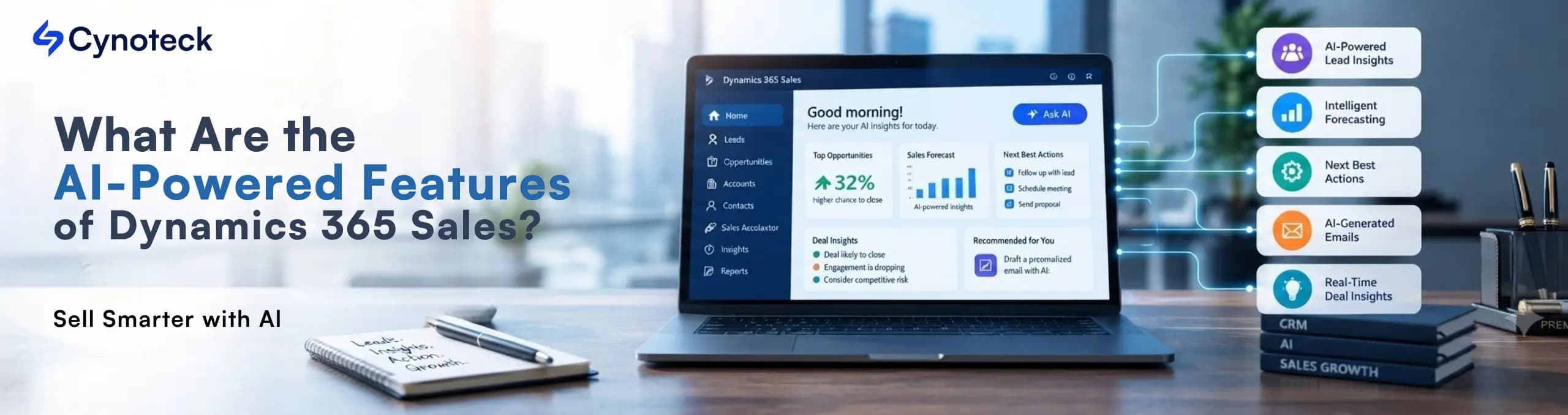
The AI-powered features of Dynamics 365 Sales turn scattered CRM data into fast, confident selling decisions.
The AI-powered features of Dynamics 365 Sales now touch nearly every part of a seller's day. This is what Microsoft means when it calls Dynamics 365 Sales an AI-powered CRM. Copilot summarizes a lead before a call. An agent drafts outreach to a fresh prospect. Another flags a deal that's gone quiet.
None of this replaces a seller's judgment. Instead, it removes the manual digging that used to eat up half a sales day.
This guide breaks down every major AI capability inside Dynamics 365 Sales today. You'll see what each one does, what it needs to run, and which tier includes it.
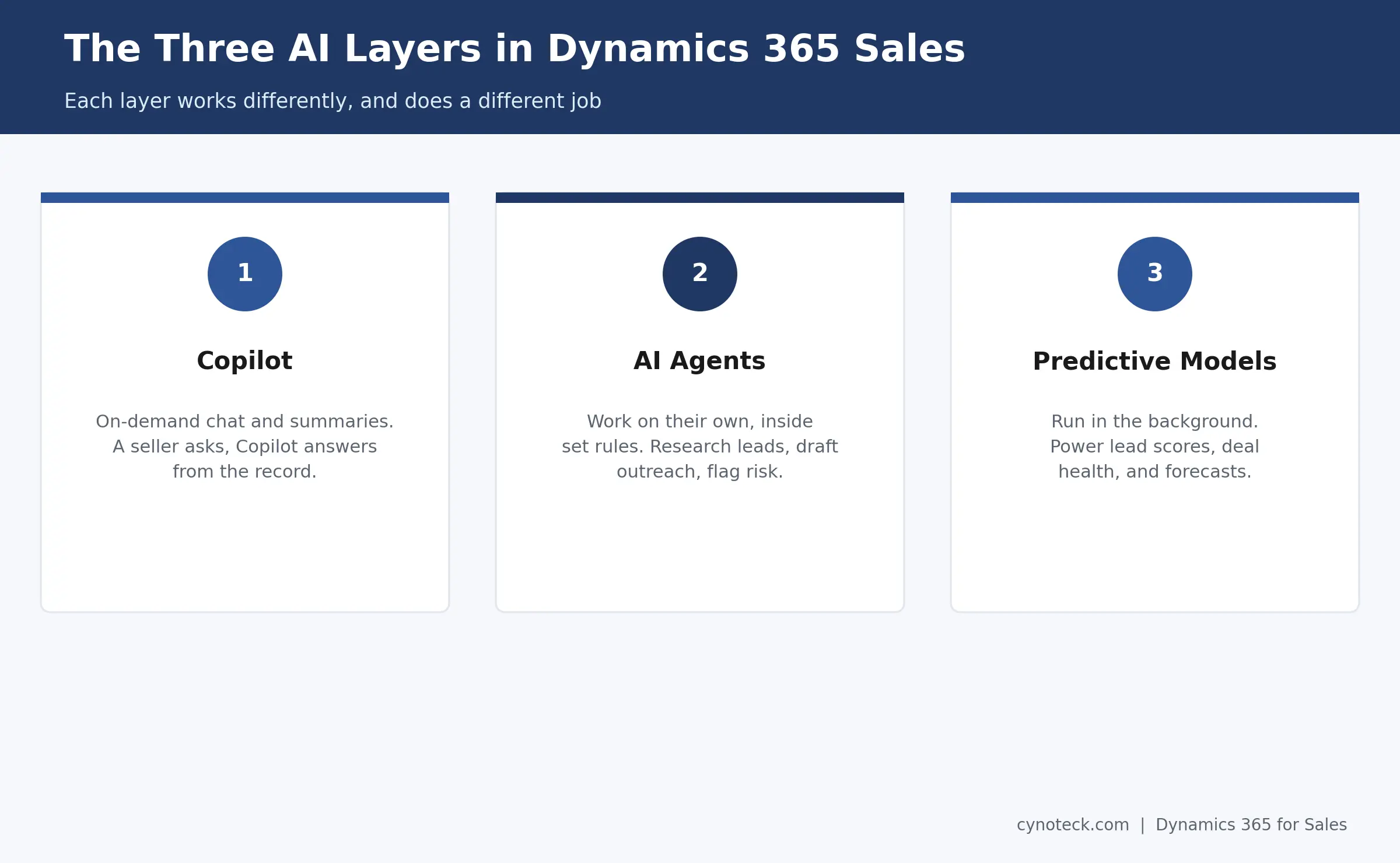
Dynamics 365 Sales AI features split into three layers. Copilot handles on-demand chat and summaries. AI agents work autonomously, within set rules. Predictive models power scoring and forecasting in the background.
Each layer works differently. So, it helps to separate them early.
Copilot answers a direct question. A seller asks what changed on a deal, and Copilot answers from the record. It's reactive. A person has to ask first.
AI agents work on their own, within limits a sales ops team sets up front. An agent can research a new lead overnight. It can draft an email or flag a stalled opportunity, all without a seller prompting it first.
Predictive models run underneath both layers. They power the lead scores, opportunity health signals, and forecast numbers you see throughout the app.
Together, these three layers are what most people mean by Dynamics 365 Sales AI capabilities, or simply AI in Dynamics 365 Sales. The rest of this guide covers each one in order and how each supports day-to-day sales productivity.
Copilot reads a lead or opportunity record, plus its recent emails, meetings, and notes. Then, it produces a short summary a seller can scan in seconds, instead of digging through the timeline by hand.
A summary usually covers three things: a quick overview, a recap of recent activity, and a note on what changed since the seller last looked. Copilot links each point back to its source record. So, a seller can verify anything the summary claims with one click.
Two details matter here, and competitor guides often skip both:
Auditing has to be on first: Copilot can only report "what changed" if Dynamics 365 tracks field-level changes on that table. Skip this, and the summary loses its most useful part.
Feedback improves it over time: A thumbs-up or thumbs-down trains the model toward what your team finds useful, not just what's technically accurate.
This feature also travels. Dynamics 365 Sales runs fully on iOS and Android. So, a field seller can pull a summary before walking into a meeting, not just at a desk.
If your team spends hours researching leads and updating CRM records, let Dynamics 365 Sales AI handle the repetitive work.
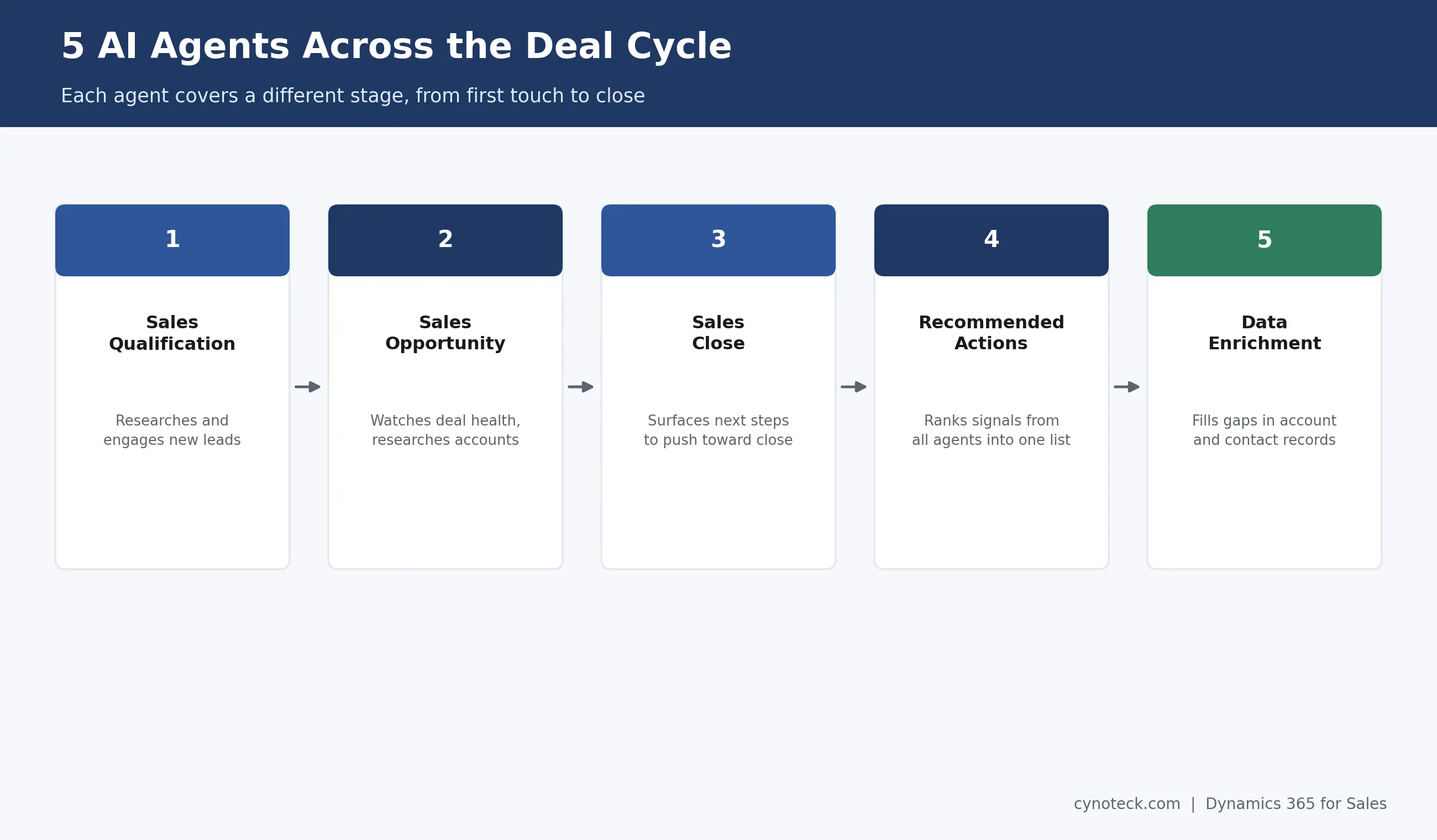
Book a Free ConsultationFive named Dynamics 365 Sales AI agents ship today: the Sales Qualification Agent, Sales Opportunity Agent, Sales Close Agent, Recommended Actions Agent, and Data Enrichment Agent. Each autonomous sales agent targets a different stage of the deal cycle, on top of the core use cases most teams already run Dynamics 365 Sales for.
Sales Qualification Agent: Researches a new lead the moment it arrives, then drafts or sends the first outreach email if you turn that on.
Sales Opportunity Agent: Watches open deals for stalled momentum or a disengaged stakeholder, and handles account research on request.
Sales Close Agent: Reviews late-stage opportunities and surfaces the next step most likely to move a deal toward close.
Recommended Actions Agent: Pulls signals from the other agents into one ranked list, so a seller checks one screen instead of several.
Data Enrichment Agent: Fills gaps in account and contact records in the background, using data your team already has access to.
This agent supports intelligent lead management by cutting down first-touch research time. Give it a defined ideal customer profile, and it gathers company background and prior interactions. Then, it hands the seller a summary to act on.
Some teams go further and turn on engage mode. Here, the agent drafts and sends initial outreach on its own. It then hands the lead to a seller once someone replies, or a set condition is met. Most rollouts still keep human review in place before this stage runs unsupervised.
Once a lead becomes an opportunity, this agent takes over. It watches activity history and engagement patterns. Then, it flags signals like a disengaged stakeholder or a deal moving slower than similar past deals.
It also handles account research on request. It pulls relevant background, so a seller doesn't have to search five different tools before a call.
The Recommended Actions Agent doesn't generate its own insights. Instead, it pulls signals from the other agents and your CRM data, then turns them into ranked sales recommendations and lead prioritization in one list. A seller opens one screen instead of three.
The Data Enrichment Agent works quietly in the background. It fills gaps in account and contact records using available data sources. This matters more than it sounds, since every AI feature above only works as well as the data underneath it.
Most teams start with one agent, not five. We can help you pick the right one.
Talk to Our ExpertDynamics 365 Sales scores leads and opportunities using historical outcomes, engagement patterns, and deal traits. Those scores then roll into an AI-assisted forecast that updates as deals move.
Predictive lead scoring and predictive opportunity scoring work the same basic way. The model looks at what past, similar deals did. Then, it ranks current records by how closely they match a pattern that historically closed. A seller sees a score, not a black box, and can drill into what's driving it.
AI sales forecasting builds on that same data, adding sales pipeline insights on top of the raw numbers. Instead of a manager guessing at quarter-end numbers from memory, the forecast reflects real pipeline signals. It updates automatically as deals shift stage, slip, or close. This won't replace a forecast call with your team. Still, it gives that call a more honest starting point, and it feeds the same sales analytics your leadership team already reviews.
Conversation intelligence analyzes call recordings for sentiment and key topics. Relationship intelligence looks at communication patterns instead, flagging existing connections between your company and a prospect.
Conversation intelligence works from real call data, where it's enabled. It surfaces talk-time ratios, competitor mentions, and sentiment shifts. A manager can use these for coaching, instead of listening to full calls one by one.
Relationship intelligence works differently. It doesn't read message content at all. Instead, it counts interaction volume and can suggest a warm introduction through a colleague without exposing what was said. This distinction matters for any team weighing data privacy before turning on the feature.
Copilot drafts emails directly inside Dynamics 365 Sales, using context from the record. Copilot for Sales then extends that same drafting and coaching into Outlook, where most sellers already spend their day.
Inside Dynamics 365 Sales, a seller can prompt Copilot for AI-generated email assistance tied to a specific opportunity. From there, they can adjust the length and tone before sending. Every email sent this way is automatically logged to the record.
Copilot for Sales adds a coaching layer inside Outlook. Beyond drafting, it can review a seller's tone and clarity. It might suggest a calmer rewrite of a frustrated follow-up before it ever goes out.
AI meeting preparation works the same way. It pulls a quick brief, recent notes, and open action items. So, a seller walks into a call already caught up, no separate prep document required.
Task | Traditional CRM | Dynamics 365 Sales AI |
Lead scoring | Manual rules, set once | Predictive, updates with new data |
Deal risk detection | Manager review, after the fact | Agent-flagged, often earlier |
Email drafting | Fully manual | Copilot-drafted, human-reviewed |
Forecast accuracy | Historical averages | Live pipeline signals |
Meeting prep | Scattered notes and memory | One generated summary |
This table isn't a claim that AI replaces core CRM work. Instead, it shows where the work shifts: from manual lookup toward review and judgment.
Some features, including the full agent set and Recommended Actions, need Dynamics 365 Sales Premium. Copilot summaries and basic scoring work on lower tiers too, though with a narrower feature set.
This is one of the most common licensing questions teams run into. It's worth checking directly against your current tier before you promise a capability to your sales team. If you're still comparing base tiers, our breakdown of Dynamics 365 Sales Professional vs. Enterprise covers what each one includes before AI even enters the picture. Microsoft has shifted agent availability between tiers more than once, as these features moved from preview toward general availability. Because of this, a guide written even a few months ago may already be out of date here.
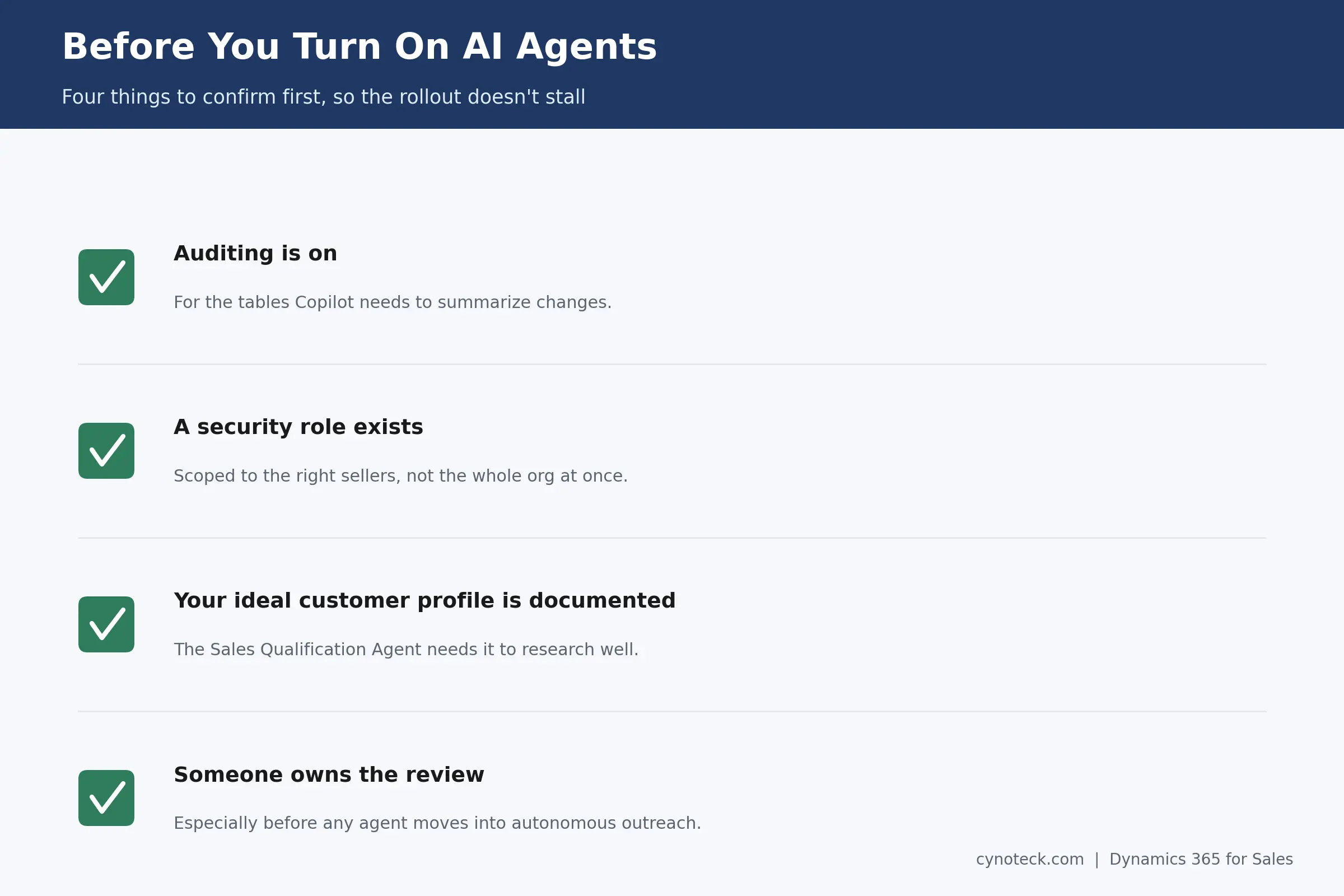
Every AI feature in this guide depends on clean CRM data underneath it. Before you enable anything, confirm four things:
Auditing is on for the tables Copilot needs to summarize changes.
A security role exists that scopes agent access to the right sellers, not the whole org at once.
Your ideal customer profile is documented, since the Sales Qualification Agent needs it to research well.
Knowledge sources are connected, usually through Copilot Studio, if an agent needs product sheets or FAQs to work from.
Someone owns the review, especially before any agent moves from research mode into autonomous outreach.
Skipping these steps is the single biggest reason AI rollouts in Dynamics 365 Sales stall after a promising pilot.
See which Copilot, predictive insights, and AI agent capabilities fit your sales process before changing your CRM setup.
Talk to Our Dynamics 365 Sales ConsultantThe AI-powered features of Dynamics 365 Sales now cover the full deal cycle. That's everything from a Copilot summary before a call to an agent flagging risk on a stalled opportunity.
None of it works well on messy data. None of it replaces a seller's judgment on when to pick up the phone.
If you're planning a rollout across multiple teams, or sorting out which tier covers the agents you want, a short planning conversation with a team that works in Dynamics 365 Sales daily tends to save far more time than jumping straight into configuration.
Copilot answers a direct question when a seller asks it. An AI agent works on its own, within limits your team sets, researching leads or flagging risks without a prompt.
Most agents, including the full Recommended Actions experience, need Dynamics 365 Sales Premium. Copilot summaries and basic scoring work on other tiers, though with fewer capabilities.
Yes, if you turn on engage mode. The agent can draft and send initial outreach on its own, then hand the lead to a seller once a reply or set condition is met. Most teams start in research-only mode first.
It analyzes call data for sentiment and topics, where the feature is enabled. Relationship intelligence works differently. It uses interaction volume, not message content, which keeps it separate from a full call transcript.
It reflects real pipeline signals, rather than historical averages, so it tends to stay more current than a manual forecast. Still, it works best as a starting point for a forecast conversation, not a replacement for one.

Discover the top 10 benefits of custom CRM software development for modern businesses. Learn how tailored CRM solutions improve efficiency, enhance customer relationships, and drive business growth.

What is Artificial Intelligence? Artificial intelligence (AI) is intelligence demonstrated by machines, which makes it possible for machines to learn from experience, adjust to new inputs and perform human-like tasks.
We are more than just developers and consultants—we are your partners in navigating the digital landscape. Let us be the engine behind your next big success while you focus on your core vision.
Explore Opportunities!
 What Al Services Does a Business Actually Need in 2026.webp)
 Dynamics 365 Sales Pricing, Features & Alternatives.webp)