What Is Dynamics 365 Sales? A Complete Guide to Microsoft's Sales CRM (2026)
Key Takeaways
|
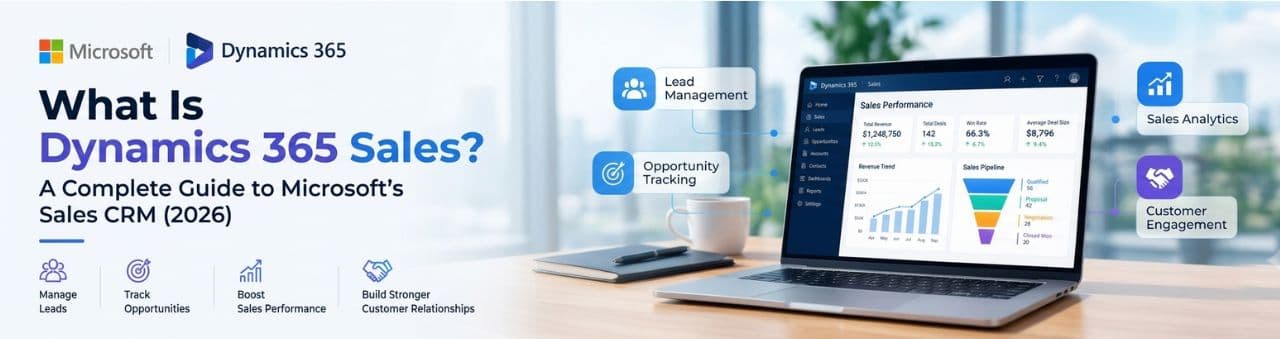
Dynamics 365 Sales is Microsoft's cloud-based CRM and sales force automation application. It helps sales teams manage leads, customers, deals, quotes, and forecasts in one system, and it uses Copilot and AI agents to reduce manual work.
This guide answers the most common questions people ask about Dynamics 365 Sales, from the basic definition to pricing, AI capabilities, integrations, and how it compares with other CRMs.
Dynamics 365 Sales is a software-as-a-service (SaaS) application from Microsoft that helps sales teams manage the entire sales process. That process runs from capturing a lead to closing a deal, and it includes tracking customer relationships along the way.
It is part of the Dynamics 365 family, a suite of business applications covering sales, Dynamics 365 customer service, Dynamics 365 field service, Dynamics 365 marketing, finance, and supply chain. Within that suite, Dynamics 365 Sales is the application focused on sellers and sales managers.
Instead of tracking prospects in spreadsheets, inboxes, and separate tools, a team keeps everything in one place: contacts, companies, conversations, opportunities, quotes, and forecasts. Managers get visibility into the pipeline, and sellers get guidance on what to do next.
.png)
Dynamics Sales is delivered through the cloud, so there is nothing to install on servers. Users access it through a web browser, a mobile app, or directly inside tools they already use, such as Outlook and Microsoft Teams.
Dynamics 365 Sales is used to organize, track, and accelerate the sales process. Companies use it to turn leads into customers in a consistent, measurable way.
In day-to-day work, sales teams use it to capture and qualify leads, keep detailed records of accounts and contacts, and move opportunities through pipeline stages. They also use it to prepare quotes and orders, log calls, emails, and meetings, and forecast revenue.
Sales managers use Dynamics 365 Sales for reviewing pipeline health, coaching sellers, tracking quota attainment, and spotting deals at risk. Sales operations teams use it to standardize the sales process and build reports.
More broadly, it supports lead-to-cash workflows, account-based selling, partner and channel sales, field sales, and AI-assisted outreach.
Dynamics 365 Sales works by storing every sales record in a central database and guiding sellers through a defined sales process. Each record, such as a lead, account, contact, opportunity, or quote, is linked to related records so the full customer story is visible.
A typical flow looks like this. A lead enters the system from a web form, campaign, event, or manual entry. The lead is qualified, either by a seller or by AI. Once qualified, it converts into an account, a contact, and an opportunity.
The opportunity then moves through stages, often called a business process flow, which might be Qualify, Develop, Propose, and Close. At the proposal stage, the seller builds a quote using products and prices from the product catalog. When the deal is won, the quote becomes an order and then an invoice.
Throughout this journey, activities such as emails, calls, and meetings are logged against the record. Managers see rolled-up pipeline and forecast views, and AI can highlight risks, summarize records, and suggest next steps.
Dynamics 365 Sales is built on Microsoft Dataverse, the data platform that also powers the Microsoft Power Platform. Dataverse stores the data as tables with columns, relationships, business rules, and security roles.
This matters for two reasons. First, the sales app shares a data foundation with Power Apps, Power Automate, Power BI, and Copilot Studio, so extending or connecting it does not require heavy custom integration work.
Second, other Dynamics 365 apps, such as Customer Service and Field Service, use the same underlying platform. That makes it easier for sales, service, and operations teams to work from the same customer data.
The sales experience itself is delivered as a model-driven app, a Power Platform app type where the screens, forms, and views are generated from the data model and can be configured without writing code.
Dynamics 365 Sales is the modern, cloud-based successor to the sales functionality in Microsoft Dynamics CRM. The terms are related but not identical, and they are often confused.
Dynamics CRM is the older name for Microsoft's CRM product, which existed before the Dynamics 365 brand launched in 2016. Dynamics 365 Customer Engagement is the umbrella grouping for customer-facing Dynamics 365 apps, including Sales, Customer Service, Field Service, and others.
Dynamics 365 Sales is the specific application within that group for sales teams. People also use "Dynamics 365 CRM" informally, and it usually refers to Dynamics 365 Sales or the customer engagement apps in general.
So if you see these terms in an article, treat Dynamics 365 Sales as the current product name for Microsoft's sales CRM.
The core features cover lead management, opportunity tracking, account and contact management, quoting, forecasting, and reporting. Higher editions add AI-driven insights and automation.
The sections below explain each major feature area.
Lead management in Dynamics 365 Sales lets teams capture, score, qualify, and convert prospects into customers. Leads can come from web forms, marketing campaigns, events, LinkedIn, or manual entry.
Sellers can review lead details, log activities, and decide whether a lead is worth pursuing. When a lead is qualified, it converts into an account, contact, and opportunity, and the history carries forward.
AI features can help by researching leads and evaluating them against an ideal customer profile, which reduces the time sellers spend on early-stage sorting.
Opportunity management tracks potential deals from first discussion to close. Each opportunity records the customer, estimated value, expected close date, stakeholders, and current stage.
Sales teams use visual pipeline views to see where deals sit and which need attention. Business process flows guide sellers through the recommended steps, which keeps the process consistent across the team.
Managers can review pipeline by seller, team, region, or product, and use that view to coach and to decide where to focus.
Dynamics 365 Sales includes a product catalog with price lists, discounts, and units. Sellers can build a quote from these products and send it to the customer.
When the customer accepts, the quote converts into an order, and the order can generate an invoice. This keeps pricing consistent and removes the need to rebuild the same data in separate documents.
For organizations that also use Dynamics 365 Finance or Business Central, order and invoice data can connect to back-office systems.
Sales forecasting projects expected revenue based on the opportunities in the pipeline. Managers can view forecasts by seller, team, territory, or time period and compare them to targets.
Forecast views help leaders judge whether the team is on track and where deals may slip. Higher editions add AI-assisted insights that flag risks and suggest priorities.
Sequences are guided, step-by-step outreach plans, such as call, email, and follow-up tasks, that help sellers work leads and opportunities consistently. The sales accelerator presents these tasks in a prioritized work queue.
The goal is to make sure the right activity happens at the right time. Availability of these features depends on edition and licensing, so confirm the current details on Microsoft's official comparison page.
Yes. Through Outlook and Teams, emails, meetings, and calls can be linked to CRM records so the full conversation history sits in one place.
This reduces manual data entry, since sellers can work from tools they already use while the CRM captures the context.
Yes. Microsoft provides mobile access so field sellers and traveling teams can review records, update opportunities, and prepare for meetings from a phone or tablet.
Yes. Dynamics 365 Sales includes Copilot and AI agents, and the most advanced capabilities are in the higher-priced editions. Exact entitlements depend on your license, so check your plan.
Copilot in Dynamics 365 Sales is an AI assistant that summarizes records, surfaces insights, drafts emails, prepares meeting briefs, and suggests next steps. It helps sellers get context quickly without reading long activity histories.
Beyond Copilot, Microsoft has been adding AI agents that take action based on defined rules, rather than only answering prompts. The next section covers those.
AI agents in Dynamics 365 Sales are automated assistants that handle specific sales tasks, such as qualifying leads, researching accounts, and recommending actions. According to Microsoft's documentation, they include the following.
Sales Qualification Agent. It researches new leads, evaluates them against your ideal customer profile, and drafts personalized outreach. It works in two modes: Research Only, where it prepares research and drafts for a seller to review, and Research and Engage, where it follows up with prospects, assesses buying intent, and hands qualified leads to sellers.
Sales Close Agent. It engages customers, recommends products, handles objections, and helps drive transactions to closure using templated personalization for outreach and follow-ups.
Sales Research Agent. It lets teams ask complex questions about their sales data in natural language and get answers through a conversation.
Recommended Actions Agent. It provides prioritized actions so sellers focus on the tasks most likely to move their opportunities forward.
Sales agent in Microsoft 365 Copilot. It is a conversational agent inside Microsoft 365 Copilot that lets sellers search, synthesize, and act on sales data. It currently supports Dynamics 365 Sales and Salesforce.
In July 2026, Microsoft announced general availability of the Sales Agent and Service Agent in Microsoft 365 Copilot, along with Microsoft 365 Copilot inside Dynamics 365 Sales and Customer Service, built on model context protocol (MCP) tools.
Best practice: Start with approval-based workflows, where a human reviews AI output, before allowing more autonomy. Good CRM data quality is essential, because agents are only as reliable as the data they use.
Dynamics 365 Sales comes in three main editions: Sales Professional, Sales Enterprise, and Sales Premium. There are also related offerings, such as Microsoft Relationship Sales and a low-cost Team Member license.
Sales Professional covers core sales force automation, Microsoft 365 interoperability, and standard reporting. It suits small teams with simple sales processes.
Sales Enterprise includes everything in Professional and adds contextual insights, AI capabilities, and advanced customization. It suits mid-market and multi-team organizations.
Sales Premium includes everything in Enterprise and adds advanced sales intelligence and agentic insights and automation. It suits larger teams that want the deepest AI features.
Microsoft Relationship Sales combines Sales Enterprise with LinkedIn Sales Navigator and is typically quoted individually, with a reported 10-seat minimum. The Team Member license is a low-cost option for light users who mainly need read access and simple tasks.
Dynamics 365 Sales is priced per user per month. As of 2026, published US list prices on annual billing are about $65 for Sales Professional, $105 for Sales Enterprise, and $150 for Sales Premium.
Edition | List price (USD per user per month, billed annually) |
|---|---|
Sales Professional | $65 |
Sales Enterprise | $105 |
Sales Premium | $150 |
Team Member | About $8 |
Microsoft Relationship Sales | Quote-based |
These are Dynamics 365 list prices and can change. Regional pricing, enterprise agreements, volume discounts, and partner offers may produce different numbers, so confirm on Microsoft's official pricing page before budgeting.
Microsoft also offers multi-app discounts. If you add another Dynamics 365 app, such as Customer Service or Field Service, to a Sales license, attach pricing can lower the cost of the additional app. Check Dynamics 365 Sales Pricing.
The main difference between Sales Professional, Enterprise, and Premium is depth of capability. Each higher edition includes everything in the one below it and adds more.
Dynamics 365 Sales Professional is built for core CRM needs. It handles leads, accounts, opportunities, quotes, and reporting, and works well with Microsoft 365, but it has more limited customization and advanced features.
Dynamics 365 Sales Enterprise is the choice when a team needs more flexibility. It adds contextual insights, AI, and advanced customization through the Power Platform, which suits organizations with more complex processes or multiple sales teams.
Dynamics 365 Sales Premium is for teams that want advanced intelligence. It adds sales intelligence features and agentic automation, which helps large sales forces with long sales cycles.
A common cost-control approach is to start with a lower edition and upgrade only when you hit a real limitation. Because feature packaging changes over time, compare editions on Microsoft's current documentation before deciding.
The total cost is usually higher than the license fee alone. Implementation, data migration, integrations, training, and ongoing support all add to the budget.
As a rough illustration from one 2026 pricing guide, a 25-user Sales Enterprise subscription runs about $31,500 per year in licenses. The same guide notes that typical implementation costs can range from roughly $25,000 to $75,000, depending on scope.
Costs rise with complexity. Custom integrations, large data migrations, and heavy customization take more time and money than a simple out-of-the-box setup.
Ways to manage the cost include starting with a smaller scope, using Team Member licenses for light users, and choosing the lowest edition that meets your real needs.
Dynamics 365 Sales integrates most deeply with the Microsoft ecosystem, and it also connects to third-party systems through connectors and APIs.
Outlook lets sellers track emails and meetings and see CRM context in their inbox. Microsoft Teams supports deal collaboration and meetings with CRM data alongside. Excel allows data editing and export, and SharePoint and OneDrive support document management tied to records.
Power BI provides deeper analytics and dashboards, and Power Automate automates workflows across apps. LinkedIn Sales Navigator supports prospecting and relationship insights, and Copilot Studio lets teams build custom agents.
It can also share data with other Dynamics 365 apps, such as Customer Service, Field Service, and Finance. For non-Microsoft tools, the Dataverse Web API and hundreds of Power Platform connectors provide integration options.
Yes. Dynamics 365 Sales can be customized both with low-code tools and with traditional development, depending on how far you need to go.
With low-code tools, administrators can add fields, change forms and views, define business rules, and adjust process flows without writing code. Power Apps lets teams build custom apps on the same data, and Power Automate handles approvals, notifications, and cross-system workflows.
For advanced needs, developers can use plug-ins, JavaScript, the Dataverse Web API, and Power Apps component framework controls. Customizations can be packaged as solutions and moved between development, test, and production environments.
Note that Sales Professional has more limited customization than Enterprise and Premium, so complex requirements usually point to a higher edition.
Dynamics 365 Sales includes enterprise-level security controls. These cover access, authentication, encryption, and auditing.
Access is controlled through role-based security, business units, teams, and field-level security, so users only see the data they should. Sign-in can use Microsoft Entra ID with single sign-on and multi-factor authentication.
Data is encrypted at rest and in transit on Microsoft's cloud infrastructure, and audit logging tracks data changes. Microsoft publishes compliance certifications and regional data residency options through its Trust Center.
If you need a specific standard, such as ISO 27001, SOC reports, GDPR, or HIPAA support, verify it in the Microsoft Trust Center for your region and plan.
The main Dynamics 365 Sales benefits are Microsoft integration, a unified customer view, scalability, and built-in AI.
Native Microsoft integration. Sellers can work from Outlook, Teams, and Excel, which reduces context switching and manual data entry.
A single view of the customer. Interactions, opportunities, and history live in one place, which reduces duplicate data and missed follow-ups.
Scalability and flexibility. It works for small teams and large enterprises, and low-code tools allow adaptation without rebuilding.
AI assistance. Copilot and agents help with research, summaries, and prioritization, so sellers spend more time selling.
A connected platform. It shares data with service, field, marketing, and finance apps, and it supports strong reporting through Power BI.
Dynamics 365 Sales is powerful, but it has trade-offs. Complexity and cost are the most common concerns.
The learning curve and administration effort are higher than for simpler CRMs, so smaller teams without technical support may find it heavy. Total cost can rise quickly once implementation, integrations, and add-ons are included.
Some of the most valuable features, such as advanced AI and deeper customization, sit in the Enterprise and Premium editions. Complex deployments often need an implementation partner.
User satisfaction also varies. One 2026 guide reports a G2 rating of 3.8 out of 5 across more than 1,600 reviews, which suggests running a trial with your own team before committing. Finally, Microsoft updates editions and bundles regularly, so verify current terms before you buy.
Dynamics 365 Sales tends to fit best in Microsoft-centric organizations, while other CRMs win on marketplace size, ease of use, or price.
Factor | Dynamics 365 Sales | Salesforce Sales Cloud | HubSpot Sales Hub | Zoho CRM |
|---|---|---|---|---|
Best fit | Microsoft-centric organizations | Large, complex sales orgs | Small to mid-size teams wanting ease of use | Budget-conscious SMBs |
Ecosystem | Microsoft 365, Power Platform, Azure | Very large AppExchange marketplace | Marketing and sales in one platform | Broad low-cost app suite |
Customization | High | Very high | Moderate | Moderate to high |
Ease of use | Moderate | Moderate | High | Moderate to high |
AI | Copilot and agents | Agentforce / Einstein | Breeze | Zia |
ERP link | Native with Dynamics 365 Finance and Business Central | Via integrations | Via integrations | Via integrations |
Versus Salesforce: Dynamics 365 Sales usually integrates more smoothly with Microsoft tools, while Salesforce has the largest third-party app ecosystem and very deep customization.
Versus HubSpot: HubSpot is often easier to adopt and strong on marketing alignment, while Dynamics 365 Sales offers more enterprise-grade extensibility and ERP connections.
Versus Zoho: Zoho is typically lower cost and suits smaller budgets, while Dynamics 365 Sales offers deeper Microsoft integration and enterprise scale. Since all vendors change plans often, compare current pricing directly.
Dynamics 365 Sales suits B2B organizations with multi-step sales cycles, especially those already using Microsoft 365 and Teams. It is also a good match for companies that want CRM connected to ERP, service, or field operations.
It works well for teams that need low-code customization, Power BI reporting, and a platform that can scale as they grow. Common industries include manufacturing, financial services, professional services, technology, healthcare, and distribution.
Typical use cases include lead-to-cash pipeline management, account-based selling, forecasting and quota tracking, partner and channel sales, and AI-assisted lead qualification.
It can be, but it depends on the team's needs and technical resources. Sales Professional is aimed at smaller teams with simple sales processes, and its $65 list price is the entry point.
Very small teams with basic needs may find lighter CRMs easier and cheaper to run. Small businesses that already live in Microsoft 365 and expect to grow into more advanced features may find Dynamics 365 Sales a sensible long-term choice.
A trial is the best way to judge fit before committing.
Implementation follows a series of phases, and the timeline depends on scope. Small deployments can take weeks, while mid-market and enterprise projects with integrations and migration often take several months. Treat these as planning ranges, not guarantees.
Discovery. Define the sales process, goals, users, and required integrations.
Design. Map the data model, pipeline stages, security roles, and customizations.
Configuration. Set up the app, forms, workflows, and product catalog.
Data migration. Clean, map, and import legacy data.
Integration. Connect Outlook, Teams, LinkedIn, ERP, and other systems.
Testing and training. Run user acceptance testing and role-based training.
Go-live and adoption. Launch, monitor, and improve.
Success usually depends on clean data, executive sponsorship, a simple initial scope, and strong user training.
The easiest way to start is with Microsoft's 30-day free trial. It lets you explore the app with sample data before you commit to licenses.
Before configuring anything, map your current sales process so the CRM reflects how your team really sells. Choose the edition that fits your needs, and consider starting lower and upgrading later if you outgrow it.
Pilot with one team, gather feedback, then expand. Turn on Copilot and agent features gradually, with human review first, and keep your data clean from day one.
Yes. It is Microsoft's CRM application focused on sales. It manages leads, accounts, contacts, opportunities, quotes, and forecasts, and it connects to Microsoft 365 and the Power Platform.
The current product is delivered as a cloud service. Users access it through a browser or mobile app, and Microsoft manages the underlying infrastructure and updates.
Yes, through LinkedIn Sales Navigator integration. Microsoft Relationship Sales bundles Sales Enterprise with Sales Navigator for teams that rely on LinkedIn prospecting.
Yes. It connects natively with Dynamics 365 Finance and Business Central, and it can connect to other ERP systems through connectors and APIs.
Yes. Microsoft offers a 30-day trial, which is a good way to test the app with your own process before buying licenses.
Yes. Administrators can change fields, forms, views, and rules using low-code tools, and use Power Apps and Power Automate for more advanced workflows.
Dynamics 365 Sales is a strong choice for teams that want a CRM tightly connected to Microsoft 365, flexible through low-code tools, and increasingly powered by AI agents. It scales from small teams to large enterprises and connects naturally with other Dynamics 365 apps.
Its main trade-offs are complexity and total cost compared with lighter CRMs. The best way to decide is to map your sales process, compare editions against real needs, and test with the free trial.
Pricing and AI features change often, so verify current details on Microsoft's official pages before publishing or purchasing.

Discover the top 10 benefits of custom CRM software development for modern businesses. Learn how tailored CRM solutions improve efficiency, enhance customer relationships, and drive business growth.
We are more than just developers and consultants—we are your partners in navigating the digital landscape. Let us be the engine behind your next big success while you focus on your core vision.
Explore Opportunities! Dynamics 365 Sales Pricing, Features & Alternatives.webp)
.png)
 Microsoft Dynamics 365 Sales Professional vs Enterprise.webp)
 Power BI vs Excel (1).webp)