Top 10 Uses for Dynamics 365 for Sales
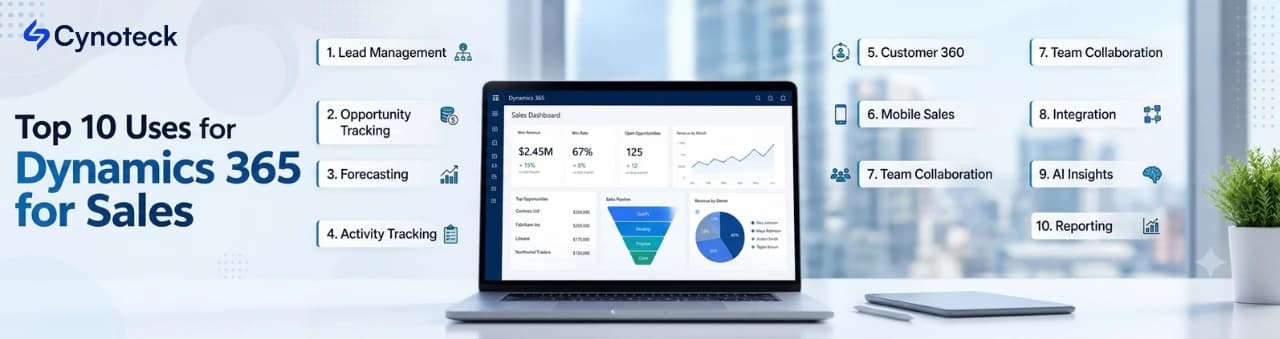
Summary: This guide covers the ten most valuable ways businesses use Dynamics 365 for Sales in 2026, from core lead and pipeline management to Copilot-driven AI selling, with a real business outcome attached to each. |
Dynamics 365 for Sales is Microsoft's CRM platform for managing leads, opportunities, and the entire sales pipeline in one connected system. Businesses use it for much more than storing contact records: it runs forecasting, automates busywork, and increasingly puts AI directly into a rep's daily workflow.
A Forrester Total Economic Impact study commissioned by Microsoft found that organizations using Dynamics 365 Sales achieved a 215% return on investment over three years, with payback in about seven months. That number does not come from one feature. It comes from the platform being used across many parts of the sales process at once, which is exactly what this list walks through.
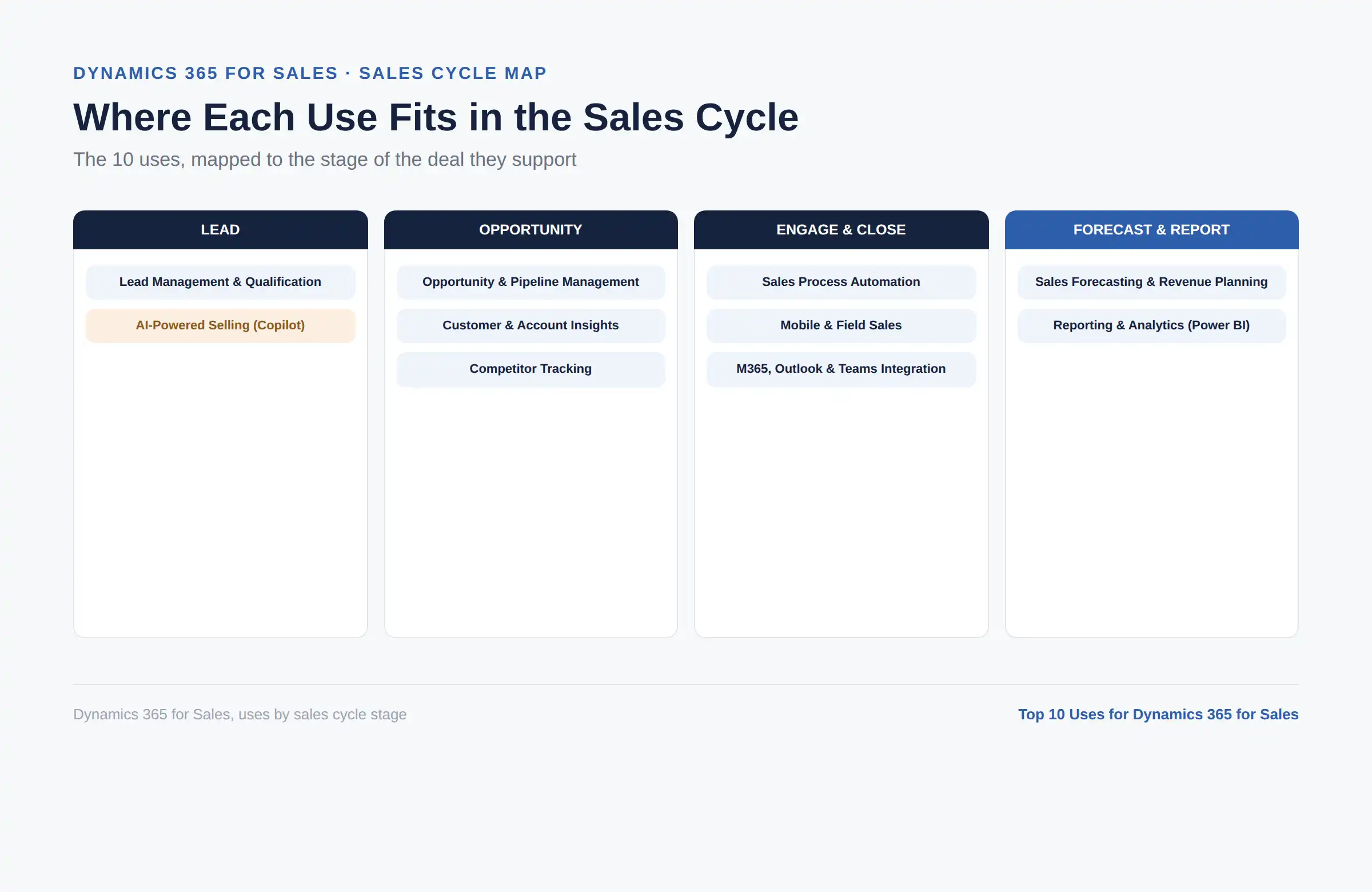
# | Use | Who Benefits Most |
1 | Lead management and qualification | Sales reps, SDRs |
2 | Opportunity and pipeline management | Sales reps, sales managers |
3 | Sales forecasting and revenue planning | Sales managers, revenue leaders |
4 | Customer and account insights | Account executives, relationship managers |
5 | Sales process automation | Sales operations |
6 | AI-powered selling with Copilot | Every seller, daily |
7 | Microsoft 365, Outlook, and Teams integration | Reps already on Microsoft 365 |
8 | Reporting and analytics with Power BI | Sales managers, executives |
9 | Competitor tracking and win-loss analysis | Sales reps, product marketing |
10 | Mobile and field sales management | Field sales teams |
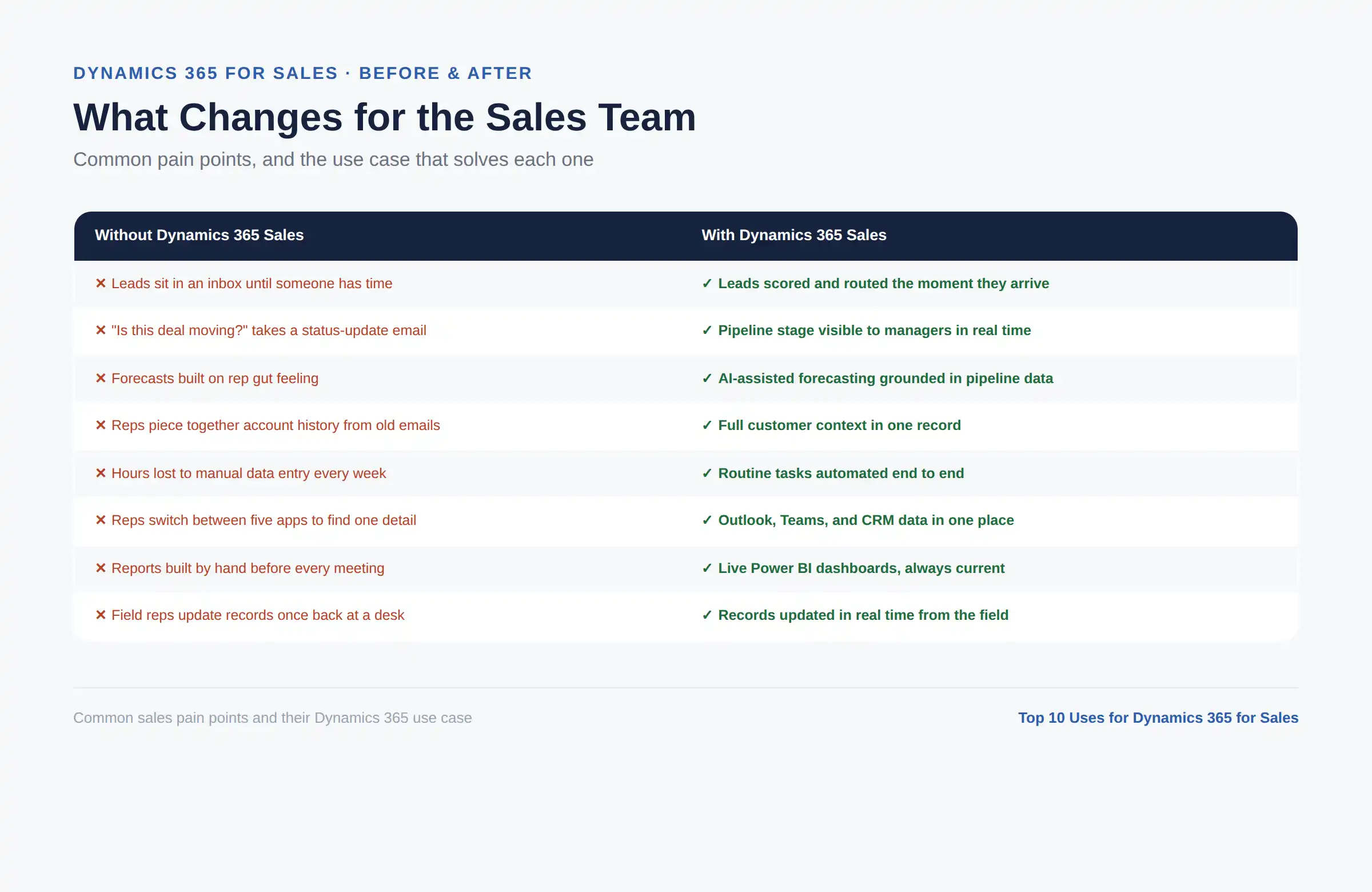
Dynamics 365 for Sales captures leads from web forms, campaigns, and manual entry, then automatically scores and routes them. This is the most basic use of the platform, but it also determines whether every other use case even gets a chance to matter.
Sales teams set rules so leads advance to the next stage only when they meet specific criteria, and Dynamics 365 scores incoming leads against those rules the moment they arrive. In practice, this means a rep opens their day already knowing which five leads out of fifty are worth calling first, instead of guessing or working the list in the order it happened to land.
Business outcome: faster follow-up on high-value leads, which directly improves conversion rates since speed to first contact is one of the strongest predictors of whether a lead converts at all.
Watch how lead scoring, forecasting, and Copilot work together inside a real Dynamics 365 Sales account.
Book Your Free ConsultationOnce a lead qualifies, it becomes an opportunity, and Dynamics 365 tracks that opportunity through every stage until it closes. Pipeline views group all active opportunities by stage, so a manager can see the entire book of business in one screen instead of asking each rep for a status update.
This use case is where most of the "is this deal actually moving" questions get answered. A stalled opportunity is visible immediately, rather than being discovered three weeks later in a quarterly review.
Business outcome: real-time pipeline visibility, so managers can course-correct a deal while there is still time to save it.
Dynamics 365 Sales rolls up individual opportunities into team- and company-level forecasts, refined by AI-driven predictive scoring based on historical deal patterns. A VP of Sales can see whether the current pipeline is likely to support the quarter's target weeks before the quarter ends.
This does not make forecasting perfect. What it does is replace a forecast built on rep optimism with one grounded in actual deal activity, which is a meaningfully different conversation to have with the board.
Business outcome: revenue projections leadership can defend, instead of a number nobody can quite explain.
Every account and contact gets a complete history in Dynamics 365: past interactions, open deals, communication patterns, and relationship strength. Linking a LinkedIn Sales Navigator account adds another layer of insight on top of that CRM data.
This use case is what lets a rep walk into a renewal conversation already knowing the full relationship, instead of piecing it together from old email threads the night before. It also flags accounts that have gone quiet, so a customer does not slip away simply because nobody happened to check in.
Business outcome: stronger, more personalized customer relationships, because every conversation starts with real context instead of a blank slate.
Dynamics 365 automates the repetitive parts of selling: lead assignment, follow-up reminders, approval routing, and recurring administrative tasks. Most standard workflows don't require custom code, since you build them through the platform's native workflow and Flow tools.
This is usually the fastest-paying-off use case on this list, because it removes hours of manual data entry that reps were previously doing by hand every single week. It also enforces a consistent process across the team, so results do not depend entirely on how organized any one rep happens to be.
Business outcome: more actual selling time per rep, since less of the day goes to administrative upkeep.
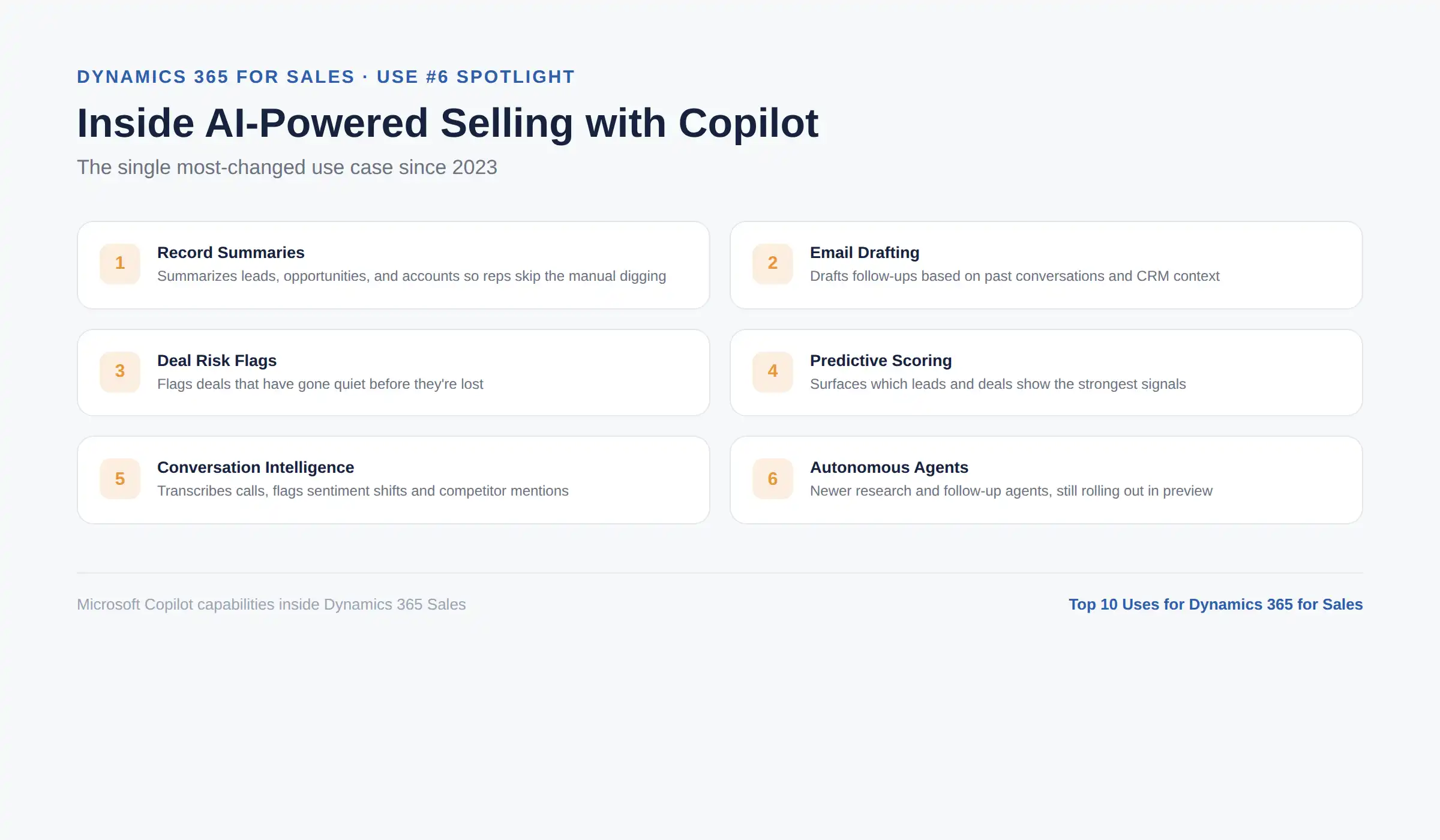
Microsoft Copilot is now built directly into Dynamics 365 Sales, and this is the use case that has changed the most since 2023. Copilot generates summaries of leads, opportunities, and accounts, drafts follow-up emails based on past conversations, flags deals that have gone quiet, and surfaces predictive scoring, all without a rep digging through records manually.
Conversation intelligence extends this further by transcribing sales calls in real time, detecting sentiment shifts, and flagging competitor mentions or objections a rep might otherwise miss while taking notes. Some of Microsoft's newer autonomous AI agent capabilities for research and qualification are still rolling out gradually, so it is worth confirming what is generally available versus still in preview for your specific license.
Business outcome: significantly less time spent on admin and research, and more time spent talking to prospects.
For any business already running on Microsoft 365, this is one of the most immediately practical uses of Dynamics 365 Sales. Email, meetings, and calendar activity from Outlook sync directly with the relevant CRM record, and Teams can be embedded for real-time collaboration around a specific deal.
Reps stop switching between five different tools to find the same piece of information. A quote can also connect to SharePoint libraries and Excel data without leaving the flow of a normal workday.
Business outcome: less app-switching and fewer dropped details, since the CRM lives inside the tools reps are already using all day.
Dynamics 365 Sales includes native dashboards, but connecting it to Power BI unlocks far deeper reporting: custom KPI tracking, win-rate analysis by rep or territory, and interactive dashboards that update automatically as new data comes in.
This use case is what turns raw CRM activity into something a leadership team can act on. Instead of a static end-of-month report, a sales director can filter, drill down, and ask a new question on the spot during a meeting.
Business outcome: decisions backed by real data instead of a gut feeling or last quarter's spreadsheet.
Dynamics 365 lets sales teams build detailed competitor profiles, tracking specific strengths, weaknesses, and which accounts a given competitor tends to target. When a prospect mentions a competing proposal, that detail gets logged against the deal instead of living only in one rep's memory.
Over time, this builds a genuinely useful picture of why deals are won or lost against specific competitors, which product marketing and sales leadership can use to sharpen positioning and pricing.
Business outcome: a real institutional memory of competitive deals, instead of starting from scratch every time a competitor comes up.
The Dynamics 365 mobile app gives reps full access to accounts, opportunities, and activity logging from a phone or tablet. Field sales teams can update a record immediately after a customer visit instead of waiting until they are back at a desk, and voice-to-text notes make that update take seconds rather than minutes.
This use case matters most for reps who spend more time on the road or on-site than behind a desk, where anything requiring a laptop simply does not get logged in time.
Business outcome: records that stay current in real time, so nothing depends on a rep remembering to catch up later.
Cynoteck helps sales teams set up Dynamics 365 Sales automation, forecasting, and Copilot the right way, the first time.
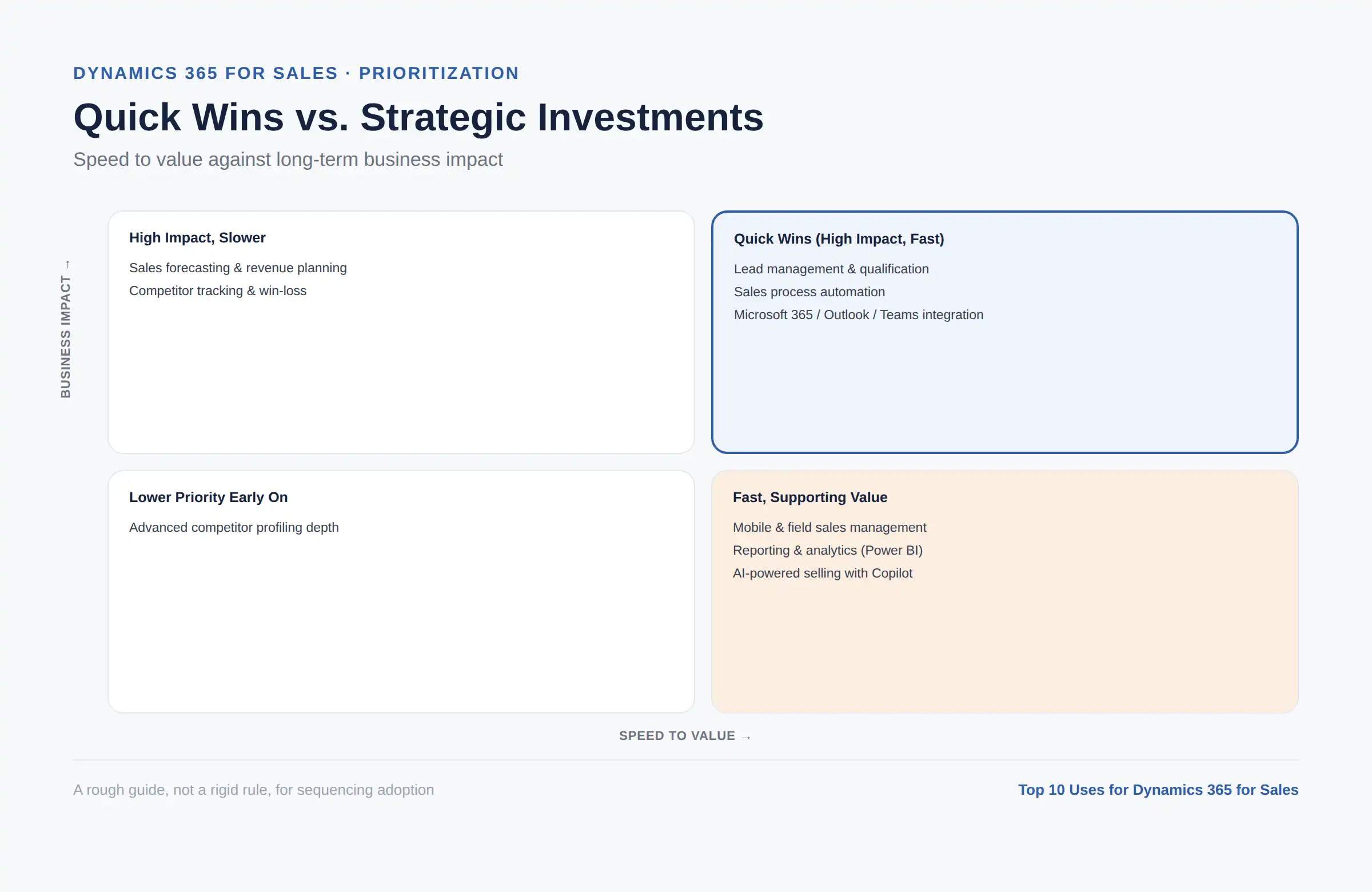
Talk to an ExpertNot every business needs all ten uses at full depth on day one. A small sales team just getting started usually gets the most value from lead management, opportunity tracking, and basic automation first. Mid-sized teams tend to add forecasting, Power BI reporting, and Copilot once their process has stabilized enough to automate confidently. Larger, more complex sales organizations are where competitor tracking, deep Microsoft 365 integration, and full AI-assisted selling tend to pay off the most, simply because there is more volume and complexity for those capabilities to work against.
For the full breakdown of every capability behind these ten uses, see our complete guide to Dynamics 365 for Sales benefits, capabilities, and features.
Dynamics 365 for Sales earns its value across all ten of these uses working together, not from any single feature in isolation. Lead management and pipeline tracking form the foundation, forecasting and reporting turn that data into decisions, and Copilot's AI capabilities increasingly separate a basic CRM rollout from one that meaningfully changes how much time a rep spends selling.
If you are trying to figure out which of these uses would move the needle most for your specific sales process, Cynoteck's Dynamics 365 Sales services team can walk through your setup, or you can book a free consultation directly.
Find out which Dynamics 365 Sales features fit your sales process best, with a no-obligation expert call.
Book a Free ConsultationAns: It is used to manage the entire sales process in one system: capturing and qualifying leads, tracking opportunities through the pipeline, forecasting revenue, and increasingly using AI to reduce manual admin work for reps.
Ans: Lead and opportunity management is the most universal use case, since almost every sales team needs a shared, reliable way to track deals from first contact through to close.
Ans: Yes. Microsoft Copilot is built into the platform for record summaries, email drafting, and next-step suggestions, alongside predictive lead and opportunity scoring and conversation intelligence for call analysis.
Ans: Yes, particularly for lead management, pipeline tracking, and basic automation. Smaller teams typically grow into more advanced uses, like deep Power BI reporting and full AI-assisted selling, as their process matures.
Ans: In most cases, yes, for pipeline tracking, forecasting, and reporting. The transition works best when you clearly define the sales process before replacing spreadsheet habits, rather than trying to migrate a messy process as-is.
Ans: A Forrester Total Economic Impact study commissioned by Microsoft found a composite organization achieved 215% ROI over three years, with payback in about seven months. Actual results vary by organization and depend heavily on how many of the use cases above are adopted, and how much you pay in licensing also factors into that math. See our full Dynamics 365 Sales pricing, features, and alternatives guide for current per-user costs by plan.

Discover the top 10 benefits of custom CRM software development for modern businesses. Learn how tailored CRM solutions improve efficiency, enhance customer relationships, and drive business growth.
We are more than just developers and consultants—we are your partners in navigating the digital landscape. Let us be the engine behind your next big success while you focus on your core vision.
Explore Opportunities! Dynamics 365 Sales Pricing, Features & Alternatives.webp)
.png)
 Microsoft Dynamics 365 Sales Professional vs Enterprise.webp)
 What Is the Sales Qualification Agent in Dynamics 365 Sales.webp)