Power Automate vs Azure Logic Apps: Which Should Your Team Use?
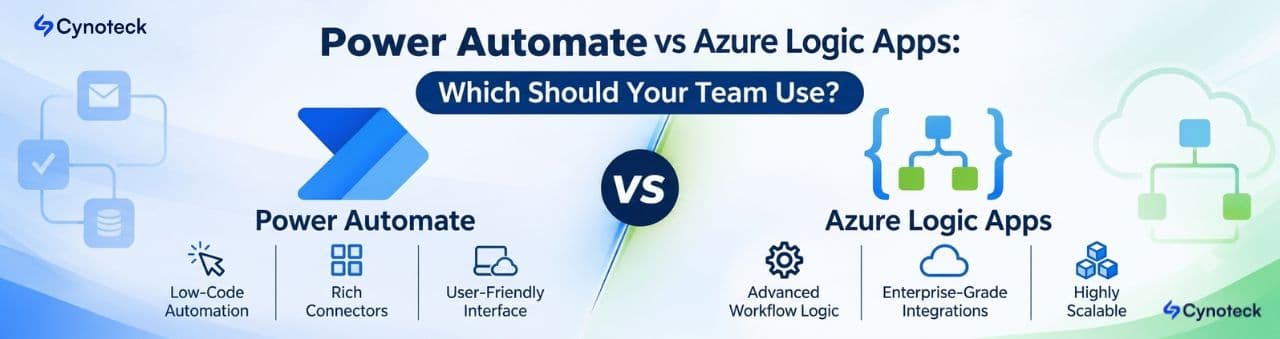
Power Automate vs Azure Logic Apps
Use Power Automate when business users or a Power Platform team are automating work that lives in Microsoft 365, Dataverse and Dynamics 365, and when per-user licensing fits your volume. Use Azure Logic Apps when developers or an integration team are building system-to-system integrations that need high throughput, private networking, CI/CD pipelines, B2B or EDI support, or long-running processes. Many organizations use both, with each tool doing the job it was designed for.
The two services share a foundation. Microsoft states that Power Automate is built on the Azure Logic Apps platform and that both offer similar designers and connectors. So the real question in any Power Automate vs Azure Logic Apps decision is not which engine is better. It is who will build and own the workflow, how much it will run, how it must be secured, and how you want to pay for it.
This guide compares the two across 18 practical factors, including several that most comparisons skip: what happens when a flow's owner leaves, run-duration limits, upcoming changes to Power Platform request limits, and how each tool fits a Dynamics 365 environment. It ends with a decision checklist your team can use in a single meeting.
If you already know you need help designing flows, our Power Automate consulting team can review your requirements.
Pricing, limits and features below were checked against Microsoft documentation in November 2026. Microsoft updates these often, so confirm current values before you buy.
What is Power Automate?
Power Automate is Microsoft's low-code automation service within the Microsoft Power Platform. It lets people build workflows, called flows, that connect apps and data without writing much code. Microsoft describes its audience as citizen developers, business users, office workers and Power Platform solution creators.
Power Automate includes several kinds of automation in one product:
Cloud flows run in Microsoft's cloud and can be automated (triggered by an event), instant (started by a button or an app) or scheduled.
Desktop flows use robotic process automation (RPA) to operate the user interface of older or desktop applications that have no API. They run in attended mode (alongside a person) or unattended mode (on a machine with no one present).
Business process flows guide users through defined stages in Dataverse and Dynamics 365 apps.
Approvals give built-in human sign-off steps that users can answer from email, Teams or the Power Automate app.
Process mining helps teams analyse how a process actually runs before they automate it.
Flows live inside Power Platform environments and are governed through the Power Platform admin center, using environments, data loss prevention (DLP) policies and solutions. That makes Power Automate a natural fit for organizations already running Microsoft 365, Power Apps or Dynamics 365.
What is Azure Logic Apps?
Azure Logic Apps is an integration platform as a service (iPaaS) that runs in Microsoft Azure. Developers and integration specialists use it to build workflows that connect cloud services, on-premises systems and partner networks. Workflows are Azure resources: they sit in a resource group, inherit Azure role-based access control, and are deployed and monitored with standard Azure tools.
You can design workflows in a browser-based designer in the Azure portal or locally in Visual Studio Code, and switch to a JSON code view at any time. Standard workflows can also run your own .NET code, C# scripts or PowerShell scripts, which Power Automate cannot do natively.
Logic Apps Consumption vs Standard
Logic Apps comes in two hosting models, and the choice changes cost, security and performance:
Consumption runs in shared, multitenant Azure. Each logic app holds one workflow, and you pay per execution. Microsoft positions it for small to medium scale workflows. It suits low or irregular volumes and quick prototypes.
Standard runs on the single-tenant Logic Apps runtime with dedicated compute. One logic app can hold many workflows, and you pay for a hosting plan whether or not it runs. Standard adds virtual network integration, private endpoints, local development, deployment slots and hosting on your own infrastructure through a hybrid deployment model.
When this article compares Power Automate with Logic Apps, it notes where a capability applies only to Standard. That distinction is often missing from other comparisons, and it matters: many enterprise features people credit to "Logic Apps" are Standard-only.
What Power Automate and Logic Apps have in common
Because Power Automate runs on the Logic Apps engine, the two feel familiar to anyone who has used either. Both use triggers and actions, the same workflow definition language and the same expression functions. Skills transfer in both directions, which lowers the risk of choosing "wrong" at the start.
They also share a large connector catalog. Microsoft lists more than 1,400 connectors for both services, covering Microsoft 365, Dynamics 365, SQL Server, SAP, Salesforce and many third-party apps. Most connectors are marked as available in Logic Apps, Power Automate and Power Apps in the connector reference.
The similarity ends at the edges. The two services differ in who they are designed for, where they run, how they are licensed, how they are governed and how far they scale. Those differences decide the right choice.
Power Automate vs Azure Logic Apps: 18 key differences
.png)
The table gives a quick view. The sections after it explain each factor and why it matters in practice.
Factor | Power Automate | Azure Logic Apps |
Primary builders | Business users, makers, Power Platform teams | Developers, integration engineers, IT pros |
Where it runs | Power Platform environments | Azure subscription (multitenant or single-tenant) |
Licensing | Per user, per bot/flow, or pay-as-you-go | Per execution (Consumption) or hosting plan (Standard) |
Max run duration | 30 days | 90 days by default (Standard stateful is configurable) |
Private networking | Possible with managed environments and qualifying licenses | Standard: VNet integration and private endpoints |
CI/CD and source control | Solutions + Power Platform pipelines, DevOps, GitHub Actions | Full Git, ARM/Bicep, Azure DevOps, deployment slots (Standard) |
Desktop RPA | Yes | No |
B2B / EDI | No native support | Yes, with an integration account |
Governance tool | DLP policies, environments | Azure Policy, RBAC, resource groups |
1. Who builds and owns the workflow
This is the most important factor. Power Automate is designed so that the person closest to the process can build the automation. Logic Apps assumes a developer who is comfortable with Azure resources, JSON and deployment pipelines. If your automation backlog is owned by operations, finance or sales teams, Power Automate lets them move without waiting for IT. If it is owned by an integration team, Logic Apps fits the way they already work.
2. Hosting and tenancy
Power Automate flows run in Microsoft-managed Power Platform infrastructure. Logic Apps Consumption also runs on shared infrastructure, while Logic Apps Standard runs on dedicated compute in single-tenant Azure, an App Service Environment v3, or your own infrastructure. Dedicated compute gives more predictable performance for heavy workloads.
3. Licensing model
Power Automate is licensed mainly per user or per bot. Logic Apps is billed through your Azure subscription, either per action (Consumption) or per hosting plan (Standard). The pricing section below covers the numbers and how they behave at scale.
4. Connector access and premium connectors
Both services reach the same catalog, but they classify cost differently. In Power Automate, Microsoft 365 licenses cover standard connectors only. Connectors such as SQL Server, Azure services, Dynamics 365 and Business Central are classified as Premium and need a standalone Power Automate license. In Logic Apps, the same connectors are simply billed per call as Standard or Enterprise connectors, so there is no per-user license gate.
5. Identity and what happens when a flow owner leaves
This factor rarely appears in comparisons, yet it causes real outages. A Power Automate cloud flow uses the license of its owner. Microsoft notes that if the original owner leaves the organization, the flow reverts to the Low performance profile, which has much lower request limits. Flows that depend on a person's connections can also break when that account is disabled.
Logic Apps assigns access at the resource level, so if the workflow creator leaves, you don't lose access to their workflows. It also supports managed identities, which let a workflow authenticate to Azure services without any user credentials.
You can reduce the Power Automate risk by building flows inside solutions, using service accounts or service principals for connections, and assigning co-owners. Plan this from day one.
6. Security and private networking
Logic Apps Standard can run inside an Azure virtual network and expose private endpoints, which keeps traffic off the public internet. It also supports granular RBAC, Azure Policy definitions and Azure security audit logs.
Power Automate offers DLP policies, Microsoft Entra ID roles, Microsoft 365 audit logs and encryption at rest and in transit. Power Platform does support Azure Virtual Network, but only in managed environments, and users need qualifying licenses such as Microsoft 365 E5 or specific compliance add-ons. Check these prerequisites before assuming either tool meets a private-network requirement.
7. Governance
Power Automate governance centres on environments, DLP policies that group connectors into business and non-business categories, and managed environments. Logic Apps governance uses standard Azure controls: resource groups, RBAC, Azure Policy and tags. Organizations with a strong cloud platform team often find Logic Apps easier to govern centrally. Organizations with many citizen developers need Power Platform governance to keep maker activity safe.
8. Development tools
Power Automate is built in a browser designer and the mobile app, with Copilot help for describing flows in plain language. Logic Apps adds a JSON code view and local development, debugging and testing in Visual Studio Code. Developers who want to write and unit-test workflows like code will prefer Logic Apps.
9. ALM, version control and CI/CD
Power Automate supports application lifecycle management through solutions and Power Platform tools that integrate with Azure DevOps and GitHub Actions. Microsoft itself rates Power Automate versioning as limited. Logic Apps Standard offers full Git integration, infrastructure as code with ARM templates or Bicep, and zero-downtime releases through deployment slots.
10. Run duration and scheduling limits
A Power Automate cloud flow run can last up to 30 days, including time spent waiting for approvals, and the shortest recurrence interval is 60 seconds. Logic Apps Consumption runs can last up to 90 days, and recurrence can be as frequent as one second. In Standard, stateful workflows default to 90 days and the limit can be changed. Long approval chains or contract processes that wait more than a month favour Logic Apps.
11. Throughput and request limits
Power Automate enforces Power Platform request limits per 24 hours based on the license. During the current transition period, Microsoft lists approximate daily limits of 10,000 requests for the Low profile, 200,000 for Medium, 500,000 for High, and higher for pay-as-you-go flows. Every action counts, including simple variable steps. Microsoft also says the transition period for flows running under user licenses ends in a phased rollout starting April 2027, after which a user's flows share one action limit. Teams running high-volume flows on personal licenses should plan for that change now.
Logic Apps Standard is designed for large scale workflows with high throughput and low latency. It scales with the hosting plan rather than a per-user quota.
12. Monitoring and error handling
Power Automate provides run history, flow analytics and the Flow Checker in the portal, and can send telemetry to Application Insights with extra setup. Logic Apps integrates with Azure Monitor, Application Insights, alerts and Microsoft Defender for Cloud, and Standard adds Health Check and enhanced telemetry. For operations teams that already run Azure monitoring, Logic Apps slots straight in.
13. Business continuity and disaster recovery
Microsoft describes Logic Apps as offering built-in geo-redundancy, multiregion deployment and high availability, while Power Automate has more limited regional deployment options. If an integration is critical to revenue or compliance, this difference deserves attention.
14. Desktop RPA and UI automation
Only Power Automate offers desktop flows that click through the screens of legacy software. If part of your process runs in an old ERP, a mainframe terminal or a desktop application without an API, Power Automate is the Microsoft option. Logic Apps can trigger or receive results from that work, but cannot do it.
15. B2B, EDI and enterprise integration
Logic Apps supports enterprise integration patterns such as AS2, X12 and EDIFACT messages, XML transformation and partner agreements, using an integration account. Power Automate has no equivalent. Manufacturers, distributors and healthcare organizations that exchange documents with trading partners will usually need Logic Apps for this part of the landscape.
16. Dataverse and Dynamics 365 fit
Power Automate is the default automation layer for Dataverse and Dynamics 365. It offers Dataverse triggers, business process flows, approvals inside model-driven apps, and solution-aware deployment alongside the rest of a Dynamics 365 implementation. Logic Apps can connect to Dataverse too, but it sits outside the Power Platform solution, so its deployment and documentation follow a separate path. For CRM and ERP process automation, Power Automate is usually the natural home. For heavy data synchronization between Dynamics 365 and other enterprise systems, Logic Apps is often the better engine.
17. AI and agents
Power Automate connects closely with AI Builder for document processing and prediction, and with Copilot Studio agents, which can call flows to take action. Logic Apps can call Azure AI services and Azure OpenAI through connectors and supports templates for AI data processing. If business users are building agents, Power Automate keeps the stack in one place. If developers are building AI pipelines over large data volumes, Logic Apps gives more control.
18. Skills, support and total ownership
The last factor is organizational. A tool is only cheaper if your team can support it. Power Automate solutions are easier for business-side admins to maintain, but they need governance to avoid sprawl. Logic Apps solutions need Azure and DevOps skills to maintain, but they behave like any other production software. Choose the tool your support model can actually run for the next three to five years.
Pricing: Power Automate vs Logic Apps
The two services charge for different things, so a direct price comparison can mislead. Power Automate mostly charges for people or bots. Logic Apps charges for work done or capacity reserved.
How Power Automate is priced
Microsoft 365 plans include Power Automate with standard connectors only. Beyond that, Microsoft's Power Platform licensing FAQ lists these US list prices:
Power Automate Premium: $15 per user per month. Covers cloud flows with premium and custom connectors, attended desktop flows, and limited process mining storage.
Power Automate Process: $150 per bot per month. Licenses one unattended RPA bot, or a business-critical cloud flow that unlimited users in the organization can use.
Hosted RPA add-on: $215 per bot per month, with a Microsoft-hosted virtual machine.
Process Mining add-on: $5,000 per month for 100 GB of stored data.
Two details are easy to miss. First, a Process license can be shared across up to 25 flows in a flow group, or stacked on one flow to add 250,000 actions per day. That gives a middle path for shared, high-volume flows without licensing every user. Second, Microsoft's FAQ states that the 5,000 AI Builder credits bundled with the older per-user plan were scheduled for removal on November 1, 2026. Budget AI features separately.
Power Automate also offers a pay-as-you-go option billed to an Azure subscription, which suits flows used by many people occasionally.
How Azure Logic Apps is priced
Logic Apps Consumption bills per trigger and action execution, with connector calls charged at Standard or Enterprise connector rates. There is no monthly minimum, so low-volume workflows can cost very little. The catch is that loops multiply cost: a loop over 1,000 records with five actions inside generates about 5,000 billable actions in one run.
Logic Apps Standard bills for a hosting plan with a chosen pricing tier, and Microsoft notes you are billed for reserved capacity whether or not you use it. Built-in operations run at no extra charge, while managed connector calls are still metered. Standard has a fixed monthly floor even when idle, but cost stays flat as volume grows.
Rates vary by region and change over time, so use the Azure pricing calculator with your own expected volumes.
Which costs less?
There is no universal answer, but the pattern is consistent:
A few users running many varied flows: Power Automate Premium is usually cheapest and simplest.
One process used by hundreds of people: a Power Automate Process license, or a Logic Apps workflow, avoids licensing every user.
Occasional system integrations: Logic Apps Consumption often costs very little.
High, steady volume: Logic Apps Standard becomes predictable once volume is high enough to justify the fixed plan.
Model your real volumes for at least 12 months before you decide. Include storage, monitoring, support time and the cost of the people who will maintain the workflows, not only the license line.
When to use Power Automate vs Logic Apps
Choose Power Automate when
The people who understand the process will build or maintain the automation.
The work centres on Microsoft 365, SharePoint, Teams, Dataverse or Dynamics 365.
You need approvals, business process flows or human steps inside apps users already know.
Part of the process runs in a desktop or legacy application that needs RPA.
Volumes fit within per-user or Process license limits.
You want automation to sit in the same solution as your Power Apps and Dynamics 365 customizations.
Choose Azure Logic Apps when
A developer or integration team will own the workflow as production software.
The workflow connects backend systems with high or unpredictable volume.
You need VNet integration, private endpoints or managed identity (Standard).
You require Git-based CI/CD, infrastructure as code and staged deployments.
You exchange B2B or EDI documents with trading partners.
Runs must last longer than 30 days, or schedules must run more often than once a minute.
The business cannot depend on any one person's account or license.
Example scenarios
Invoice intake for a finance team. Invoices arrive by email, AI extracts the fields, a manager approves, and the record is posted to Business Central. This is human-centred and Microsoft 365-based, so Power Automate is the natural fit. Cynoteck delivered a similar solution in which Power Automate workflows extracted invoice data from emails, saved PDFs to SharePoint and synced with Business Central, with a two-step approval.
Nightly order sync between an e-commerce platform and an ERP. Thousands of records move every night, failures must retry and alert the operations team, and the integration must pass security review. Logic Apps Standard fits better, with Azure Monitor alerts and deployment through a pipeline.
Lead routing in Dynamics 365 Sales. A new lead is scored, assigned and followed up with a Teams notification. Power Automate fits, because it lives inside the Dynamics 365 solution and the sales operations team can adjust it.
EDI purchase orders from a large retailer. The supplier must receive X12 documents, validate them and acknowledge them within agreed times. This needs Logic Apps with an integration account.
Customer onboarding across CRM and core systems. A salesperson starts onboarding in Dynamics 365, which triggers a Power Automate flow for approvals. The flow then calls a Logic Apps workflow that provisions accounts in backend systems. This hybrid pattern is covered next.
Using Power Automate and Logic Apps together
You do not have to pick one tool for the whole organization. Microsoft confirms that a Power Automate flow can call an Azure Logic Apps workflow, and Logic Apps can call Azure Functions for custom code.
A practical split many organizations use:
Power Automate as the front door. It handles user-facing work: triggers from apps, approvals, notifications and Dynamics 365 business logic.
Logic Apps as the integration backbone. It handles heavy, secured system-to-system work, exposed as an HTTP endpoint or through a custom connector so makers can call it safely.
This keeps business teams productive while the integration team controls security, scale and change management for critical connections. It also limits the number of premium-licensed users needed, because the heavy lifting runs in Azure.
Moving flows from Power Automate to Logic Apps
Teams usually consider moving a flow when it hits request limits, needs private networking, is owned by someone leaving, or has become business-critical without proper deployment controls. Microsoft publishes guidance for migrating Power Automate flows to Logic Apps Standard, and Power Automate includes an option to export a flow for deployment to Logic Apps.
A migration is not a copy-and-paste job. Plan for these steps:
Inventory and prioritize. Use the Power Platform admin center to find flows with high action usage, failures or ownership risk.
Check feature gaps. Approvals, Power Apps triggers, desktop flows and some user-context actions do not move cleanly. These may need to stay in Power Automate and call Logic Apps.
Recreate connections. Microsoft notes that connections must be recreated manually and then tested for security and function, especially for SQL Server and Azure Key Vault. Replace user connections with managed identities where possible.
Test thoroughly. Run functional, connection, security and performance tests to confirm the migrated workflow produces the same results.
Set up ALM before go-live. Put the workflow in source control and deploy it through a pipeline, so the move actually delivers the governance benefit.
Run in parallel, then cut over. Keep the old flow turned off but available until the new workflow has proven itself.
Movement in the other direction is rarer. Teams sometimes rebuild a simple Logic Apps workflow in Power Automate so a business team can own it, or so it can ship inside a Dynamics 365 solution.
A 10-question decision checklist
Ask these questions for each workflow, not once for the whole organization. Each "yes" points toward the tool shown in brackets.
Will a business user or Power Platform maker build and maintain it? [Power Automate]
Does it need human approvals, Teams interaction or Power Apps triggers? [Power Automate]
Does it automate a desktop or legacy application through its screens? [Power Automate]
Does it live inside a Dataverse or Dynamics 365 solution? [Power Automate]
Will it process high or unpredictable volumes, or risk hitting daily request limits? [Logic Apps]
Must traffic stay on a private network, or must it authenticate with managed identity? [Logic Apps Standard]
Does your change process require Git, code review and pipeline deployments? [Logic Apps]
Does it exchange B2B or EDI documents with partners? [Logic Apps]
Could a run take longer than 30 days, or need sub-minute schedules? [Logic Apps]
Would the business suffer if the builder's account were disabled tomorrow? [Logic Apps, or Power Automate with service accounts and solutions]
If the answers split, consider the hybrid pattern: Power Automate for the user-facing steps and Logic Apps for the backend integration.
Common mistakes to avoid
Choosing by persona alone. "Logic Apps is for developers" is a useful start, but volume, security and ownership often matter more than who clicks the designer.
Running business-critical flows under personal accounts. When that person leaves, the flow loses performance or stops. Use service accounts, co-owners and solutions from the start.
Ignoring request limits. Every action counts, including loops and variables. A flow that works in testing can be throttled once real data arrives, and the 2027 limit changes will tighten this further.
Assuming "Logic Apps" means enterprise security. VNet integration, private endpoints and deployment slots are Standard features. Consumption does not include them.
Underestimating Consumption costs in loops. Per-action billing is cheap until a workflow iterates over thousands of records every few minutes.
Skipping ALM. Flows edited directly in production, in either tool, are hard to audit and easy to break.
Forcing one tool everywhere. Standardizing too hard either pushes developers into a maker tool or locks business users out of automation.
How Cynoteck can help
Cynoteck is a Microsoft Solutions Partner with 50+ Microsoft-certified consultants, 100+ Microsoft projects delivered and 18+ years of experience. Our Power Platform team starts with your process, then recommends the right tools, licensing and architecture before anything is built.
For teams weighing Power Automate against Logic Apps, we can help you:
Assess each workflow against the factors in this guide, including volume, ownership risk and security needs.
Model licensing and running costs for your real volumes, so the choice is based on numbers rather than assumptions.
Build and govern Power Automate solutions with environments, DLP policies, solutions and service accounts, so flows do not depend on one person.
Connect automation to Dynamics 365 and Business Central as part of a wider implementation. For example, during an Infor CRM to Dynamics 365 migration, our team moved the client's existing sync flows to Power Automate for faster task processing.
Not sure which tool fits your workflows? Book a free consultation with our Power Automate consultants and we will review your current flows and integration needs with you. You can also see examples of our work in our case studies.
Frequently Asked Questions
Is Power Automate built on Azure Logic Apps?
Yes. Microsoft states that Power Automate is built on the Azure Logic Apps platform, and both share similar designers, workflow definitions and connectors. The differences lie in hosting, licensing, governance and the audience each is designed for.
Is Logic Apps better than Power Automate?
Neither is better in general. Logic Apps is stronger for high-volume, secured, developer-managed integrations. Power Automate is stronger for business-user automation, approvals, desktop RPA and Dynamics 365 processes.
Is Power Automate cheaper than Azure Logic Apps?
It depends on your volume and the number of people involved. Power Automate Premium at $15 per user per month suits a few people running many flows. Logic Apps Consumption suits low-volume integrations, while Logic Apps Standard suits high, steady volumes with a fixed monthly plan.
Can Power Automate call a Logic Apps workflow?
Yes. A Power Automate flow can call a Logic Apps workflow, usually through an HTTP request or a custom connector. This lets business teams trigger secure backend integrations without managing them.
Can I migrate a Power Automate flow to Logic Apps?
Yes. Microsoft provides migration guidance and an export option. You will need to recreate connections, check for features that do not carry over, such as approvals and desktop flows, and test before cutting over.
Does Logic Apps support desktop RPA?
No. Desktop flows that automate application screens are a Power Automate capability. Logic Apps can start or receive results from that work but cannot run it.
Which should I use with Dynamics 365?
For process automation inside Dynamics 365, such as lead routing, approvals and business process flows, Power Automate is usually the better fit. For large data integrations between Dynamics 365 and other enterprise systems, Logic Apps is often more suitable.
What is the difference between Logic Apps Standard and Consumption?
Consumption runs on shared infrastructure, holds one workflow per resource, and bills per action. Standard runs on dedicated single-tenant compute, holds multiple workflows, bills per hosting plan, and adds VNet integration, private endpoints and local development.
Explore comprehensive blogs, best practices, and insights from our technology experts.

10 Ways to Build Stronger Customer Relationships and Increase Loyalty
The best ways to build strong customer relations are to listen actively, communicate proactively, personalize every interaction, respond fast, be transparent, exceed expectations, act on feedback, reward loyalty, build a community, and use a CRM to keep every customer touchpoint connected. Businesses that do this consistently keep more customers, earn more referrals, and spend less on acquisition.
 Dynamics 365 Sales Pricing, Features & Alternatives.webp)

10 Proven Benefits of Custom CRM Software for Modern Businesses (2026)
Discover the top 10 benefits of custom CRM software development for modern businesses. Learn how tailored CRM solutions improve efficiency, enhance customer relationships, and drive business growth.
.png)
.png)
Turning expertise into action for your business.
We are more than just developers and consultants—we are your partners in navigating the digital landscape. Let us be the engine behind your next big success while you focus on your core vision.
Explore Opportunities!