Native Mobile App Development: Pros, Cons, Alternatives, And Cost Optimization
Native mobile app development is the most reliable approach when your business needs high performance, strong security, and a premium user experience. These apps are built specifically for iOS (using Swift/Objective-C) or Android (using Kotlin/Java), which allows full access to device features and ensures smooth performance. However, this comes with higher costs and longer development time. In simple terms, choose native if quality, scalability, and long-term value matter most. If speed and budget are your priority, hybrid or web apps may be a better starting point. |
Today, millions of apps compete for attention across 14 billion mobile devices worldwide. If you are planning to build a mobile app, one of the most important decisions you will face is choosing the right development approach. Native mobile app development remains the most reliable option for businesses that need top performance, strong security, and the best possible user experience.
In this guide, we will cover what native mobile app development is, how it compares to hybrid and web apps, what it costs, and how to decide which approach is right for your business.
Native mobile app development is the process of building apps specifically for one operating system — either iOS or Android — using that platform's official programming languages and tools. These apps are installed directly on the device and have full access to its hardware and features, such as the camera, GPS, push notifications, and local storage.
In simple terms, a native app is built to work on one platform and only that platform. This is why it performs better, feels smoother, and integrates more deeply with the device than any other app type.
You can also build native apps for smart TVs, desktops, and other devices — but smartphones remain the most widely targeted and commercially successful platform.
Not sure if native development is right for your business? Speak with our team before you decide — no commitment needed.
Talk to a Native App ExpertEach mobile platform has its own set of tools, languages, and guidelines that developers follow when building native apps.
For Android apps, developers use Kotlin or Java as the primary programming languages, along with Android Studio as the development environment. Additional tools include the Android SDK, which provides a complete set of libraries and resources for building Android applications.
For iOS apps, developers use Swift or Objective-C, along with Xcode as the development environment. The iOS SDK and Cocoa Touch framework provide the foundation for building reliable, high-quality iPhone and iPad apps.
This means that if you want your app to be available on both Android and iOS, you will need two separate development processes — one for each platform. This is why native app development takes more time and investment than other approaches, but also why the results are significantly better in terms of quality and performance.
You do not need to understand these tools in technical detail. However, knowing what they are helps you have more informed conversations with your development team.
Android Studio is the standard development environment for Android apps. It includes a built-in emulator for testing, drag-and-drop design tools, and a powerful build system that helps developers create high-quality apps efficiently.
Android SDK is a software development kit created by Google. It provides all the libraries, tools, and resources developers need to build reliable Android applications.
Xcode and iOS SDK are Apple's official tools for building iOS apps. Xcode includes a simulator for testing apps on different iPhone and iPad models before launch.
Swift is Apple's primary programming language for iOS app development. It is fast, readable, and designed to make iOS apps more reliable and easier to maintain over time. Key advantages of Swift include consistent performance, cleaner code, better safety features, and easier long-term maintenance.
This is one of the most common questions businesses ask before starting app development. Here is a clear side-by-side comparison to help you decide.
Feature | Native App | Hybrid App | Web App |
Performance | Excellent | Moderate | Depends on the browser |
Development Cost | High | Medium | Medium–High |
Time to Market | Slower | Faster | Fastest |
Device Feature Access | Full access | Partial | Limited |
User Experience | Best-in-class | Good | Basic |
App Store Distribution | Yes | Yes | No |
Offline Functionality | Yes | Partial | No |
Best For | Complex, high-performance apps | Multi-platform on a budget | Simple, browser-based tools |
Now, let's understand this in plain terms. Native apps are the strongest option when quality and performance are your top priorities. Hybrid apps are a practical middle ground when budget and speed matter more. Web apps work best for simple, browser-based tools that do not need device features.
Native apps deliver excellent performance because they access device hardware and components directly. Features like complex networking, memory management, and hardware input all work seamlessly, resulting in fast response times and a smooth user experience.
Hybrid apps download data from a server and have more limited access to device features. This is why their performance is slightly lower than native apps, particularly for complex or data-heavy tasks.
Web app performance depends entirely on the browser and the internet connection speed. In general, web apps are the slowest of the three options and are best suited for simple, lightweight use cases.
Native apps are hosted in platform-specific stores — the Apple App Store for iOS and Google Play Store for Android. This gives them greater visibility, opportunities to rank in app stores, and access to platform-specific features.
Hybrid apps can also be distributed through app stores, allowing them to leverage store ranking and discoverability across multiple platforms from a single codebase.
Web apps run directly in the browser and are not listed in app stores. Users access them via a URL, which means there is no download required — but also no app store presence or offline capability.
Native apps follow the design standards set by Apple and Google, which means they look and feel like a natural part of the operating system. Users find them more intuitive. Android native apps are generally free to download, while some iOS apps are paid.
Web apps are simpler to maintain and require fewer updates. They are accessible on any browser or device and can reach a wider audience, but they lack the depth and polish of a native experience.
Native apps are fast and responsive because they are built specifically for the device they run on. They access device hardware directly, which means faster load times, smoother animations, and a better overall experience. This is why performance-heavy apps — like banking, gaming, and healthcare apps — almost always use native development.
Because native apps are built for a single platform, developers have full access to every feature and tool the operating system offers. This means greater flexibility to build unique, tailored solutions that match your exact business requirements — without worrying about cross-platform compatibility issues.
Native apps follow the design guidelines set by Apple and Google. This means the app looks and feels like a natural part of the operating system. Users find native apps more intuitive, which leads to higher engagement and better retention over time.
Native apps benefit from multiple layers of operating system protection. Because the app is built for a single platform, data is encrypted within a single, controlled infrastructure. This reduces the risk of exposure and makes native apps significantly more secure than hybrid or web alternatives. For businesses handling sensitive data, this matters enormously.
Native apps have unrestricted access to all device hardware — camera, GPS, microphone, biometric sensors, push notifications, and more. Hybrid and web apps often have limited or delayed access to these features, which can restrict what your app can do.
Native apps store content directly on the device, which means they can work without an internet connection. This is a key advantage for tools like navigation apps, productivity planners, and field service apps, where connectivity is not always guaranteed.
When Apple or Google releases a new operating system update, native apps can immediately take advantage of new features. Cross-platform apps often have to wait for third-party tools to catch up, leaving your app behind the curve.
iOS and Android are flagship products of their respective companies. Both platforms are continuously supported, improved, and maintained. This means native apps built on these platforms benefit from that ongoing investment and remain stable across performance, updates, and user experience over the long term.
Get a native app built for speed, security, and long-term growth. Cynoteck delivers platform-specific apps your users will trust.
Start Your App Project TodayBuilding a native app for both iOS and Android requires two separate development teams and two separate codebases. This increases both the initial development cost and the ongoing maintenance cost. For businesses with tight budgets, this is the most significant drawback.
Because native apps are developed separately for each platform, the process takes longer. If speed is your priority — for example, if you need to validate an idea quickly — native development may not be the fastest path.
Native app development requires developers with platform-specific skills. Finding and retaining qualified iOS and Android developers can be both time-consuming and expensive, particularly for smaller businesses.
Before users can access a native app, they must download it from the App Store or Google Play. This adds a step to the user journey — users need to find the app, review permissions, and complete the download. For some users, this friction can be a barrier to adoption.
A native app is designed for a specific device — such as a smartphone or tablet — and is installed directly on that device. Users download it through an app store.
A mobile web app, on the other hand, is an internet-based application accessed through the device's browser. It does not require downloading or installation.
In simple terms, native apps provide the best performance and the deepest device integration. Mobile web apps offer broader accessibility across platforms and devices, but with a more limited feature set. As browsers and JavaScript engines continue to improve, web apps are getting faster — but they still cannot match the experience of a well-built native app.
The cost of native app development depends on several factors — app complexity, feature count, design requirements, and developer location. Here is a practical breakdown to help you plan.
App Type Estimated | Cost (Per Platform) | Timeline |
Simple app (basic features) | $15,000 – $40,000 | 2–4 months |
Mid-complexity app | $40,000 – $100,000 | 4–7 months |
Complex / enterprise app | $100,000 – $240,000+ | 8–12+ months |
Annual maintenance | 15–20% of the build cost | Ongoing |
Keep in mind that if you are building for both iOS and Android, these costs apply per platform. The total investment is higher, but so is your potential reach and user base.
Every app is different. Tell us what you need and we will give you an honest, itemized estimate — before you commit to anything.
Request a Free App EstimateNative app development is the right choice in the following situations:
Your app requires high performance — for example, real-time data processing, gaming, or financial transactions
You need deep integration with device hardware such as the camera, GPS, or biometric sensors
Security is a top priority, such as in healthcare, banking, or legal applications
You are building a unique first product or MVP in an unoccupied market niche
You plan to scale the app significantly over time and need a stable, maintainable codebase
You have sufficient time and budget to support a thorough development process
You want to deliver a premium user experience that builds long-term brand trust
Native development is not always the best fit. Here is when another approach may serve you better.
Consider hybrid or cross-platform development if:
You have a limited budget and need to launch on both iOS and Android quickly
Your app has simple features that do not require deep device integration
You need a fast MVP to test your idea before committing to full development
Your team is small and cannot manage two separate codebases long-term
You are a startup or early-stage business that needs to move fast and iterate quickly
The bottom line is this — native is a long-term investment. If your priority right now is speed and cost over performance, hybrid or cross-platform development may be the smarter starting point.
Banking and Finance Banks use native apps because security, speed, and biometric integration are non-negotiable. A slow or insecure banking app directly damages customer trust — and that is a risk no financial business can afford.
Healthcare Patient-facing healthcare apps rely on native development for real-time data access, camera-based document scanning, and strict compliance with data privacy regulations such as HIPAA.
Retail and eCommerce High-traffic retail apps use native development to ensure smooth product browsing, fast checkout, and reliable push notifications — all of which directly impact sales and customer retention.
Gaming Mobile games require deep hardware access and consistently high frame rates. Native development is the only practical option for performance-intensive gaming experiences.
When comparing native, hybrid, and web app development, there is no single answer that fits every business. Each approach has its strengths, and the right choice depends on your goals, budget, timeline, and the experience you want to deliver to your users.
That said, if your business needs the best performance, the strongest security, and an app experience that users will trust and return to, native mobile app development is the most reliable path. It requires a higher investment, but the long-term returns in user engagement, retention, and brand credibility make it worth every penny.
The key is not to choose the most affordable option — it is to choose the option that best fits your market, your users, and your long-term goals.
If you are still deciding which approach is right for your business, the next step is to speak with an experienced development team that can assess your needs and recommend the right solution.
Cynoteck builds native iOS and Android apps that perform, scale, and retain users — with full support from planning to launch.
Let's Build Your App TogetherA: Native mobile app development is the process of building an app specifically for one operating system — iOS or Android — using that platform's official programming languages and tools. These apps are installed directly on the device and have full access to its hardware features, including the camera, GPS, and push notifications. This is why native apps deliver better performance and a smoother user experience than other app types.
A: Native apps are built separately for each platform using platform-specific languages such as Swift for iOS and Kotlin for Android. Hybrid apps are built once using web technologies and then deployed across multiple platforms. Native apps offer better performance and user experience. Hybrid apps are quicker and cheaper to build. The right choice depends on your budget, timeline, and the level of performance your app requires.
A: For most business-critical applications, yes. Native apps outperform hybrid apps in speed, security, and user experience. They also have full access to device hardware features. However, hybrid apps can be a practical choice if you need to launch quickly on a limited budget. If long-term performance and user retention matter to your business, native development is worth the investment.
A: The cost typically ranges from $15,000 to $240,000 or more per platform. A simple app may cost $15,000–$40,000. A mid-complexity app falls between $40,000 and $100,000. Enterprise-level apps can exceed $100,000. Costs depend on features, design complexity, developer location, and whether you are building for one or both platforms. Annual maintenance typically adds 15–20% of the original build cost.
A: A simple native app can take 2 to 4 months to build. A mid-complexity app generally takes 4 to 7 months. Large or enterprise apps can take 8 to 12 months or more. The timeline depends on the number of features, design requirements, team size, and the number of platforms you are targeting.
A: For iOS, developers use Swift or Objective-C with Xcode as the development environment. For Android, the main languages are Kotlin and Java, developed using Android Studio. Each language is optimized for its platform, which is why native apps consistently outperform cross-platform apps.
A: Choose native app development when performance is critical—such as in banking, healthcare, gaming, or real-time applications. It is also the right choice when you need deep device integration, strong security, or a premium user experience. If you plan to scale the app long-term and have the budget to support it, native is the most reliable path.
A: Native apps offer the best performance, full access to device hardware, stronger security, and a smoother user experience. They receive instant access to the latest OS updates and features, and tend to be more stable over time than hybrid or web apps.
A: The main disadvantages are higher cost and longer development time. Building for both iOS and Android requires two separate codebases and two development teams, increasing upfront and ongoing costs. Finding skilled native developers can also be challenging for businesses with limited hiring resources.
A: Yes. Native apps are installed directly on the device and cache content locally, which means they can function without an internet connection. This makes them ideal for navigation, planning, and productivity tools where users may not always have reliable connectivity.

Mobile healthcare apps improve patient care by enabling remote monitoring, timely reminders, secure data access, better communication, and cost-efficient healthcare services through mHealth technology.
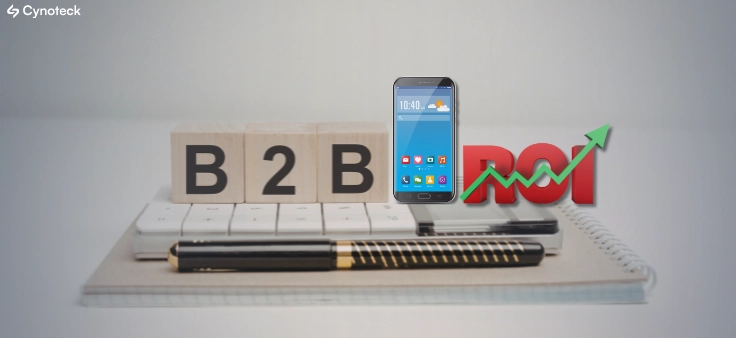
B2B apps help businesses streamline operations, enable on-the-go access to data, improve client engagement, support omnichannel sales, and drive scalable revenue by simplifying complex business workflows.
We are more than just developers and consultants—we are your partners in navigating the digital landscape. Let us be the engine behind your next big success while you focus on your core vision.
Explore Opportunities!