Why Businesses Are Connecting Mobile Apps With IoT Devices
For most of the last decade, a mobile app only knew what a person typed into it. Someone placed an order, logged a delivery, updated a status, or filled out a form. The app was a record of what people reported, not what was actually happening.
That is changing. A growing number of business apps now pull information directly from physical devices: a refrigeration sensor reporting temperature, a delivery van reporting location, a hospital monitor reporting a patient's vitals, a factory machine reporting vibration levels before a part fails. The app is no longer just a form. It is becoming the screen through which a business watches and controls its physical operations.
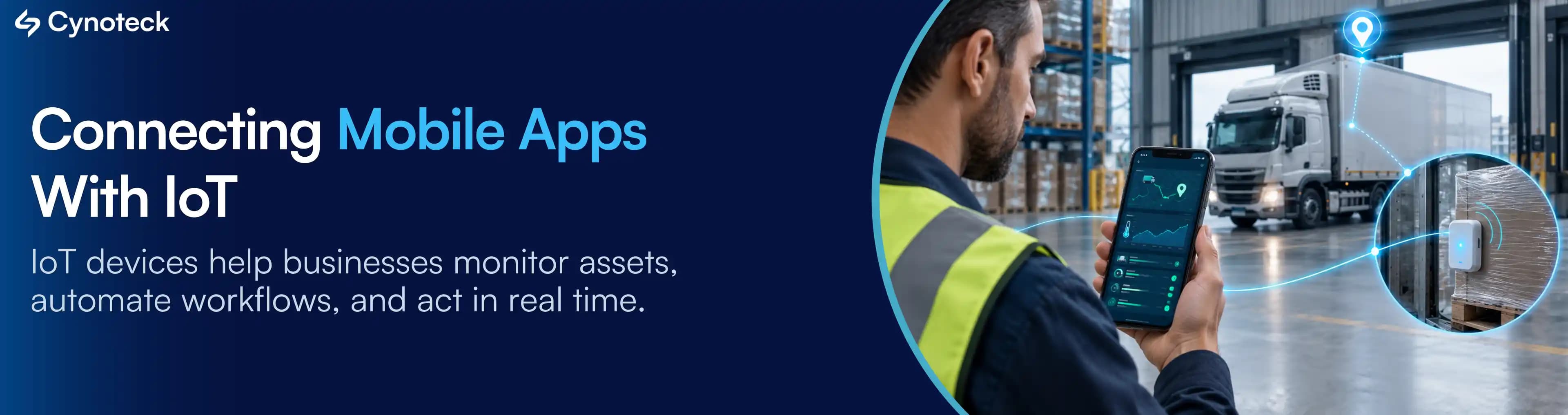
This shift is what people mean when they talk about an IoT mobile app development: a mobile application connected to Internet of Things devices, sensors, or equipment, so the app can display live data from those devices or send commands back to them.
This isn't only a smart home story. It's happening in warehouses, hospitals, farms, retail floors, and delivery fleets. The rest of this article breaks down what that connection actually involves, where it earns its cost, and where it's simply unnecessary.
A traditional business app depends on someone opening it and entering information. A technician logs a repair after it's done. A driver marks a delivery as complete after arriving. A warehouse worker counts stock and types the number in. Every one of those steps depends on a person remembering to do it, and doing it accurately.
That dependency creates a gap between when something happens and when the business finds out about it. A refrigerated truck can sit above safe temperature for two hours before anyone checks the log. A machine can run past its service interval because no one wrote down the hours. The data isn't wrong on purpose. It's just late, or missing, because a human step was required to produce it.
Connected devices close that gap by generating data on their own. A temperature sensor doesn't need a truck driver to notice a problem, it reports the reading continuously. A GPS tracker doesn't need someone to text an ETA, it broadcasts location on its own. Once a mobile app can read from these devices directly, the business gets information as events happen rather than after someone reports them.
There's also a customer-facing side to this. People who use a smart thermostat, a fitness band, or a connected car at home start expecting the same kind of live feedback from the businesses they deal with: a courier app that shows exactly where the driver is, a fitness app that syncs automatically with a wearable, a utility app that shows real consumption instead of an estimated bill. Apps that only accept manual input increasingly feel behind.
IoT, short for Internet of Things, describes physical devices with sensors or controls that can send and receive data over a network instead of operating in isolation. A refrigeration unit with a built-in temperature sensor is an IoT device. So is a wearable heart rate monitor, a GPS-tagged shipping container, or a factory motor fitted with a vibration sensor.
An IoT mobile app connects three layers:
The IoT device: the sensor or equipment that measures a condition (temperature, location, motion, pressure) or performs an action (unlocking a door, starting a pump, adjusting a valve).
The cloud or communication layer: the software that receives data from the device, stores it, processes it, and makes it available to other systems. This is usually where rules run, such as triggering an alert when a sensor reading crosses a threshold.
The mobile app: the interface a person uses to view that data or send commands back to the device.
The device produces information. The cloud layer moves and interprets it. The app is where a person actually sees or acts on it.
It's worth being clear that this pattern isn't limited to smart home products. The same three-layer structure applies to a hospital monitoring a patient's oxygen level, a logistics company tracking a refrigerated container across a shipping route, a farm monitoring soil moisture across several fields, or a manufacturer watching machine vibration to catch a failure before it happens. The devices and the business context change. The underlying architecture stays similar.
Once you know the three layers involved, it helps to see them as a sequence rather than a diagram. Leaving aside the protocols and code underneath it, the actual business workflow behind an Internet of Things mobile app looks like this:
The device collects data.
A sensor measures something, a temperature, a location, a vibration pattern, on a set interval or continuously.
The device sends that data.
It transmits the reading over Wi-Fi, BLE, or a cellular connection to the cloud platform behind the app.
The cloud processes the data.
Readings are stored, checked against any rules that are set (such as an alert threshold), and made available to whatever app or dashboard needs them.
The mobile app receives an update.
The app pulls the processed data and displays it to the user, often within seconds of the original reading.
The user views the data or sends a command back.
A person checks a status, gets an alert, or taps a control that travels back through the same path to adjust the device itself.
That last step is worth pausing on, because it's what separates monitoring from control. Some IoT mobile apps only show data, a dashboard reporting what's happening. Others let the user act on it directly from the phone, restarting a machine, adjusting a thermostat, or locking a door remotely. Which one a business needs depends entirely on whether watching the data is enough, or whether someone also needs to change something from a distance.
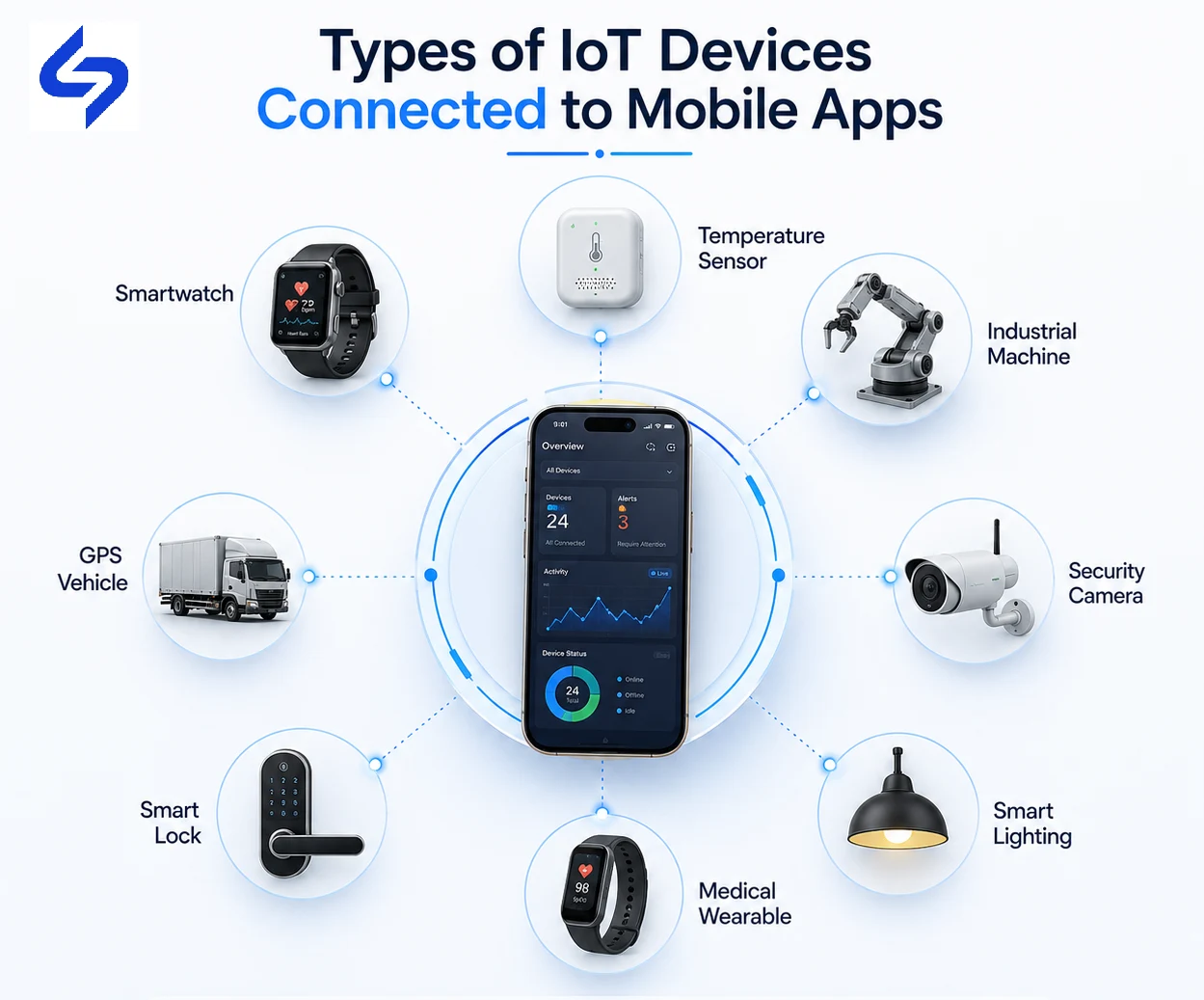
The type of device a business connects to its app depends entirely on what it needs to know or control. A few categories show up repeatedly across industries.
Smart lights, smart locks, thermostats, and cameras. These devices usually connect over Wi-Fi Connectivity or Bluetooth Low Energy (BLE) and are controlled directly from a companion app.
Smart watches, fitness bands, and health trackers. These typically sync over BLE and report continuous data such as heart rate, step count, or sleep patterns.
In connected healthcare, a single reading, a blood pressure check or a glucose reading, often needs to reach two different audiences at once: the patient's own app and a clinician's monitoring dashboard, sometimes within seconds of the reading being taken. That dual destination is what makes healthcare IoT more sensitive to security and reliability than most other categories.
Factory floors rarely rely on consumer Bluetooth the way a smart home does. Industrial IoT setups typically run on wired networks or long-range wireless protocols instead, because a plant needs connections that stay reliable across a much larger physical space, and can't tolerate the kind of dropout a home network shrugs off.
Trucks and shipping containers move through areas with inconsistent network coverage, so fleet management devices are usually built to store data locally and sync it once a signal returns, rather than assuming a constant connection the way an office sensor might.
RFID readers, smart shelves, and POS-connected devices used for asset tracking and inventory visibility on the retail floor.
Device Category | Common Connection Method | Typical Business Use |
Smart home devices | Wi-Fi, BLE | Remote control, automation |
Wearables | BLE | Health and activity tracking |
Healthcare devices | BLE, Wi-Fi, cellular | Remote patient monitoring |
Industrial equipment | Wired, LPWAN, cellular | Predictive maintenance, monitoring |
Logistics/fleet devices | GPS, cellular | Location and condition tracking |
Retail devices | RFID, NFC, Wi-Fi | Inventory and asset tracking |
The reasons vary by industry, but they tend to fall into a consistent set of business outcomes.
Instead of checking on equipment or inventory periodically, a business can see current status the moment it changes, whether that's a warehouse temperature, a machine's operating condition, or a vehicle's location.
Devices can often be adjusted from the app itself. A facilities manager can lower a thermostat, restart a piece of equipment, or lock a door without being on-site.
When data arrives as it happens rather than at the end of a shift or a reporting cycle, decisions get made closer to the moment a problem starts, not after it has already caused damage.
Rules can be set so the system reacts on its own. A stock level dropping below a set point can trigger a reorder. A temperature exceeding a limit can trigger an alert, without waiting for a person to notice.
Customers increasingly expect visibility into what they're paying for, whether that's a delivery's live location, a connected appliance's status, or real usage data instead of an estimate.
Equipment, containers, vehicles, and tools can be located and monitored continuously instead of relying on manual logs or periodic physical checks.
Sensors that track vibration, temperature, or run-time hours can flag early signs of wear, allowing a repair to happen on a planned schedule instead of after a breakdown.
Catching problems earlier, cutting down on manual data entry, and reducing unnecessary site visits all reduce the ongoing cost of running physical operations.
None of these benefits are automatic. They depend on a business actually acting on the data the app surfaces. An app that shows a warning no one reads doesn't reduce downtime, it just adds a screen.
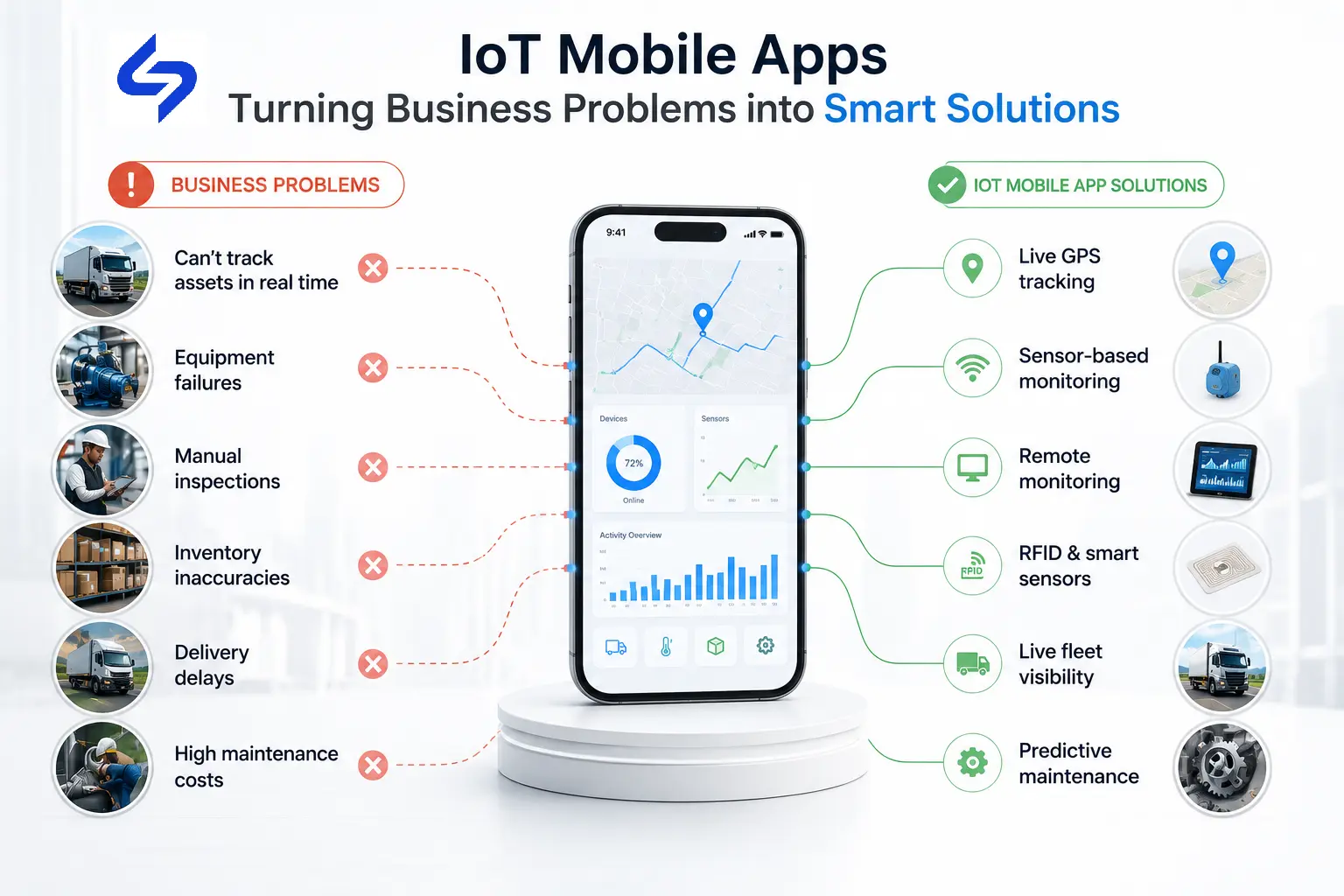
It's more useful to think about IoT integration in terms of the problem it addresses rather than the feature it adds.
Many operations teams only know what's happening in the field once someone reports it, which means problems are often already underway before anyone finds out.
Staff spend time on repetitive logging tasks, entering readings, statuses, or counts that a connected device could report automatically.
Machines fail without warning when there's no way to track early signs of wear, leading to unplanned repairs and lost production time.
Tools, vehicles, and containers get misplaced or underused when a business has no reliable way to locate them.
Service happens on a fixed calendar schedule instead of based on actual equipment condition, which means some machines get serviced too early and others too late.
Field teams waste time checking on-site conditions manually that a sensor could report before they even arrive.
Customers who can't see real usage or status data are left guessing, which weakens trust and increases support inquiries.
Stock counts drift from reality when updates rely on manual counting instead of continuous tracking.
Identify where IoT can improve visibility, automate workflows, and reduce manual effort.
Explore IoT SolutionsRemote patient monitoring devices send vitals to a clinician's app between visits, allowing earlier intervention for chronic conditions without requiring the patient to travel in.
Sensors on production machinery report vibration, temperature, and run-time data, letting maintenance teams schedule repairs before a breakdown halts a production line. Some manufacturers also combine sensor data with computer vision technologies to automate visual inspections, detect product defects, and improve quality control.
GPS Tracking and temperature monitoring devices on trucks and containers give dispatchers and customers live visibility into location and cargo condition throughout a shipment.
RFID and smart shelf sensors keep inventory counts current without manual stocktaking, and connected POS systems tie sales data directly to stock levels.
Soil moisture and weather sensors help farmers time irrigation and treatment more precisely, reducing water use and crop loss from delayed intervention.
Equipment sensors track usage hours and location across a site, helping project managers account for machinery that would otherwise be hard to monitor across a large area.
Smart locks, thermostats, and connected room controls let hotels manage guest room conditions and access remotely, reducing manual key handling and energy waste.
Connected sensors on traffic signals, streetlights, and waste bins let municipal teams manage infrastructure based on actual usage rather than fixed schedules.
Smart meters report real consumption data, replacing estimated billing with usage figures customers and utilities can both see.
Live device monitoring:
Continuous visibility into a device's current reading or status.
Remote device control:
The ability to send a command back to a device from the app.
Instant alerts and notifications:
Automatic warnings when a reading crosses a set threshold.
Data dashboards:
Visual summaries of device data over time, useful for spotting trends.
Location tracking:
GPS-based visibility into where a device or vehicle currently is.
Device health monitoring:
Tracking of a device's own operating condition, such as battery level or signal strength.
Automation rules:
Conditional logic that triggers an action automatically based on device data.
Offline data synchronization:
The ability to collect data during a connectivity gap and sync it once a connection returns.
Not every app needs all of these. A fleet tracking app leans heavily on location tracking and alerts. A predictive maintenance app depends more on dashboards and device health monitoring. The right feature set follows from the problem being solved, not the other way around.
Choose the right IoT capabilities based on your business goals, devices, and operational needs.
Discuss Your App RequirementsMost of the real cost and risk in IoT App Development shows up in these eight areas, not in the visible features of the app itself.
Devices vary in the protocols and data formats they use. An app built to work with one manufacturer's sensors may need real engineering work to support another's.
Field locations, factory floors, and rural areas don't always have reliable connectivity. The app and devices need a plan for what happens when a connection drops.
Every connected device is a potential entry point into a network. Device authentication and encrypted data transmission aren't optional extras, they're part of the basic design.
Devices that collect health data, location history, or usage patterns carry privacy obligations that vary by industry and region, and need to be addressed before launch, not after.
An app handling data from ten devices behaves very differently from one handling data from ten thousand. The backend architecture needs to be planned for the number of devices expected over time, not just the pilot phase.
Devices and phones that stay constantly connected also drain power faster. Polling frequency and connection methods need to be balanced against battery life, especially for wearables and remote sensors.
An app handling data from ten devices behaves very differently from one handling data from ten thousand. The backend architecture needs to be planned for the number of devices expected over time, not just the pilot phase. Supporting thousands of connected IoT devices requires a cloud-powered mobile app architecture that can scale with growing data, users, and real-time workloads.
Devices fail, firmware needs updates, and connectivity providers change terms. An IoT mobile app is not a one-time build, it requires ongoing upkeep on both the software and device side.
If your business already has a mobile app, the more relevant question usually isn't whether to build something new, it's whether the app you already have can be extended. In most cases, it can. Connecting IoT devices is typically an enhancement to an existing app's backend and interface, not a reason to rebuild it from scratch.
Existing architecture.
An app built on a flexible backend can usually add device connectivity and a new data pipeline without a major rewrite. An older or more rigid backend may need some rework first.
Which devices are involved.
Adding support for one device type, like GPS trackers for a delivery fleet, is a much smaller project than supporting a wide range of sensors across several device categories.
How much of the app changes.
Some businesses just add a new screen showing live device data. Others rebuild core workflows around it. The scope depends on how central the device data is meant to become.
IoT features also don't have to launch all at once. A common approach is to start with a single use case, such as tracking one type of device for one team, before expanding to more devices or more parts of the business. A small pilot, connecting a handful of devices and proving the data is accurate and useful, is usually a more practical first step than trying to connect an entire fleet or facility on day one.
Not every app benefits from IoT integration, and treating it as a default upgrade rather than a deliberate decision usually leads to wasted budget.
You manage physical assets that are hard to track manually.
You rely on field teams working away from a central office.
Your business already uses sensors or connected devices in some form.
Real-time monitoring would change how quickly you respond to a problem.
Automation could remove a real, recurring manual task.
Your app is mainly informational, without a physical device involved.
No equipment, vehicles, or sensors are part of your operations.
Manual workflows are already fast enough for the volume you handle.
Knowing something a few hours later wouldn't change what you do about it.
If your business fits more of the second list, IoT integration is likely to add cost and complexity without a matching return. That's a legitimate outcome, not a missed opportunity.
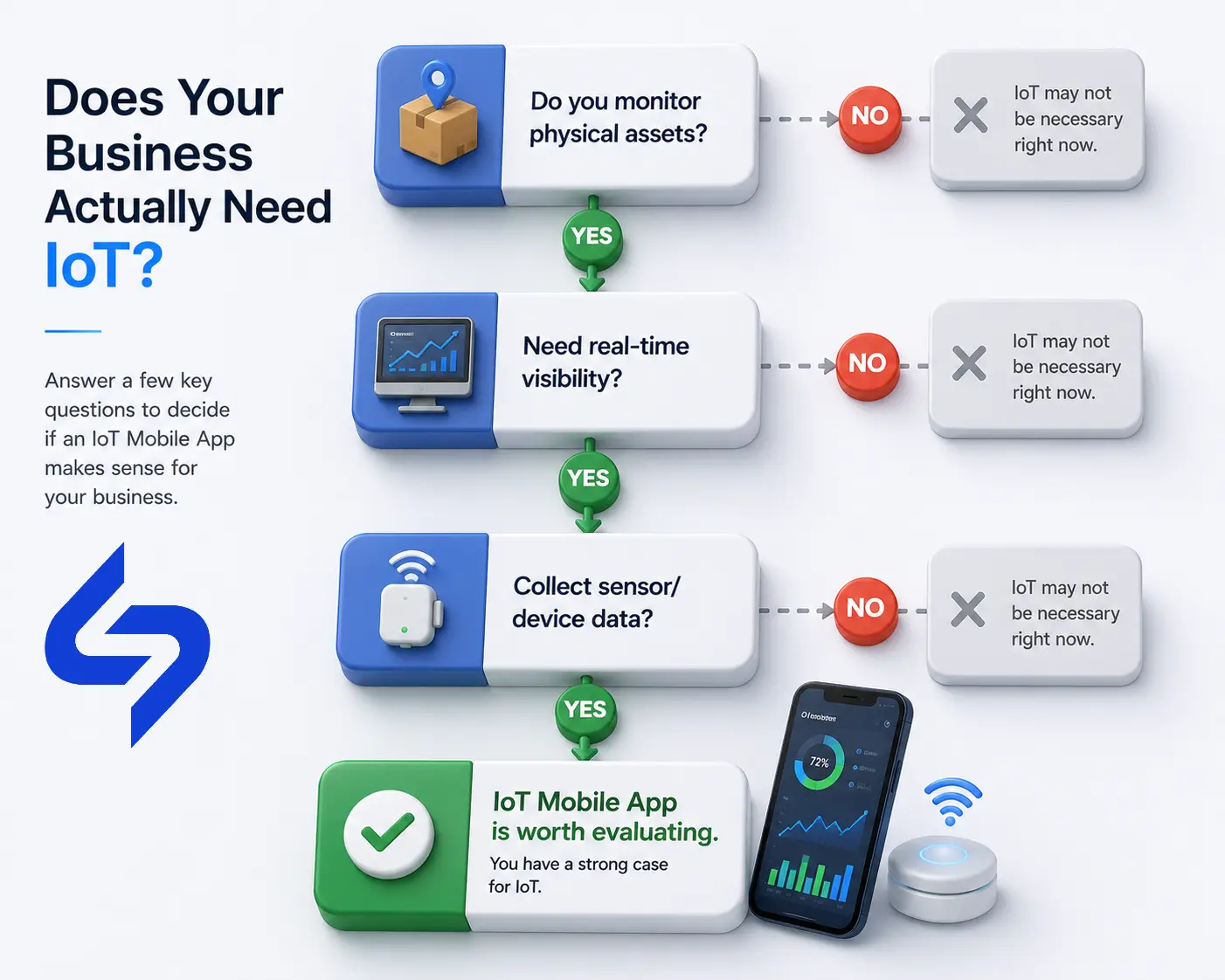
Before committing budget to IoT App Development, it helps to answer these honestly:
What specific business problem are we trying to solve?
Which devices actually need to connect, and do we already own them?
Do we genuinely need real-time monitoring, or would periodic updates be enough?
How will this change the experience for customers or employees, specifically?
Do we have the internal capacity to manage and maintain connected devices over time?
Will the expected operational improvement justify the ongoing cost of running this system?
A short, honest answer to each of these will usually tell you more about whether IoT integration is worth pursuing than any list of industry benefits.
Get expert guidance to validate your IoT strategy before you invest in development.
Talk to Our IoT ExpertsEach of these developments expands the capabilities of IoT mobile apps. Together, they highlight how advanced mobile app technologies are helping businesses build smarter, more connected solutions.
Processing data on the device itself, rather than sending everything to the cloud first, means a critical alert or control decision can still happen during a connectivity gap. For a business running equipment in a remote location, that's the difference between a system that keeps working offline and one that goes blind the moment a connection drops.
Pairing sensor data with pattern recognition lets a system flag an unusual reading that a fixed threshold would miss entirely, catching a developing problem earlier than a simple "above this number, send an alert" rule ever could.
Faster, lower-latency wireless networks make it realistic to support thousands of connected devices reporting continuously in the same facility, which matters most for large-scale industrial and logistics deployments that would otherwise struggle to scale reliably.
A virtual model of a piece of equipment, built from its live sensor data, lets a team test a change or simulate a failure scenario before touching the real asset, reducing the risk of costly trial and error on physical machinery.
As sensor data and analysis improve, maintenance keeps shifting away from a fixed calendar schedule toward service triggered by actual equipment condition, which means fewer machines get serviced too early and fewer break down before anyone expected it.
Rules-based automation is increasingly layered with more adaptive logic, so a system can adjust its own behavior as conditions change rather than reacting only to a static threshold someone set once and never revisited.
Real-time visibility into energy, water, and fuel use surfaces waste that would otherwise stay invisible in manual reporting, giving a business a concrete number to act on instead of a rough estimate at the end of the month.
Connecting a mobile app to IoT devices isn't valuable because it's technically interesting. It's valuable when it closes a real gap between what's happening in a business and what the business actually knows, in time to do something about it.
For a company managing physical assets, running field operations, or relying on equipment that can fail without warning, that gap can be costly. For a company running an informational app with no physical devices involved, the gap may not exist at all, and the investment wouldn't return much.
The right answer depends on your operations, not on how many other businesses are adopting connected devices. Decide based on the specific problem an IoT Mobile App would solve for you, not on the trend around it.
Businesses don't adopt IoT to collect more data. They adopt it to make faster decisions, automate operations, and gain visibility into what's happening beyond the screen. The value comes from solving a real operational challenge, not from simply connecting more devices.
An IoT mobile app is a mobile application that connects to Internet of Things devices or sensors, allowing a person to view live data from those devices or send commands back to them through the app.
Communication typically happens through Bluetooth Low Energy (BLE), Wi-Fi, or cellular connections, with data passing through a cloud platform that stores and processes it before displaying it in the app.
Businesses that manage physical assets, equipment, vehicles, or field operations tend to see the most value, since these are the situations where real-time data changes how quickly problems get addressed.
In most cases, yes. It typically requires adding device connectivity, backend infrastructure to receive and process device data, and new interface elements to display it, rather than rebuilding the app from scratch.
Common examples include wearables, healthcare monitors, industrial sensors, GPS trackers, RFID readers, and smart home devices, among others.
Cost depends on the number and type of devices, the complexity of the backend infrastructure, and the ongoing maintenance required. A small pilot connecting a handful of devices costs far less than a large-scale industrial rollout.
Security depends on how the system is built. Device authentication, encrypted data transmission, and regular firmware updates are standard requirements, not optional extras, given that every connected device is a potential entry point.
Most rely on some form of connectivity to sync data with the cloud, but well-designed apps include offline data synchronization so data collected during a connectivity gap isn't lost.
Common technologies include BLE and Wi-Fi for device connectivity, cloud platforms for data processing, and increasingly edge computing for reducing delay in time-sensitive scenarios.
Start with the problem, not the technology. If you manage physical assets, rely on field operations, or would benefit from knowing something the moment it happens rather than hours later, IoT integration is worth evaluating. If your operations are already manual and fast enough, it may not be necessary yet.
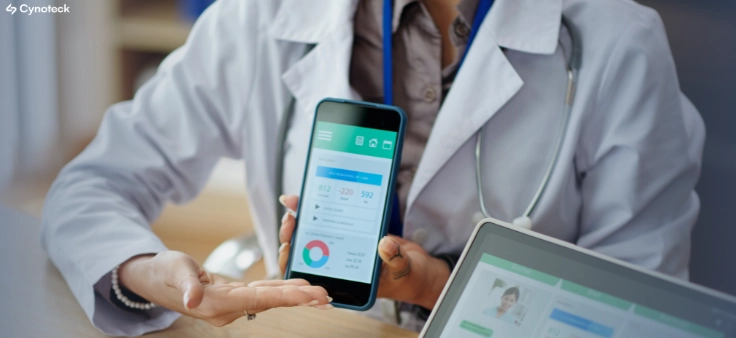
Mobile healthcare apps improve patient care by enabling remote monitoring, timely reminders, secure data access, better communication, and cost-efficient healthcare services through mHealth technology.
B2B apps help businesses streamline operations, enable on-the-go access to data, improve client engagement, support omnichannel sales, and drive scalable revenue by simplifying complex business workflows.
We are more than just developers and consultants—we are your partners in navigating the digital landscape. Let us be the engine behind your next big success while you focus on your core vision.
Explore Opportunities!