What Is Microsoft Dynamics 365 Customer Service? Complete Guide 2026
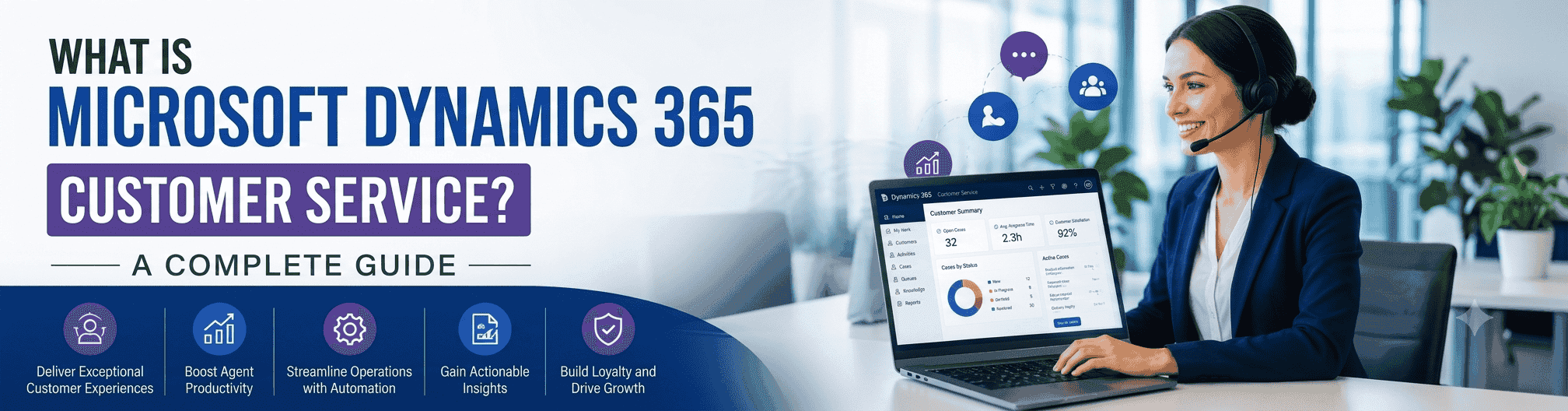
Dynamics 365 Customer Service is Microsoft's cloud-based platform for managing customer support cases, conversations, and knowledge. It turns every email, call, chat, or social message into a tracked case, with an SLA deadline, an owner, and a full history attached.
It's one of five apps in the Dynamics 365 Customer Engagement suite, alongside Sales, Customer Insights, Field Service, and Project Operations. It runs standalone or connected to those apps, and it runs entirely on Azure, so there's no server to install or maintain.
This guide covers what it does, its full feature list, current pricing, its limits, and how implementation really works.
Strip away the marketing language, and Dynamics 365 Customer Service does five concrete jobs for a support team. Each one solves a specific, everyday problem that arises the moment a team grows beyond a shared inbox.
Turns issues into cases: Every inbound email, call, chat, or social message becomes a case record with a status, a priority level, and an assigned owner, so nothing sits unanswered because no one has claimed it.
Tracks response and resolution deadlines: Service Level Agreements (SLAs) and entitlements set the clock on how fast a case must be answered and closed, based on the customer's contract, support tier, or plan. If a case is about to breach its deadline, the system flags it before a customer has to complain.
Routes work automatically: Cases and live conversations are assigned based on agent skill, current workload, and priority using unified routing, rather than a plain first-come, first-served queue that overloads your fastest typers.
Surface knowledge mid-case: Agents see suggested help articles pulled from the knowledge base and past resolved cases, right inside the case they're working on, so they aren't retyping the same answer for the tenth time this month.
Reports on performance: Built-in dashboards show case volume, average resolution time, SLA compliance, and agent load, so a manager can spot a bottleneck without exporting anything to Excel first.
Note: Professional and Enterprise are not the same software with a few extra buttons unlocked. Enterprise adds live channels such as chat and voice, unified routing, and Copilot. Professional is built specifically for email- and portal-based ticketing, which matters when you're comparing editions later in this guide.
Whether you're replacing a legacy help desk or enhancing your existing CRM, our Dynamics 365 experts can help you implement a scalable customer service solution tailored to your business.
Book a Free ConsultationDynamics 365 Customer Service is built around four functional layers: case and knowledge management, omnichannel engagement, self-service, and reporting. Each layer is available at different edition levels, which is worth understanding before you commit to a licence.
Case records with SLA timers, entitlements, and a full audit trail of every action taken
A searchable knowledge base with articles linked directly to the cases that generated them
Auto-suggested articles based on the content and category of the case currently open
Queues that group cases by team, product line, or priority
Live chat, voice, email, SMS, Microsoft Teams, and social channels, including Facebook Messenger and WhatsApp, all inside one agent workspace
A single, unified conversation history across every channel, so a customer who emailed on Monday and calls on Thursday doesn't have to repeat themselves
Unified routing that assigns conversations based on agent skill and real-time capacity, not just who's next in line
Sentiment detection that flags a frustrated customer to a supervisor before the case escalates further
A customer-facing portal built on Power Pages, included in both the Professional and Enterprise editions
Let customers search the knowledge base and check the status of their own case without calling in, which cuts inbound volume on repetitive questions
Built-in dashboards covering case volume, SLA compliance, and agent performance
Embedded Power BI content for organizations that want custom reports beyond the defaults
Topic clustering that surfaces recurring issues across hundreds of cases, useful for spotting a product problem before it becomes a wave of complaints
Note: A self-service portal is included at both edition levels, which surprises a lot of buyers. What's gated behind Enterprise is live chat, voice, and social engagement, plus the AI features covered next.
.png)
Microsoft has put most of its recent development budget for Dynamics 365 Customer Service into Copilot and autonomous agents, and this is the area buyers ask about most. Here's what ships today, not what's theoretical.
Case summaries: Copilot reads every email and chat message tied to a case and produces a short, readable summary. An agent picking up a case cold doesn't have to scroll through ten messages before responding.
Copilot-drafted email replies: Copilot writes a draft response using the case details and your approved knowledge base articles. Agents can steer the draft with short prompts like "ask for the order number" or "apologize for the shipping delay," then edit before sending.
Case Management Agent: This is an autonomous AI agent that handles routine, rules-based work on its own: creating cases from inbound emails, classifying them by topic, flagging cases close to breaching their SLA, and escalating when a rule is met.
Customer Knowledge Management Agent: Converts resolved case data into new knowledge articles automatically and provides supervisors with visibility into which articles are used, which are outdated, and which topics have no coverage.
Copilot Credits: AI usage beyond what's bundled into your license is metered through Copilot Credits, available either pay-as-you-go or as a prepaid commitment, with prepaid running up to 20% cheaper than pay-as-you-go rates.
Pro Tip: Treat every Copilot-written reply as a draft, not a finished message. Have agents review AI-generated responses before sending, especially on billing disputes, complaints, or anything touching a regulated process, since an unreviewed AI reply is still sent under your company's name.
Dynamics 365 Customer Service pricing is per user, per month, billed annually, and it's split across three main editions plus a set of separately priced add-ons. Below is what's included at each price point, based on Microsoft's current list pricing.
Edition | What You Get | Price (per user/month) |
Professional | Case management, knowledge base, SLAs and entitlements, basic reporting, self-service portal. Email and portal channels only, no live chat or voice. | $50 |
Enterprise | Everything in Professional, plus omnichannel engagement (chat, voice, social), unified routing, Copilot AI features, and embedded Power BI analytics. | $105 |
Premium | Everything in Enterprise, plus Dynamics 365 Contact Center bundled in, giving full voice and digital contact center capability with a Copilot-first agent experience. | $195 |
Digital Messaging add-on: It adds chat, SMS, Facebook Messenger, and WhatsApp channels on top of a Professional license
Voice channel add-in: It adds native, AI-assisted phone support without moving to a full Premium license
Chat add-in: A lighter option for teams that only need live chat, not the full Digital Messaging bundle
Copilot Credits: It metered AI usage above your included allotment, available pay-as-you-go or prepaid
Note: Microsoft is running a 40% discount on Dynamics 365 Contact Center, Contact Center Voice, and Customer Service Premium from October 1, 2025, through June 30, 2026, sold through enterprise and Cloud Solution Provider (CSP) channels. If Premium or a contact center build-out is on your radar, this window is worth raising with your partner before it closes.
Multi-app discount: Organizations that already license another Dynamics 365 application, such as Dynamics 365 Sales, typically qualify for a lower per-user rate on Customer Service licenses. This discount is negotiated on a per-deal basis rather than being fixed, so request a quote instead of assuming a specific percentage.
Choosing between the three editions comes down to three questions: which channels your customers use, how many agents you're licensing, and how much you want AI to do on your team's behalf. Here's how that breaks down in practice.
Pick 'Professional' if support comes in mainly through email or a web form, your team is small, and you don't need live chat, voice, or social channels yet. This is the right starting point for a lean support desk that just needs structure around email tickets.
Pick Enterprise if customers expect to reach you by chat or phone, you're running more than a handful of agents, or you want Copilot drafting replies and summarizing cases for you. This is where most growing service teams land.
Pick Premium if voice is a core channel for your business, you're building or replacing a full contact center, and you want a Copilot-first experience across every channel rather than AI bolted onto individual features.
Winner: For most mid-sized service teams moving off email-only support, Enterprise is the edition that matches cost to actual need without overbuying contact center capacity you won't use. Premium only earns its price once voice volume is high enough to justify running a dedicated contact center on top of case management.
No CRM or customer service software does everything, and being clear about the gaps up front saves a licensing mistake later.
No field service or dispatch tools: There's no technician scheduling, no route optimization, and no asset tracking for equipment out in the field. That functionality lives in Dynamics 365 Field Service, a separate application that integrates with Customer Service rather than replacing it.
No sales pipeline or revenue tracking: Dynamics 365 Customer Service won't manage deals, quotes, or sales forecasts. If your support and sales teams need a shared view of the customer, pair it with Dynamics 365 Sales rather than forcing case management to do sales work.
Not usable straight out of the box: This is a configurable platform, not a pre-built help desk you can turn on in an afternoon. Routing rules, SLAs, queues, and channels should all be set up to match how your specific team works before agents touch them in production.
Dynamics 365 Customer Service is designed to sit inside a broader Microsoft ecosystem rather than operate as an isolated island. That connectivity is one of the strongest reasons businesses choose it over a standalone help desk tool.
Other Dynamics 365 applications: Sales, Field Service, and Project Operations all share the same underlying data platform, called Dataverse, so customer records don't need to be manually synced between systems.
Microsoft 365: Outlook, Microsoft Teams, and Excel all work natively inside the platform. Agents can bring in a subject-matter expert via Teams without ever leaving the case they're working on.
Power Platform: Power BI builds custom dashboards beyond the defaults, Power Automate handles workflow automation, Power Pages powers the self-service customer portal, and Copilot Studio lets you build custom AI agents on top of the platform.
Third-party systems: Integration with CRMs, billing platforms, or other software outside the Microsoft stack happens through the Dataverse Web API or middleware tools, so an existing tech stack doesn't need to be ripped out to adopt this software.
The platform scales from small support teams with a handful of agents to enterprises running thousands of seats. Still, it shows up most often in industries where support is regulated, high-volume, or tied to a formal contract or entitlement.
Retail: Order tracking, returns processing, and support spanning chat, email, and social channels in a single agent view
Financial services and banking: Case tracking combined with the compliance and risk controls that these industries are required to maintain
Healthcare: Patient communication and case handling that stay compliant with data privacy regulations
Public sector and government: Service requests from residents, tracked with the audit trails accountability rules demand
Membership organizations and co-ops: The exact same case-tracking and SLA tools, applied to "members" instead of paying customers
Buying the licence is the easy part. Implementation is where most of the real-time and decision-making happens, and it isn't a switch you flip on launch day. Depending on the scope, a rollout typically runs anywhere from a few weeks to a few months. Three decisions shape most of that timeline.
Channel scope: Launching with email only versus launching with email, chat, voice, and social all on day one significantly changes the size of the project. Phasing channels in over time, rather than turning everything on at once, tends to produce a smoother rollout and fewer surprises for agents.
Routing logic: Skill-based routing, queue-based routing, and round-robin routing each trade off differently across speed, fairness, and reporting clarity. Most teams test more than one approach before settling on a hybrid that fits their actual case mix.
Knowledge migration: Existing FAQs, scripts, and troubleshooting documents need real cleanup and restructuring before agents will trust them inside the new knowledge base. Skip this step, and the knowledge base sits empty and unused for months after go-live.
A Microsoft partner typically handles configuration, data migration, third-party integrations, and agent training as part of the implementation. Attempting this in-house without direct Dynamics 365 experience usually means a longer timeline, more rework after launch, and a knowledge base that never gets properly populated.
Picking the right Dynamics 365 Customer Service edition is only half the job. The other half is configuring it around how your team actually works. That's where many U.S. businesses and American enterprises lose time, overspend on licenses, or struggle with low user adoption.
Cynoteck is a Microsoft Solutions Partner with Gold and Silver competencies, providing Microsoft Dynamics 365 consulting services in the USA for organizations looking to modernize customer support operations. Recognized on Clutch.co for delivering customer-focused Dynamics 365 solutions, our team has successfully completed 96+ Dynamics 365 Customer Service implementations for clients across the United States and globally. These projects include case management, omnichannel customer service, contact center modernization, and self-service portals for industries such as retail, financial services, healthcare, and manufacturing.
Here's what our Dynamics 365 consulting services for U.S. businesses include:
Custom case management configuration: Cases, SLAs, business process flows, automation, and dashboards designed around your actual customer service workflows instead of generic templates.
Omnichannel implementation: Voice, live chat, email, SMS, and social channels configured with unified routing and Azure Communication Services, helping U.S. customer support teams manage every conversation from a single workspace.
Copilot and AI implementation: Deployment of Microsoft Copilot, AI-powered case summaries, suggested responses, intelligent routing, and automation agents customized to your knowledge base, support processes, and case categories.
Dynamics 365 migration services: Secure, phased migration from Salesforce, legacy CRM platforms, or help desk solutions. For example, we recently completed a Salesforce to Dynamics 365 migration for a U.S. retail company in just eight weeks with zero downtime.
Continuous optimization and managed support: Post-implementation consulting, performance optimization, dashboard enhancements, user adoption programs, and ongoing updates as Microsoft releases new Dynamics 365 and Copilot capabilities.
As a Microsoft Solutions Partner, Cynoteck receives early access to new Dynamics 365 innovations, Microsoft Co-Sell support, and the latest product updates. This enables our Dynamics 365 consultants in the USA to help organizations adopt new capabilities sooner and maximize the value of their Microsoft investment.
Contact our experts today to discuss your requirements and discover how Dynamics 365 Customer Service can improve your customer experience.
Book a Free ConsultationDynamics 365 Customer Service provides support teams with a single place to manage cases, communicate with customers across channels, and use AI to reduce repetitive work. The right edition depends on which channels your customers use and how many agents you're licensing, not just budget. And the setup matters as much as the software itself, since a Dynamics 365 Customer Service implementation configured around your real workflow is what delivers the ROI, not the license alone.
Ans: It's used to manage customer support cases from intake to resolution: logging issues, tracking them against SLAs and entitlements, routing them to the right agent, and giving that agent the case history and knowledge articles needed to resolve the issue without extra research.
Ans: Professional is $50 per user per month, Enterprise is $105 per user per month, and Premium is $195 per user per month, all billed annually at the list price. Add-ons for chat, voice, and digital messaging are priced separately from the base license, and a multi-app discount often applies if your organization already licenses another Dynamics 365 application.
Ans: Professional covers email- and portal-based support with case management, a knowledge base, and SLA tracking. Enterprise adds live chat, voice, social channels, unified routing, and Copilot AI features. If your customers need to reach you by phone or chat, Enterprise is the edition you need, not Professional.
Ans: Yes, at both the Professional and Enterprise levels. The portal is built on Power Pages and lets customers search the knowledge base and check the status of their own case without calling an agent.
Ans: Yes, it works as standalone customer service software. It also connects to Dynamics 365 Sales, Field Service, and Project Operations if you add them later, since they all run on the same underlying Dataverse platform.
Ans: Yes. Copilot summarizes cases, drafts email replies, and automation agents handle routine tasks like case creation, email classification, and SLA-breach alerts. AI usage beyond what's included in your license is billed separately through Copilot Credits.
Ans: It can work for small teams on the Professional edition, but the setup effort and per-user cost make it a heavier platform than a basic help desk app. It tends to pay off once a team has several agents and genuinely needs SLA tracking, a real knowledge base, or multi-channel support.
Ans: Typically a few weeks to a few months, depending on how many channels are launching at once, how complex the routing rules need to be, and how much cleanup the existing knowledge base and documentation require before go-live.

The best ways to build strong customer relations are to listen actively, communicate proactively, personalize every interaction, respond fast, be transparent, exceed expectations, act on feedback, reward loyalty, build a community, and use a CRM to keep every customer touchpoint connected. Businesses that do this consistently keep more customers, earn more referrals, and spend less on acquisition.

Discover the top 10 benefits of custom CRM software development for modern businesses. Learn how tailored CRM solutions improve efficiency, enhance customer relationships, and drive business growth.
We are more than just developers and consultants—we are your partners in navigating the digital landscape. Let us be the engine behind your next big success while you focus on your core vision.
Explore Opportunities! Dynamics 365 Sales Pricing, Features & Alternatives.webp)
.png)
 Microsoft Dynamics 365 Sales Professional vs Enterprise.webp)