What Is the Sales Qualification Agent in Dynamics 365 Sales?

The Sales Qualification Agent in Dynamics 365 Sales is an AI agent that researches new leads, scores them against your ideal customer profile, and hands off the strongest ones to sellers. It runs in one of two modes: Research-only, where it drafts suggestions for a seller to review, or Research and engage, where it emails leads on its own.
The Sales Qualification Agent in Dynamics 365 Sales takes over the part of selling nobody enjoys. Think digging through a pile of new leads to find the few worth a seller's time. It researches each one, then scores the fit. From there, it either drafts an outreach email or sends it, depending on how you configure it.
This guide explains how the agent works, what the two modes do, and what it takes to set one up.
The Sales Qualification Agent is an AI agent built into Dynamics 365 Sales. It automates lead qualification. Instead of a seller manually researching every new lead, the agent does that work first. Then, it flags the ones worth pursuing.
It works only on the standard lead entity, not custom objects. That keeps setup simple. You define who counts as a good fit. Then, the agent applies that definition every time a new lead comes in.
This differs from Copilot in Dynamics 365 Sales, which answers questions when a seller asks. The Sales Qualification Agent, though, works on its own. Nobody has to prompt it first. For the full lineup of agents alongside it, see our guide to Dynamics 365 Sales AI features.
The agent runs in one of two modes: Research-only or Research and engage. Only one mode can be active per organization at a time.
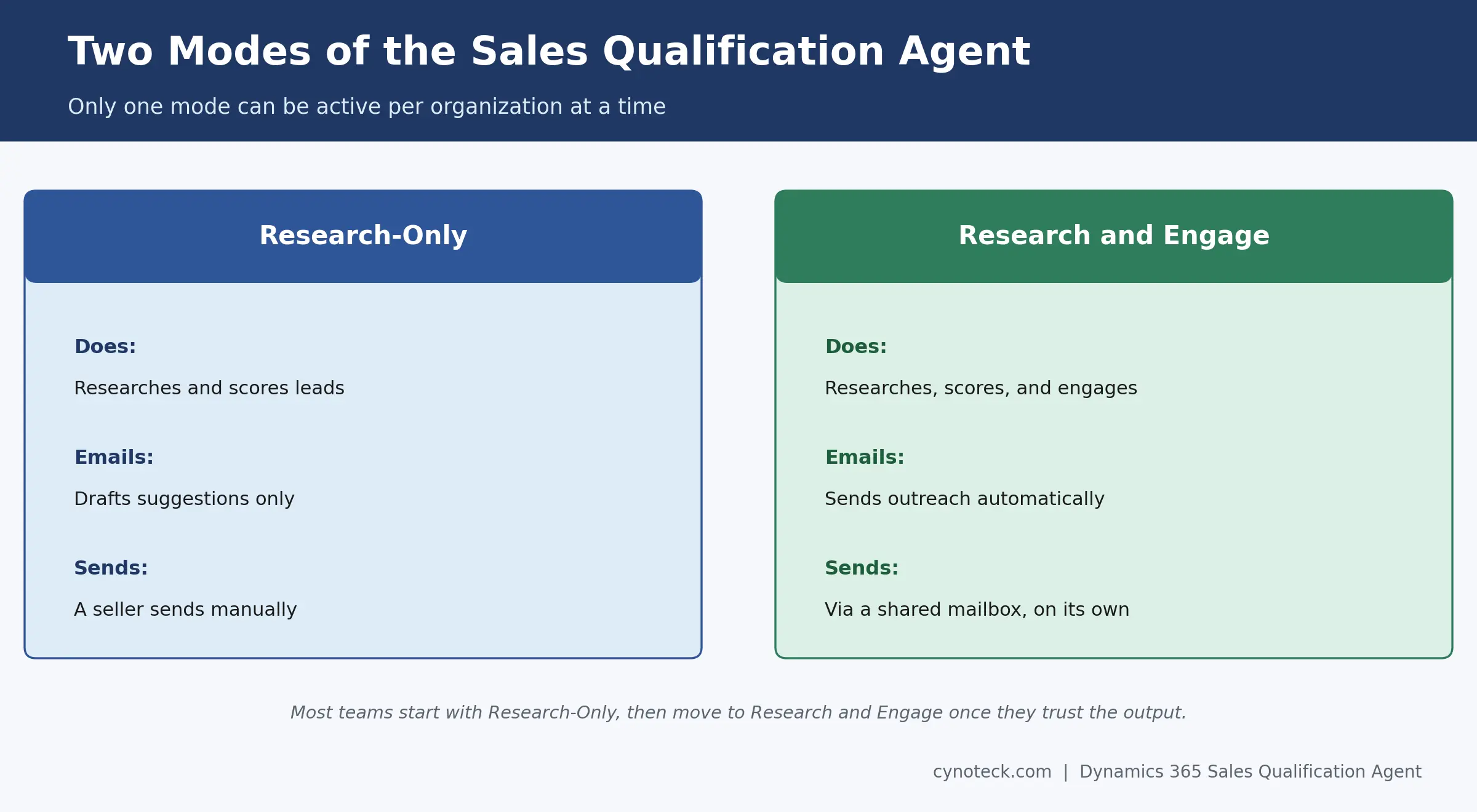
Research-only mode handles the research side alone. It works on assigned leads based on your selection criteria. Think lead source, rating, or geography. Then, it drafts suggested emails for a seller to review and send.
Research and engage mode goes further. It sends outreach and follow-up emails on its own, through a shared mailbox you configure. It also tracks how leads respond. Think opens, clicks, and replies. All of that feeds into its qualification score.
Most teams start with Research-only first. Once they trust the output, they move to Research and Engage. That phased path lets you check the agent's judgment before it starts emailing real leads on its own.
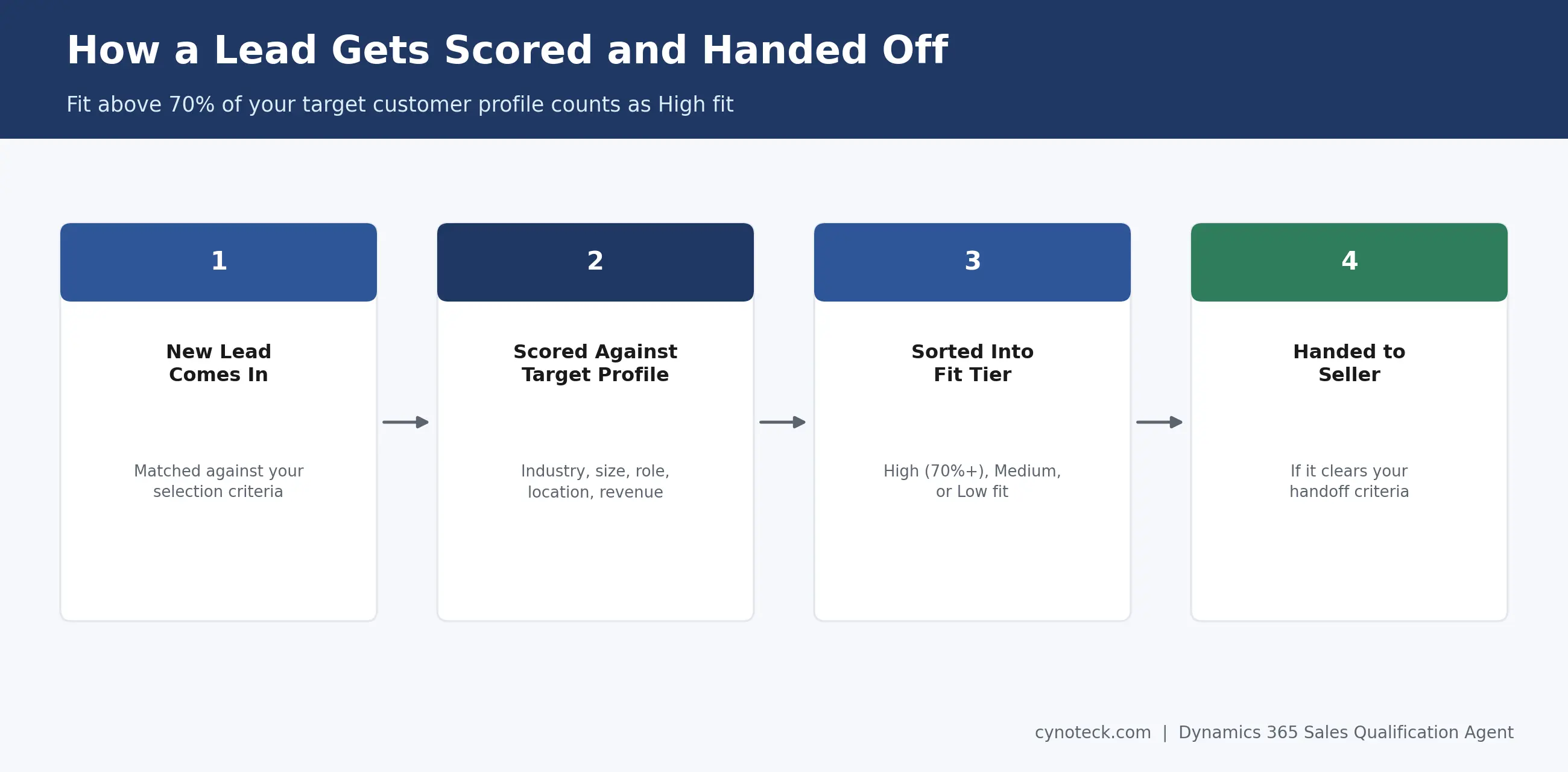
The agent compares each lead against your target customer profile. Think industry, company size, job title, location, and revenue. Based on that match, it sorts leads into three tiers.
A lead matching more than 70% of your target customer profile counts as High fit. Lower matches fall into Medium or Low fit instead. This scoring happens automatically every time. So, two similar leads always get evaluated the same way.
This scoring depends entirely on how you define the target customer profile. So, vague criteria produce vague results. The more specific your profile- think industry, company size, and role- the sharper the agent's scoring gets.
FIRE stands for Fit, Intent, Recency, and Engagement. The agent uses these four signals to rate every lead. Together, they produce one consistent score, instead of a seller's gut feeling.
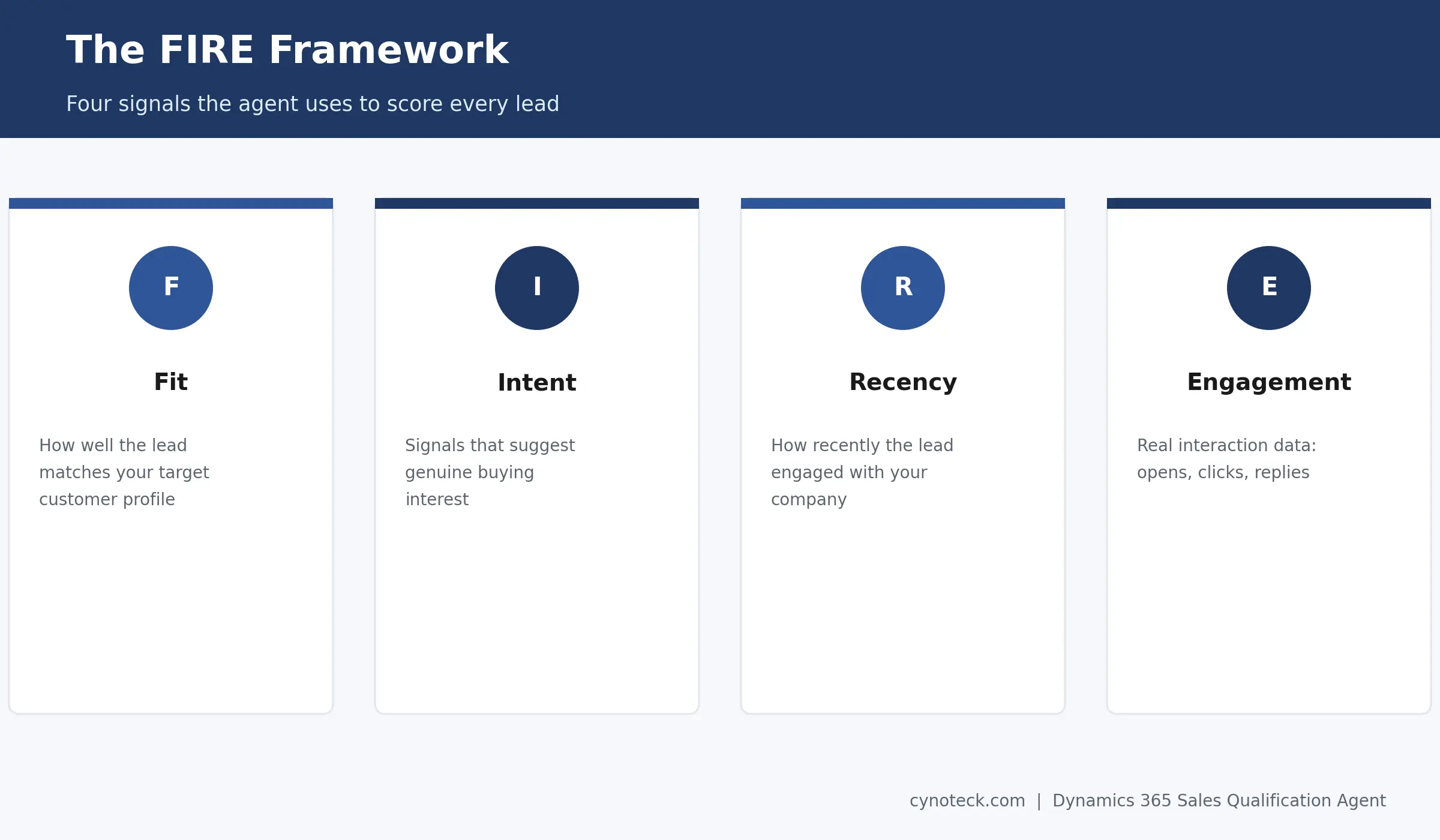
Fit measures how well the lead matches your target customer profile.
Intent captures signals that suggest genuine buying interest.
Recency weighs how recently the lead engaged with your company.
Engagement tracks actual interaction data, like email opens, clicks, and replies.
This data comes from Customer Insights - Journeys. So, the score reflects real behavior, not just static profile data. In Research and Engage mode, the agent also folds in how leads respond to its own outreach.
In Research and Engage mode, the agent applies BANT too. Think Budget, Authority, Need, and Timeline. This judges how close a lead is to buying. It runs alongside the FIRE score, not instead of it.
BANT only applies once a lead is engaging. It depends on real signals from the conversation, not just profile data. A lead can score High fit on FIRE and still show weak BANT signals. That happens when they match your ideal profile but haven't shown real buying urgency yet.
You configure the agent through the AI Hub inside Dynamics 365 Sales. Microsoft provides a guided setup flow there. Still, you need to define three things before the agent can run well.
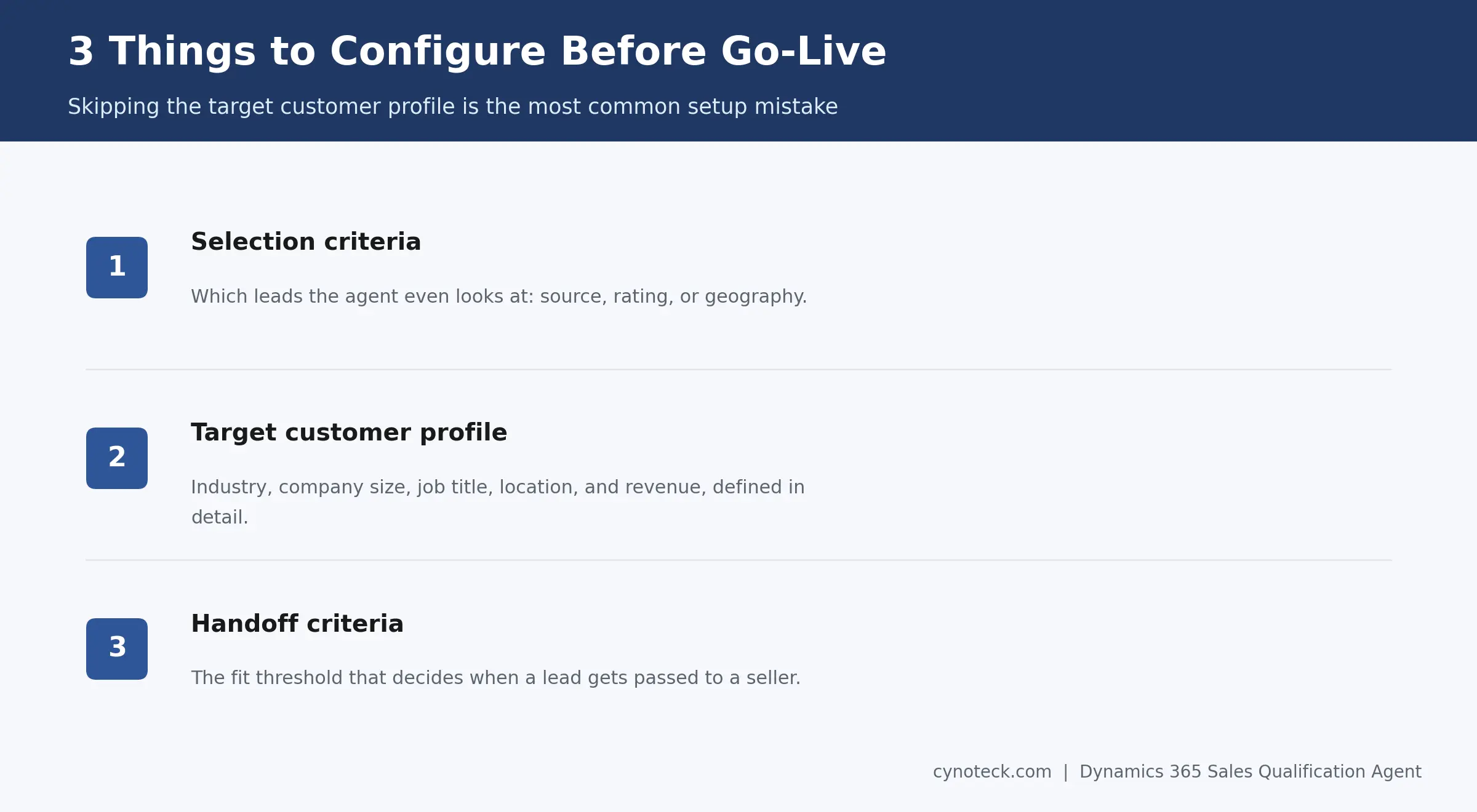
First, set your selection criteria. This determines which leads the agent even considers, based on source, rating, or geography. Next, define your target customer profile in detail. Think industry, company size, job title, location, and revenue. Finally, set your handoff criteria, the fit threshold that decides when a lead gets passed to a seller.
Skipping the target customer profile step is the most common setup mistake. Without it, the agent has nothing meaningful to score leads against, and its output ends up as a generic lead list with no filtering.
Define your target customer profile, selection criteria, and handoff rules before the agent starts qualifying leads.
Book a Free ConsultationYes, but only in Research and Engage mode. The agent sends personalized outreach and follow-up emails through a shared mailbox, without a seller reviewing each one first.
That shared mailbox needs Server-Side Synchronization enabled in Dynamics 365 for autonomous sending to work. Without it, the emails simply won't go out. In Research-only mode, nothing sends automatically; the agent only drafts suggestions and leaves the actual sending to a person.
Rather than acting as the seller, the agent works the early-stage outreach in parallel. Once a lead shows real buying intent, it hands that lead to a seller for the actual sales conversation.
You need a Dynamics 365 Sales license (Professional, Enterprise, or Premium) plus Microsoft 365 Copilot. Sales Premium specifically includes 1,000 Copilot credits per month, which cover the agent's ongoing usage.
Credit usage scales with how much work the agent does, so a high lead volume on Research and Engage mode consumes more credits than a smaller team running Research-only. It's worth checking your expected lead volume against that credit allowance before rolling this out broadly.
Use the Agent insights dashboard, built specifically to track how the Sales Qualification Agent is performing over time. It shows how leads move through the agent, and where the scoring might need recalibrating.
Before going live, Microsoft deploys agents to a sandbox or test environment. That lets you validate behavior and catch configuration issues before the agent touches real leads in production. Skipping that test phase is a common reason early rollouts produce confusing or inconsistent results.
The Sales Qualification Agent focuses specifically on early-stage leads, before they become opportunities. Other agents, like the Sales Opportunity Agent and Sales Close Agent, pick up later in the deal cycle instead.
Think of it as a relay. The Sales Qualification Agent researches and scores a new lead, then hands off the strong ones. From there, other agents and human sellers take over the opportunity itself. Our Dynamics 365 Sales AI features guide covers the full agent lineup and how they work together.
The Sales Qualification Agent only works as well as the target customer profile behind it. A vague profile produces vague scoring, no matter how advanced the agent itself is. Getting that configuration right upfront saves real time later.
If you're planning a rollout, or want help setting up the target customer profile and handoff criteria correctly, talk to Cynoteck's Dynamics 365 for Sales team. We'll help you configure it around leads that convert.
Check licensing, Copilot credits, lead volume, and email requirements before moving the agent into production.
Plan Your Agent DeploymentNo. Only one mode, Research-only or Research and engage, can be active per organization at a time. You switch between them instead of running both at once.
No, it works only on the standard lead entity. Once a lead converts to an opportunity, other agents, like the Sales Opportunity Agent, take over instead.
It still gets scored, just at a lower fit tier, Medium or Low, instead of High. Depending on your handoff criteria, lower-fit leads may not get passed to a seller at all.
The scoring draws from Customer Insights - Journeys data by default, things like email opens, clicks, and replies. Configuration options depend on your specific environment setup.
Not yet everywhere. Availability follows the Copilot international availability report, so check that before planning a rollout in a specific region or language.
Initial setup through the AI Hub can take a few hours. Getting the target customer profile and handoff criteria right, though, usually takes longer and benefits from testing in a sandbox environment first.

Discover the top 10 benefits of custom CRM software development for modern businesses. Learn how tailored CRM solutions improve efficiency, enhance customer relationships, and drive business growth.

What is Artificial Intelligence? Artificial intelligence (AI) is intelligence demonstrated by machines, which makes it possible for machines to learn from experience, adjust to new inputs and perform human-like tasks.
We are more than just developers and consultants—we are your partners in navigating the digital landscape. Let us be the engine behind your next big success while you focus on your core vision.
Explore Opportunities!
 What Al Services Does a Business Actually Need in 2026.webp)
 Dynamics 365 Sales Pricing, Features & Alternatives.webp)