What Is Copilot in Dynamics 365 Sales and How Does It Work?

Copilot in Dynamics 365 Sales is a built-in AI assistant. It summarizes leads, tracks record changes, and answers questions in easy wording, right inside the app sellers already use. It reads only the records and files a user already has access to. And it's being extended into a unified Sales agent that works across Outlook, Teams, and Dynamics 365 together.
Copilot in Dynamics 365 Sales is Microsoft's built-in AI assistant for sellers. It lives right inside the app. You don't need a separate tool to open. Sellers use it to summarize records, catch up on changes, and prep for meetings, all without leaving their CRM.
This guide explains what Copilot is, how it works under the hood, and where it's headed next.
Copilot in Dynamics 365 Sales is an AI assistant built directly into the Sales Hub app. Sellers can chat with it in natural language. Or, they can use predefined prompts instead. Either way, they get information without digging through records by hand.
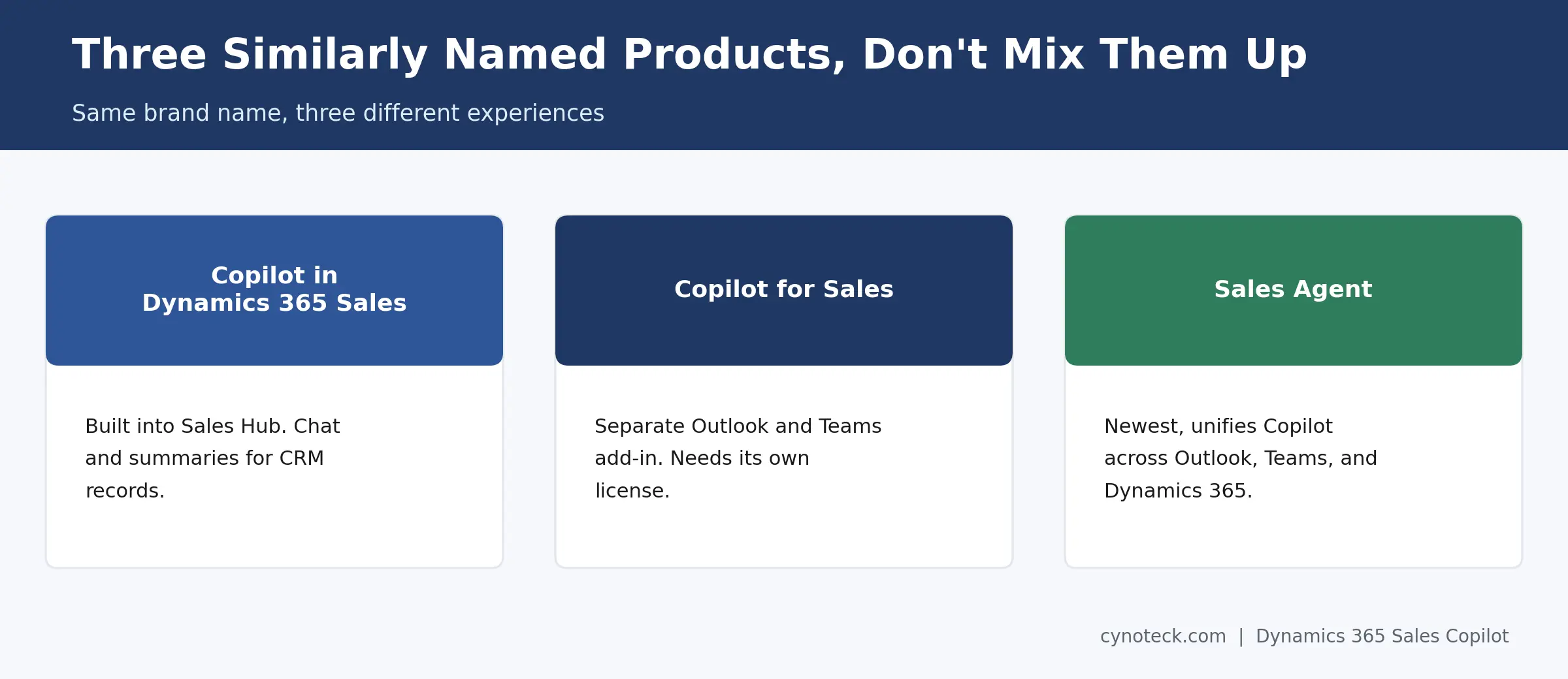
This differs from two other Microsoft products with similar names. Copilot for Sales is a separate add-in for Outlook and Teams. It needs its own license and setup. Sales agent in Microsoft 365 Copilot is newer still. In fact, it's the direction Microsoft is moving this whole experience toward; more on that below.
For now, Copilot in Dynamics 365 Sales is the assistant living inside your CRM records. It reads a lead or opportunity first. Then, it answers questions about that record directly.
Copilot only reads records and files the logged-in user already has permission to see. It doesn't bypass your existing security roles or sharing rules. So, a seller can't use it to view data they wouldn't otherwise access.
That matters more than it sounds. Copilot respects your existing permission structure. So, turning it on doesn't create a new security gap. It just makes the data a user already has easier to work with.
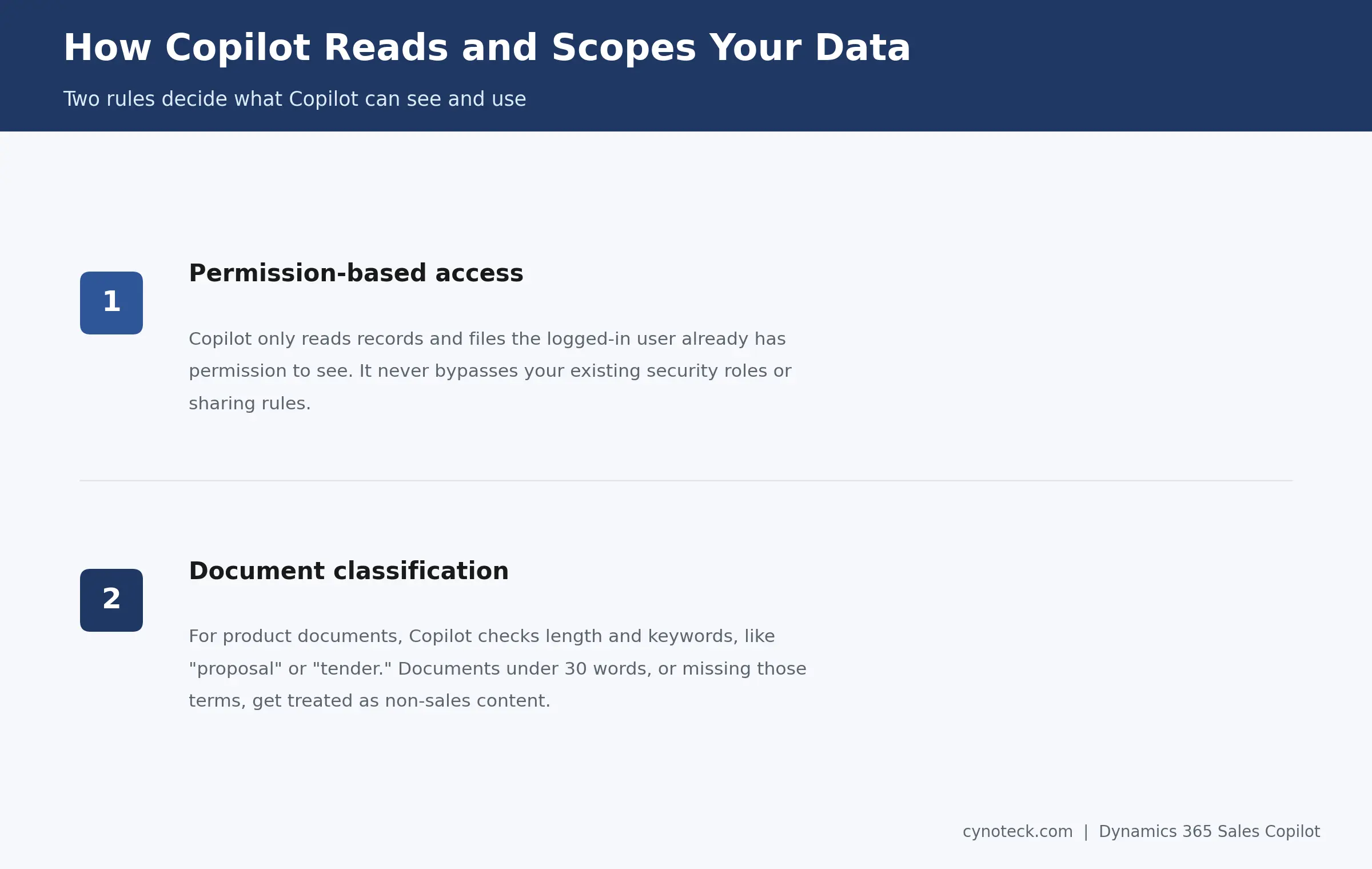
Copilot also applies logic to decide what counts as sales-relevant content. For product documents, it looks at length and specific keywords. Think terms like "proposal," "tender," "requirements," or "agreement." A short document, under 30 words, gets treated as non-sales content instead. The same goes for one missing those keywords. Either way, it won't surface in a Copilot answer.
Copilot handles five core tasks. Think record summaries, change tracking, meeting prep, account news, and document lookup. Each one saves a seller from manually digging through the timeline.
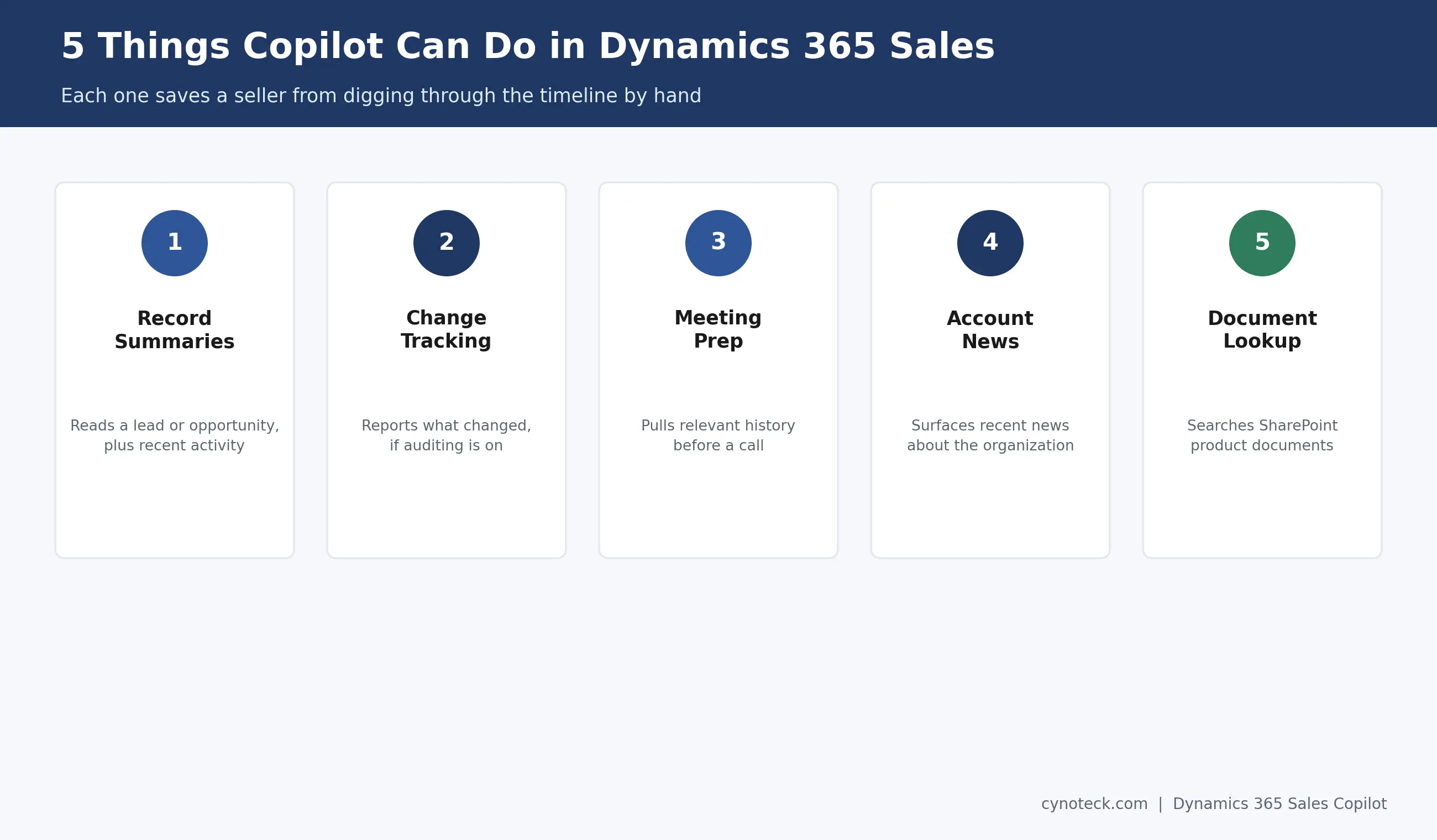
Record summaries come first: Copilot reads a lead or opportunity, plus its recent activity, and produces a short overview in seconds.
Change tracking: With auditing turned on, Copilot can tell a seller exactly what changed on a record since they last checked.
Meeting prep: Before a call, Copilot pulls relevant history and context, so a seller walks in already caught up.
Account news: Copilot surfaces recent news about a customer's organization, useful context for a conversation opener.
Document lookup rounds this out: Copilot can search product documents stored in SharePoint, then pull answers to sales-specific questions directly from them.
This list covers what Copilot itself does. For the AI agents that work alongside it, like the Sales Qualification Agent and Sales Opportunity Agent, see our full breakdown of Dynamics 365 Sales AI features.
Get help configuring Dynamics 365 Sales Copilot so sellers can use summaries, meeting prep, record changes, and document search correctly.
Book a Free ConsultationCopilot builds a summary from a predefined set of fields, not a free-form scan of the entire record. Your admin controls which fields feed into that summary, so the output stays consistent across your organization.
If a summary feels incomplete, the fix usually isn't Copilot itself. Instead, ask your Dynamics 365 Sales administrator. They can review and expand the fields in the summary configuration.
Change tracking works differently. It depends on one specific setting. Copilot can only report what changed if auditing is turned on for that table. Skip that step, and the "what's changed" part just won't work, even though everything else does.
Microsoft is actively moving Copilot toward a unified experience. It's called Sales Agent. This is happening now, not as a distant future plan. Sales Agent works the same way across Outlook, Teams, and Dynamics 365 Sales.
The difference is scope. Sales agent combines two data sources in one conversation. Think Dynamics 365 data, like opportunities and contacts. Then add Microsoft 365 data, like emails and calendar events. So, that's a wider pool of context than the original Copilot chat pulls from alone.
As of late 2026, Microsoft describes Sales Agent as the direction Copilot access is heading. Still, the original in-app Copilot experience works fine today. So, if you're planning a longer-term rollout, factor this shift into your training plans now.
If the pre-built agents don't cover your exact use case, Microsoft Copilot Studio is the tool Microsoft provides to build and customize agents beyond what ships out of the box.
Turning on Copilot takes two separate steps. First, one in the Power Platform admin center. Then, one inside the Sales Hub app itself. Both need to be on before sellers see anything.
Most organizations also need to consent to cross-region data movement first, unless they're already on the monthly release channel. From there, a Power Platform administrator enables Copilot at the environment level. Then, a System Administrator or System Customizer turns it on inside Sales Hub. Entra groups can further control exactly which users get access.
Given how specific this setup process is, it deserves its own full walkthrough, not a condensed version here.
If Copilot won't respond or shows a connection error, the cause is usually a blocked connector. It's not a broken feature. Microsoft groups Copilot's connectors into policies. For it to work, you need an unblocked, properly grouped policy.
Check with your Power Platform administrator. Confirm the relevant connectors sit in an allowed policy, business or non-business, not a blocked one. This is one of the more common and easiest-to-fix reasons Copilot appears to stop working after running fine before.
Copilot in Dynamics 365 Sales comes included with Sales Enterprise and Sales Premium. So, most organizations don't need to buy anything extra for the core chat and summary features. Licensing gets more specific, though, for the newer Sales agent experience. The same goes for Copilot for Sales, the separate Outlook and Teams add-in.
For a full breakdown of what's included at each tier, see our guide to Dynamics 365 Sales pricing and features.
Copilot answers a question when a seller asks it. AI agents, by contrast, work on their own. They research leads or flag risk without anyone prompting them first. So, they're built to solve different problems entirely.
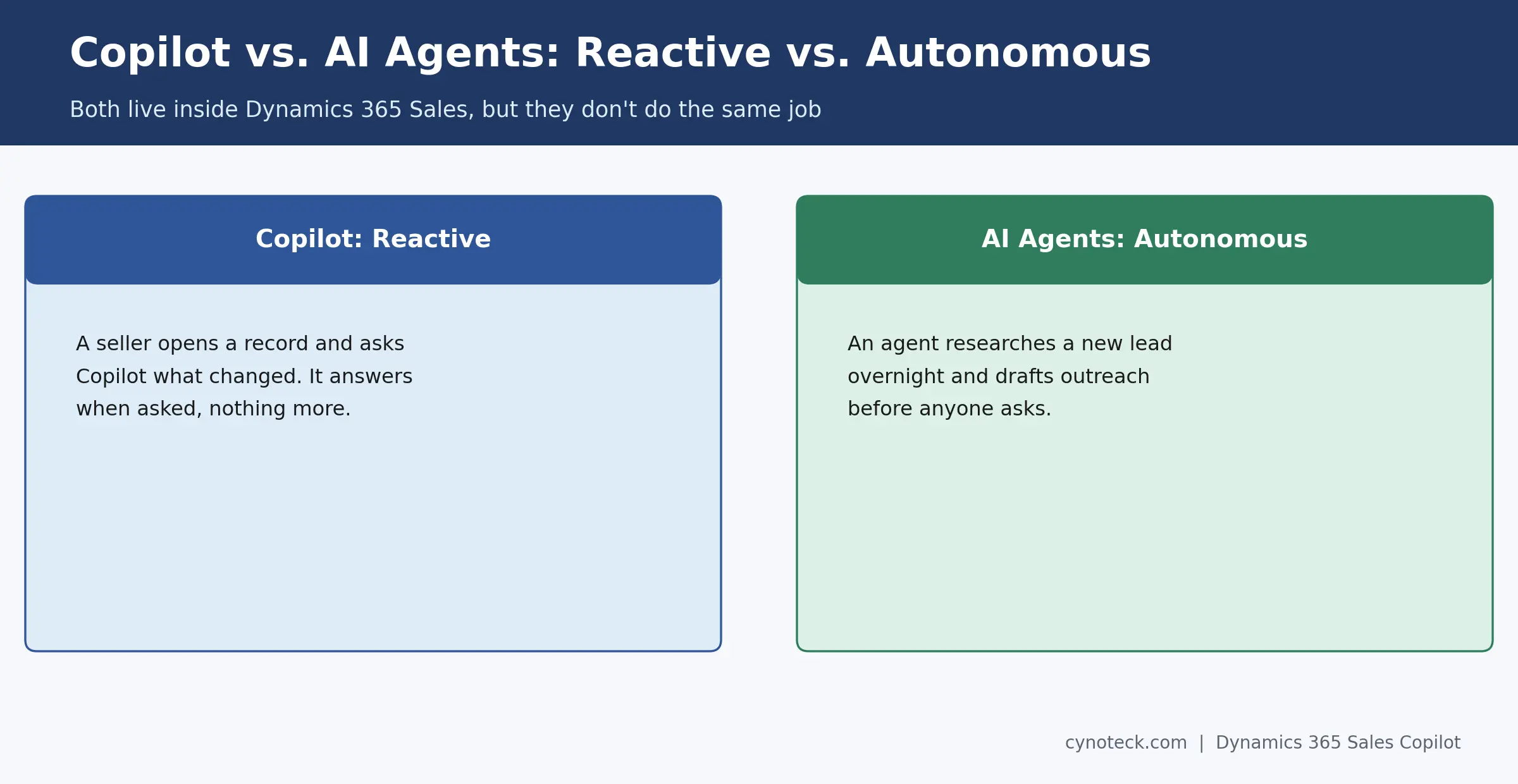
Think of Copilot as reactive, and agents as autonomous instead. A seller opens a record and asks Copilot what changed. That's Copilot. An agent researches a new lead overnight, then drafts outreach before anyone asks. That's an agent. Both live inside Dynamics 365 Sales. Still, they don't do the same job. Our guide to Dynamics 365 Sales AI features covers the full agent lineup in detail.
Prepare your Dynamics 365 Sales environment for Copilot and the upcoming Sales Agent experience with the right access, setup, and rollout plan.
Schedule a Free ConsultationCopilot in Dynamics 365 Sales already saves sellers real time. Think summaries, meeting prep, and catching up on record changes. The bigger opportunity, though, is planning ahead. Sales agent is unifying Copilot across Outlook, Teams, and Dynamics 365 next.
If you're rolling out Copilot, or planning ahead for the Sales agent transition, talk to Cynoteck's Dynamics 365 for Sales team. We'll help you set it up right the first time.
No. Microsoft 365 Copilot generally works across Word, Excel, and Outlook. Copilot in Dynamics 365 Sales is a separate, CRM-specific assistant. Microsoft is now connecting the two more closely through the Sales agent.
No, it can't. Copilot only reads records and files the logged-in user already has access to. It doesn't override existing security roles.
Copilot builds summaries from a predefined field set your admin configures. Ask your Dynamics 365 Sales administrator to add the missing field.
Most features still work, but change tracking won't. Copilot needs auditing turned on for a table before it can report what changed.
Not yet everywhere. Copilot's availability varies by region and language. Microsoft publishes a report covering where each feature currently works.
Some training helps, though the core skills carry over. Sales agent pulls in more context from Outlook and Teams, so sellers benefit from a short walkthrough of that wider data.

Discover the top 10 benefits of custom CRM software development for modern businesses. Learn how tailored CRM solutions improve efficiency, enhance customer relationships, and drive business growth.

What is Artificial Intelligence? Artificial intelligence (AI) is intelligence demonstrated by machines, which makes it possible for machines to learn from experience, adjust to new inputs and perform human-like tasks.
We are more than just developers and consultants—we are your partners in navigating the digital landscape. Let us be the engine behind your next big success while you focus on your core vision.
Explore Opportunities!
 What Al Services Does a Business Actually Need in 2026.webp)
 Dynamics 365 Sales Pricing, Features & Alternatives.webp)