Dynamics 365 Business Central vs F&O (True Cost & Feature Guide)
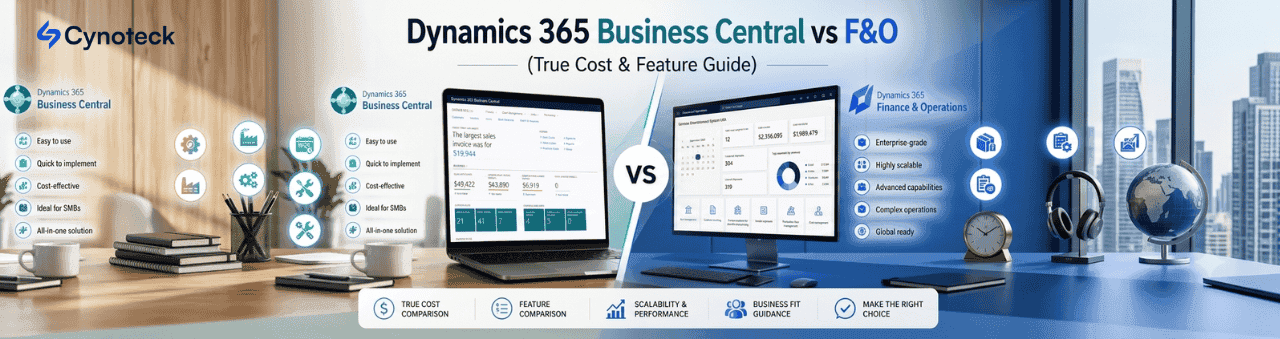
Selecting the wrong Enterprise Resource Planning (ERP) platform is one of the most expensive operational mistakes a business can make. Within the Microsoft ecosystem, decision-makers are frequently forced to choose between two market-leading flagships: Microsoft Dynamics 365 Business Central (D365 BC) and Dynamics 365 Finance & Operations (D365 F&O).
While both solutions belong to the same product family and leverage the cloud, they are fundamentally engineered for completely different operational scales.
If your organization is migrating away from legacy systems like QuickBooks or executing a Navision vs Axapta modern cloud migration, making the right choice requires looking deep into your transaction volume, multi-entity complexity, and supply chain architecture.
This comprehensive Microsoft ERP comparison guide breaks down the structural differences, feature sets, implementation timelines, and true licensing costs of both systems to help you choose the right path for your organization.
At a high level, the difference between Business Central and Finance and Operations comes down to mid-market velocity versus global, multi-tier enterprise scalability.
Dynamics 365 Business Central is an all-in-one ERP built for small-to-mid-sized businesses (SMBs) and mid-market organizations. It is designed to be highly functional out of the box, intuitive, fast to deploy, and cost-effective.
Dynamics 365 Finance & Operations is now officially split by Microsoft into separate apps: Dynamics 365 Finance and Dynamics 365 Supply Chain Management is a heavy-duty, modular enterprise platform. It is built to support thousands of concurrent users, massive transactional throughput, and deep global compliance requirements.
Feature / Aspect | Dynamics 365 Business Central (BC) | Dynamics 365 Finance & Operations (F&O) |
|---|---|---|
Primary Target Market | Small to mid-market ($10M–$250M revenue) | Enterprise corporations ($250M+ revenue) |
User Capacity | Ideal for 10 to 250+ users | Scales from 200 to 10,000+ users |
Minimum Seat Count | No minimum seat limits | 20-user minimum requirement |
Financial Complexity | Standard general ledger, basic intercompany | Advanced global consolidation, automatic eliminations |
Supply Chain & Manufacturing | Light manufacturing, basic warehouse bin tracking | Advanced WMS, TMS, discrete/lean/process manufacturing |
Development Language | AL Language (Extensions) | X++ (Deep, robust architectural framework) |
To understand which system genuinely fits your operational workflow, we must move past company size and examine how each platform handles complex technical processes.
Managing multiple corporate entities reveals the stark contrast between these two platforms.
Multi-entity consolidation in Business Central works beautifully for companies with straightforward structures. It allows you to import financial data from subsidiary companies into a consolidated company. However, if your entities use different charts of accounts or fiscal calendars, the process requires manual adjustments and mapping.
On the other hand, intercompany transactions in Dynamics 365 F&O are entirely automated at scale. F&O supports true shared service architectures, advanced transfer pricing, automated cross-company journal entries, and automated eliminations across different currencies and varying local tax compliance laws in real-time.
If your logistics require standard inventory control, simple put-away/pick processes, and purchasing tracking, D365 BC handles it cleanly.
For enterprise distribution centers, you need advanced warehouse management dynamics 365 (found exclusively in F&O). F&O supports wave, load, and cluster picking, fully automated material handling equipment (MHE) integration; license-plate tracking; and an integrated Transportation Management System (TMS) for complex global freight routing.
The Business Central vs F&O manufacturing module comparison is a matter of scope. Business Central Premium provides agile, standard manufacturing capabilities: bills of materials (BOMs), assembly management, and basic production orders.
F&O is built for heavy, multi-site industrial manufacturing. It supports complex discrete, process, and mixed-mode lean manufacturing simultaneously, providing deep finite capacity scheduling, shop floor control, and IoT integration.
Microsoft has heavily invested in Microsoft Cloud ERP scalability by integrating autonomous AI agents and Copilot across both environments.
While Business Central uses Copilot for conversational data lookups, automated bank reconciliations, and sales order processing, Finance & Operations scales AI much deeper into automated demand sensing, enterprise financial anomaly detection, and hyper-predictive budget forecasting across global data sheets.
Don't guess with a multi-million dollar investment. Book a Free 30-Minute Architecture Assessment with the Cynoteck's ERP team today to review your exact system requirements.
Book a Free ConsultationERP deployment timelines vary significantly based on complexity, custom integrations, and data migration depth.
Because Business Central operates on a more streamlined cloud SaaS configuration model, implementations are fast and low-risk. Data migration from legacy software uses standard configuration templates. Mid-market companies can reliably expect a go-live timeline of 3 to 6 months.
F&O rollouts are massive corporate initiatives that require meticulous business process mapping, heavy development in X++, extensive user acceptance testing (UAT), and data cleaning. A single-entity implementation takes roughly 6 to 12 months, whereas global, multi-country enterprise rollouts are typically deployed in phases across 12 to 24+ months.
The Total Cost of Ownership (TCO) differs sharply between the two options. You must factor in both recurring cloud subscriptions and upfront consulting fees.
Dynamics 365 Business Central Pricing:
Essentials Edition: $70 per user/month
Premium Edition: $100 per user/month (Includes Manufacturing & Service Management)
There are no minimum user seats required, making it affordable to scale linearly.
Finance and Operations Licensing Cost:
Microsoft charges a base price of approximately $210 to $300 per user/month depending on the module (finance vs. supply chain management).
Critical Caveat: You must satisfy the D365 F&O minimum user requirement of at least 20 users, putting the minimum licensing floor at roughly $4,200+/month before adding any operational overhead.
Business Central Implementation Cost: A standard, mid-market implementation partner deployment will typically range from $25,000 to $90,000, depending on historical data cleanup and third-party app integrations.
Finance & Operations Implementation Cost: Due to the enterprise development cycle, extensive configuration, and engineering hours required, enterprise implementation budgets routinely start around $200,000 and easily exceed $1,000,000 for multinational corporations.
To make your final decision, use this checklist to guide your leadership team:
Your annual revenue is under $150M – $200M.
You need an agile, fast cloud ERP that your finance team can manage without a massive, dedicated internal IT support staff.
Your manufacturing and warehousing workflows are straightforward (e.g., standard inventory, light kitting/assembly).
You want to avoid high initial implementation costs and long project timelines.
You are a global, multi-entity corporation processing millions of complex transactions across international borders daily.
You operate heavy, continuous-process or highly regulated discrete manufacturing facilities.
You manage large-scale distribution centers with autonomous picking machinery and complex cross-docking matrix routes.
You have more than 200 users and require custom, deep-level core structural modifications using X++ frameworks.
Choosing between Business Central and Finance & Operations is just the first step. Successfully executing your deployment requires an experienced integration partner. At Cynoteck, we specialize in end-to-end Dynamics 365 implementation, custom development, and seamless cloud migration. Stop guessing and start scaling. Contact our senior Dynamics 365 consulting team today to discover how we can align Microsoft's powerful ERP suite with your long-term business goals.
Talk to an ERP ArchitectA: No. While both are cloud-based ERP solutions within the Microsoft Dynamics 365 suite, they target different market tiers. Business Central is an all-in-one system designed for small-to-mid-sized businesses needing agile financials and basic supply chain management. Finance & Operations (F&O) is an enterprise-grade platform built for massive global corporations with highly complex manufacturing, deep international compliance needs, and thousands of users.
A: The D365 F&O minimum user requirement is 20 users for the base application. Unlike Business Central, which allows you to purchase a single-user license, Finance & Operations requires a baseline operational commitment, making it much more suited for established mid-market enterprises and large corporations.
A: Yes, multi entity consolidation in Business Central is fully supported. It allows you to pull financial data from multiple subsidiary companies into a single consolidation company. However, for organizations with highly intricate cross-border structures, varying fiscal calendars, and heavy automated eliminations, the advanced intercompany transactions dynamics 365 F&O framework offers deeper automation.
A: A mid-market Business Central implementation cost typically ranges from $25,000 to $90,000 depending on customization and data cleanup. Conversely, a comprehensive enterprise Finance & Operations deployment is significantly more labor-intensive, routinely starting around $200,000 and scaling past $1,000,000 for complex global integrations.
A: In a Navision vs Axapta modern cloud migration, legacy Dynamics NAV (Navision) users typically upgrade directly to Dynamics 365 Business Central. Legacy Dynamics AX (Axapta) users scale upward into Dynamics 365 Finance & Operations to retain their deep enterprise manufacturing and supply chain architectures.

The best ways to build strong customer relations are to listen actively, communicate proactively, personalize every interaction, respond fast, be transparent, exceed expectations, act on feedback, reward loyalty, build a community, and use a CRM to keep every customer touchpoint connected. Businesses that do this consistently keep more customers, earn more referrals, and spend less on acquisition.

Discover the top 10 benefits of custom CRM software development for modern businesses. Learn how tailored CRM solutions improve efficiency, enhance customer relationships, and drive business growth.
We are more than just developers and consultants—we are your partners in navigating the digital landscape. Let us be the engine behind your next big success while you focus on your core vision.
Explore Opportunities! Dynamics 365 Sales Pricing, Features & Alternatives.webp)
.png)
 Microsoft Dynamics 365 Sales Professional vs Enterprise.webp)