Microsoft 365 Copilot Consulting & Deployment Service
Turn Microsoft Copilot from a line on your license bill into AI your teams use every day. Cynoteck's Copilot consultants prepare your data and permissions, roll out Microsoft 365 Copilot, and build secure Copilot Studio agents that answer questions and complete tasks across Microsoft 365, Dynamics 365 and your business systems.


100+
Projects Delivered
50+
Microsoft Specialists
18+
Years of Experience
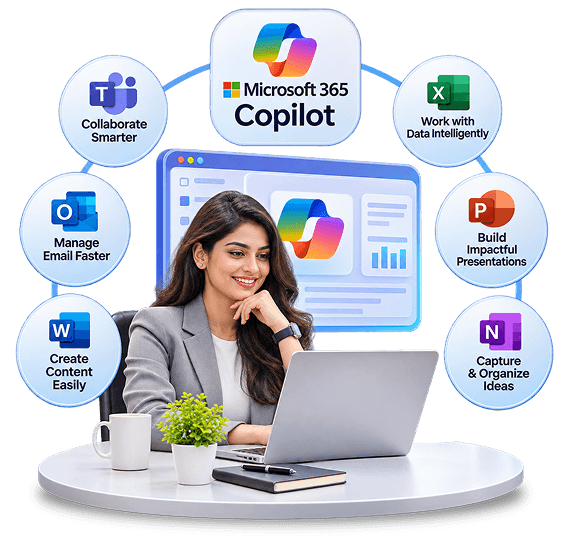
What Are Microsoft Copilot Consulting Services?
Microsoft Copilot consulting services help organizations plan, secure, deploy and measure Microsoft's AI assistants and agents. That includes Microsoft 365 Copilot inside Word, Excel, Outlook and Teams, Copilot in Dynamics 365 and Power Platform, and Microsoft Copilot Studio, Microsoft's platform for building custom AI agents grounded in your own data. Cynoteck's Copilot consultants connect these to SharePoint, Dataverse, Dynamics 365 and other systems through connectors and APIs. The goal is AI that gives correct, sourced answers, respects who is allowed to see what, and saves measurable time.
We start with readiness, because Copilot can surface anything a user's permissions allow. We review oversharing in SharePoint and Teams, sensitivity labels and content quality, then choose a few high-value use cases and the right licenses before anyone writes a prompt. Not every employee needs a license on day one. This step is what separates useful Copilot rollouts from expensive pilots that quietly stall.
Our consulting services cover AI readiness, Microsoft 365 Copilot rollout, Copilot Studio agent development, integration, governance, adoption training and managed support. As a Microsoft Solutions Partner for Data & AI, we focus on trusted answers, controlled costs and measurable outcomes like time saved per task.

Build Your First Copilot Studio Agent
Typical first agents answer HR or IT policy questions, help sales teams find product and pricing information, or let customers check order status on your website. We build, test with real users and measure answer quality before wider rollout. One well-scoped agent that people trust beats ten that nobody uses.

Fix Copilot Pilots That Stalled
Agents giving wrong answers, low Copilot usage after rollout, or credit consumption higher than planned? We review knowledge sources, instructions, topics, analytics and licensing, and rebuild what isn't working. Often the fix is better source content, not a new tool.

Secure, Governed and Compliant AI
We configure environment strategy, data policies, authentication, agent ownership and monitoring, so every agent has an owner, a purpose and an approved path to production.
Copilot Studio Agents
What Can Copilot Studio Agents Do for Your Business?
Copilot Studio agents range from simple question-answering assistants to autonomous agents that act when something happens. Microsoft's 2026 plans add deeper governance, multi-agent orchestration and evaluations for testing agents at scale. Our consultants match the type of agent to the business risk and keep people in control of sensitive actions.
Knowledge Agents
These agents answer employee or customer questions from SharePoint, websites, Dataverse and documents, and show where each answer came from. We curate sources, remove outdated content and test accuracy against real questions your teams ask.
Action Agents with Agent Flows
Agents can create records, check order status, book appointments or start approvals through connectors and Power Automate agent flows. We add confirmation steps before any sensitive change, and the flow, not the AI, performs the final action.
Autonomous Agents
Triggered by events such as a new email or record, these agents work in the background, for example triaging requests or preparing summaries. We start in review mode, set clear limits and log every action.
Agents for Microsoft 365 Copilot and Dynamics 365
Extend Microsoft 365 Copilot with agents that understand your processes, and extend the agents Microsoft ships in Dynamics 365 Field Service, Customer Service and Project Operations. Agents use Copilot Credits, so we estimate consumption before launch.
Core Services
Microsoft Copilot Consulting and Copilot Studio Development Services
Microsoft Copilot consulting and Copilot Studio development cover readiness, rollout, agent building, integration, governance and support. These services help businesses get real productivity from AI while keeping data secure and costs predictable. Choose one service or combine several, based on where you are in your AI journey.

AI Readiness and Copilot Strategy
We assess data, permissions, licensing and use cases, then deliver a roadmap ranked by business value and risk, with a clear first pilot and the license mix to support it.

Microsoft 365 Copilot Deployment and Adoption
We fix oversharing, configure Copilot, train teams by role with practical prompts for their daily work, and track usage so you know which licenses earn their cost.

Copilot Studio Agent Development
We design instructions, topics, knowledge sources, actions and channels, including your website, Microsoft Teams and Microsoft 365 Copilot, with a hand-off to a person when the agent cannot help.

Integration and Custom Connectors
We connect agents to Dynamics 365, Dataverse, Salesforce, ERPs, SQL and REST APIs, and to Azure OpenAI where a custom model is required, using secure authentication and the least access each agent needs.

Governance, Security and Cost Control
We set environment and data policies, authentication, analytics and Copilot Credit monitoring, so spending stays predictable as usage grows. You see which agents create value and which cost more than they save.

Support and Optimization
We review analytics, unanswered questions and user feedback, refresh knowledge sources, and add new capabilities as Microsoft releases them. For needs beyond Microsoft's stack, our agentic AI development team can help.
Ready to Put Copilot to Work?
Work with Microsoft Copilot consultants to pick the right use cases, secure your data and launch agents your teams and customers actually trust.
Talk to an Expert→
Case Study
Our AI Assistant and Agent Case Studies
The hard parts of any Copilot project are the same on every platform: grounding answers in trusted knowledge, handling sensitive data and keeping people in the loop. These Cynoteck projects, built on Azure OpenAI and custom AI stacks, show how our team handles them in production. The same disciplines, trusted knowledge, human review and real-world testing, shape every Copilot Studio agent we build.
Two Companies, One Live Sales Dashboard with Power BI
A U.S. cannabis manufacturer ran two companies, with sales data split between Business Central and LeafLink. We connected both to Power BI and built one automatically refreshing dashboard for each company.


Challenge
Reports lived in two separate systems, with no combined view of both companies. Managers needed real-time sales insight without pulling numbers by hand.

Our Innovation
We fed Business Central data into Power BI and built custom measures and a separate workspace for each company. Reports now refresh daily and share by email or link.
Result

100%
automatic data refresh

100%
of sales in one live report

60%
faster report preparation
Technologies Used
Automating Veterinary Prescriptions with a Voice AI Agent
Petofy's vets typed prescriptions by hand after every consultation, which was slow and error-prone. We built RX AI Assist, a voice AI agent that fills in prescriptions as the vet speaks.

Challenge
Manual entry took time away from patients and varied by staff. Noisy clinics and zero room for error meant any voice tool had to be accurate every time.
Our Innovation
RX AI Assist turns speech into structured prescription fields inside the Petofy platform. Vets review and confirm every entry before saving, and we tested it in real, noisy clinics.
Result

98%
prescription accuracy

60%
less admin time

100%
vet-reviewed before saving
Technologies Used
Industries
Which Industries Do Our Microsoft Copilot Consultants Serve?
At Cynoteck, our Microsoft Copilot consultants help mid-sized businesses and enterprises put AI to work safely. We support teams launching their first agent and organizations seeking more value from Microsoft 365 Copilot licenses they already own. Regulated industries get extra attention on data access, logging and human review.


Retail & E-Commerce
Order-status, returns and product-advice agents on your website and in Teams for store staff. Retail and e-commerce


Professional & Advisory Services
Research summaries, proposal drafting and internal knowledge agents built on your firm's own documents. Service industry


Media & Entertainment
Content search, rights and licensing questions, and high-volume email triage for busy teams. Media and entertainment


Real Estate
Tenant and lease question agents and maintenance request intake by property. Real estate


Healthcare
Patient and member FAQ agents and staff policy assistants, with strict guardrails around protected health information. Healthcare


Utilities
Outage, billing and service request agents that hand off smoothly to people. Utilities
Process
How Does Cynoteck's Microsoft Copilot Consulting Process Work?
Our Microsoft Copilot consulting process follows five clear stages that keep your AI program organized, transparent and tied to business goals. At every stage you know what is done, what comes next and what we need from your team.

Readiness & Use-Case Discovery
Our consultants meet business, IT and security teams to review data, permissions and licenses, and to shortlist use cases. You receive a readiness report, a ranked use-case list and an estimate of Copilot Credit usage.

Design & Governance
We design the agent's scope, knowledge sources, actions, channels and guardrails, and agree on success measures, such as answer accuracy and time saved, before building.

Build & Ground
We configure the agent, connect data and actions, and test answers against a set of real questions, with regular demos so your team shares feedback early.

Pilot, Test & Launch
We run a pilot with a small group, compare answers with expert reviews, fix gaps, then publish through a controlled path, from test to production, with role-based user training.

Adopt, Measure & Improve
After launch, we track usage, answer quality, time saved and credit consumption, and extend agents as your priorities change.
Why Choose Us
Why Choose Cynoteck as Your Microsoft Copilot Consulting Partner?
Choosing a Copilot partner means trusting someone with your company's knowledge, permissions and reputation. We work openly from day one. Our certified team collaborates with yours, documents every agent and setting, and builds AI you can run and extend yourself, for clients across the USA, UAE, India and other countries.
100+ Projects Delivered
Including production AI assistants and voice agents.
50+ Microsoft Specialists
Power Platform, Dynamics 365 and Azure AI experts on one team.
Microsoft Solutions Partner
Including the Data & AI designation, focused on secure, supportable AI.
18+ Years of Experience
We plan for the data and security risks that stall AI projects.
What Our Clients Say About Cynoteck
Clients trust Cynoteck for Microsoft consulting, AI development and support, reflected in our 4.6/5 Google rating and 4.9/5 Clutch rating.
Explore MoreThe Cynoteck team is meticulous, thorough, and energetic. I was delighted with their innovative approach and use of technology, and we've worked together successfully for years.
David Werth, CEO, Ideas Design, Inc
Certifications & Recognitions
Cynoteck is a Microsoft Solutions Partner for Data & AI. Our consultants hold Microsoft certifications in Power Platform, Power BI and Dynamics 365 Business Central, and our work is recognized on Clutch. Visit our partnerships page to see our badges.
Power Platform Functional Consultant
Analyzing and Visualizing Data with Microsoft Power BI
MB-200: MS Power Platform Functional Consultant Core
Microsoft MCSD (Microsoft Certified Solutions Developer)
Dynamics 365 Business Central Functional Consultant
Frequently Asked Questions About Microsoft Copilot Consulting
What is Microsoft Copilot Studio?
It is Microsoft's platform for building custom AI agents. Agents can answer questions from your data, take actions through connectors and flows, and run in Teams, Microsoft 365 Copilot or on your website. Makers build them with low-code tools and natural language.
What is the difference between Microsoft 365 Copilot and Copilot Studio?
Microsoft 365 Copilot is an AI assistant inside Word, Excel, Outlook and Teams. Copilot Studio is where you build your own agents for specific processes, employees or customers. Many businesses use both: one for personal productivity, the other for business processes.
What do Microsoft Copilot consultants do?
They assess data and permissions, choose use cases and licenses, build and test agents, set up governance and cost controls, and train users so adoption sticks.
How much does Microsoft 365 Copilot cost?
Microsoft lists Microsoft 365 Copilot at $30 per user per month for enterprises and Microsoft 365 Copilot Business at $21 for organizations with up to 300 users, both paid yearly, in the U.S. Prices vary by country, and we help you license only the people who will benefit.
How much does Copilot Studio cost?
Microsoft lists a $200 monthly pack of 25,000 Copilot Credits, or pay-as-you-go billing. Costs depend on how much your agents are used, so we estimate consumption first.
How much do Microsoft Copilot consulting services cost?
Cost depends on readiness work, number of agents, integrations and governance needs. We share a clear proposal after a discovery call. A one-hour assessment is a quick start.
How long does it take to build a Copilot Studio agent?
A focused knowledge agent with clean sources can often be piloted in two to four weeks. Agents that take actions across several systems, or that serve customers publicly, take longer because they need more testing.
Is our data safe with Copilot?
Copilot respects existing permissions, so the main risk is oversharing. We fix access issues first, apply data policies and authentication, and monitor agent activity.
How do you stop agents giving wrong answers?
We limit agents to trusted sources, write clear instructions, test against real questions, show sources in answers and hand off to a person when the agent is unsure.
Can Copilot agents work with Dynamics 365, Salesforce and other systems?
Yes. We connect agents to Dynamics 365, Dataverse, Salesforce, ERPs and custom APIs through connectors, agent flows and secure authentication.
Have you delivered AI projects like this, and can I speak to that client?
Yes. We have delivered 100+ projects, including production AI assistants and voice agents for U.S. and Indian clients. We can arrange a reference conversation.
Do you provide Microsoft Copilot consulting in the USA?
Yes. Cynoteck provides Copilot and Copilot Studio consulting in the USA for small to large companies.
Do you provide Microsoft Copilot consulting in the UAE?
Yes. We plan Arabic and English agents in the UAE, confirm language support for each feature, and plan around the UAE Personal Data Protection Law (PDPL).
Do you provide Microsoft Copilot consulting in India?
Yes. We help Indian businesses roll out Copilot and agents, with data handling planned around the DPDP Act.
Who owns the agents and documentation at the end?
You do. We build in your Microsoft tenant, deploy through managed solutions and hand over documentation, so you are never locked in.
Ready to Talk to a Microsoft Copilot Consultant?
AI only pays off when people trust it and use it every day. Tell us where your team loses time today, and one of our Microsoft Copilot experts will suggest a clear, low-risk first agent.
Talk to a Microsoft Copilot Consultant