When Should You Integrate an LLM Into Your Mobile App | Guide
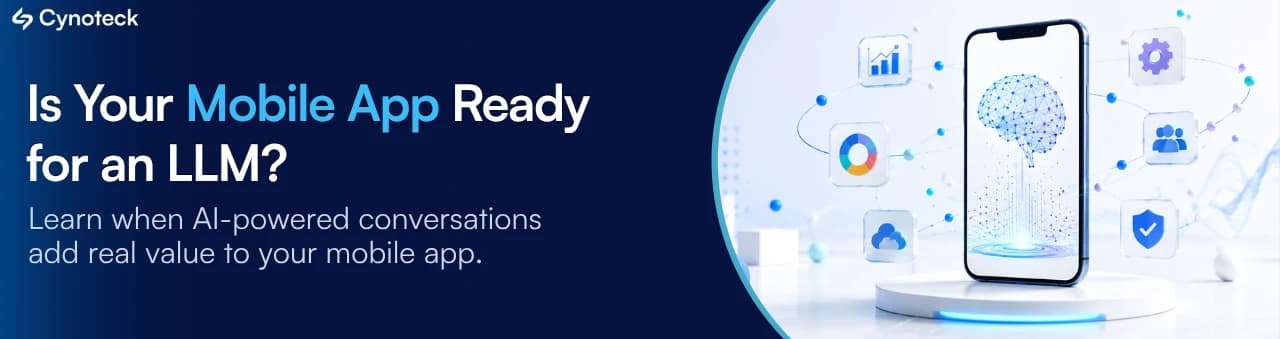
3D illustration of a smartphone with AI interface and connected app features representing LLM integration in modern mobile app development.
Back to blogs

Large Language Models (LLMs) have quickly become one of the most talked-about technologies in mobile app development. As businesses look for new ways to improve customer experiences and automate interactions, adding an AI-powered feature often becomes part of the discussion. However, adopting an LLM simply because competitors are doing it or because the technology is popular rarely leads to better business outcomes.

The decision to integrate an LLM should start with a much simpler question: What problem are you trying to solve? If your users need conversational assistance, intelligent search, personalized recommendations, or help working with large amounts of information, an LLM may create significant value. But if your app primarily relies on structured workflows and predictable user interactions, traditional mobile development may still be the better choice.

Whether an LLM is the right choice depends less on the technology and more on the problem you're trying to solve. The first step is understanding what an LLM actually brings to a mobile app and how it differs from traditional application logic.

What Is an LLM in Mobile App Development?

A Large Language Model (LLM) is an AI model that enables a mobile app to understand natural language, interpret user intent, and generate human-like responses. Instead of relying only on predefined rules or keywords, an LLM allows users to interact with an app in a more natural and conversational way.

In mobile apps, LLMs can power features such as AI assistants, intelligent search, content generation, document summaries, personalized recommendations, and customer support. Rather than simply responding to commands, they help users find information, complete tasks, and receive relevant assistance through everyday language.

How LLMs Are Transforming Modern Mobile App Experiences

Infographic comparing traditional mobile apps and LLM-powered mobile apps, highlighting conversational AI, natural language understanding, personalization, and context-aware user experiences.

Before LLMs became widely available, most mobile apps were built using predefined business rules and workflows. These are often referred to as traditional mobile apps. They perform specific tasks efficiently, such as booking appointments, placing orders, making payments, or updating records. Every screen, action, and response is designed in advance based on expected user behavior.

This approach works well when user interactions are predictable. However, it becomes limiting when users ask open-ended questions, describe their needs in different ways, or expect personalized assistance beyond predefined workflows.

LLMs introduce a different way of interacting with mobile apps. Instead of relying only on fixed rules, they understand natural language, interpret user intent, maintain conversational context, and generate relevant responses in real time. As a result, users can communicate with the app more naturally, making the experience feel less like navigating menus and more like interacting with an intelligent assistant.

The shift isn't about replacing traditional mobile apps. It's about enhancing them with capabilities that make user interactions more conversational, personalized, and context-aware where they deliver real business value.

Quick Table For Traditional Mobile App vs. Mobile App Enhanced with an LLM

Traditional Mobile Apps

Mobile Apps Powered by LLMs

Users have to tap through multiple menus to find information.

Users can simply ask a question and get the information instantly.

Customers search using exact keywords to find products or content.

Customers can search using natural language, just as they would ask a person.

The app only answers a fixed list of FAQs.

Answer a much wider range of questions based on the available information.

Every user sees the same guidance and recommendations.

Provide responses and recommendations based on the user's needs and previous interactions.

Users must figure out which screen or option to use.

Users can describe what they want, and the app helps them reach the right action.

Customer support requests often require a human agent.

The app can resolve many common queries before they reach your support team.

Creating summaries, emails, or reports requires manual effort.

The app can generate summaries, draft content, or organize information in seconds.

The difference isn't about choosing between a traditional app and an LLM-powered app. It's about identifying where AI can meaningfully improve the user experience and deliver measurable business value. Across industries, businesses are already using LLMs to solve everyday challenges and create more intuitive mobile experiences.

How Different Industries Are Using LLMs in Mobile Apps

LLMs are being integrated into mobile apps across industries to solve different business needs. Here are a few examples of how businesses are using them in their mobile apps.

1. Healthcare

Intelligent Patient Assistance

Patients can ask questions about symptoms, medications, appointments, or post-treatment instructions in natural language instead of searching through multiple screens.

Medical Document Summaries

LLMs can summarize lab reports, discharge summaries, or medical records into simpler language, helping patients better understand their health information.

2. Retail & E-commerce

Conversational Product Discovery

Instead of applying multiple filters, shoppers can describe what they need, such as "a lightweight laptop under $1,000 for graphic design," and receive relevant recommendations.

Personalized Shopping Assistance

The app can recommend products based on browsing history, purchase behavior, and customer preferences, making product discovery faster.

3. Banking & Financial Services

AI Financial Assistant

Customers can ask about recent transactions, account activity, loan options, or spending patterns through natural conversations.

Intelligent Document Support

Users can upload financial documents and receive summaries or explanations of key information before contacting a relationship manager.

4. Travel & Hospitality

AI Trip Planning

Travelers can plan complete itineraries by describing their preferences instead of manually comparing destinations, hotels, and activities.

Instant Travel Assistance

Users can ask questions about bookings, cancellations, visa requirements, baggage policies, or nearby attractions without waiting for customer support.

5. Education & E-Learning

Personalized Learning Support

Students can ask follow-up questions, request explanations in simpler language, or receive additional examples based on their learning progress.

AI Study Companion

The app can generate quizzes, summarize study material, and help learners revise topics before exams.

6. Field Service & Enterprise Operations

Technician Assistance

Field engineers can ask troubleshooting questions, retrieve repair procedures, or access equipment documentation while working on-site.

Knowledge Search

Employees can quickly search internal manuals, SOPs, and technical documents using natural language instead of browsing large document repositories.

LLMs deliver the greatest value when they solve a real user or business problem, not when they're added simply to follow a trend. So, how do you know if your mobile app is actually ready for an LLM? The following signs can help you decide.

7 Signs Your Mobile App Should Integrate an LLM

The decision should depend on the problems your app needs to solve, not on the latest technology trends. If several of the following signs describe your app or the one you're planning to build, an LLM could become a valuable addition.

Infographic highlighting seven signs your mobile app should integrate an LLM, including natural language queries, automated support, intelligent search, personalization, content generation, conversational AI, and in-app assistance.

1. Your Users Ask Questions That Aren't Easy to Predict

Some users don't follow predefined workflows. Instead, they ask questions in their own words, expecting the app to understand what they mean.

Common examples:

  • "Which plan is best for my business?"

  • "Can I return this product if it's already opened?"

  • "Which loan option suits my income?"

An LLM lets them ask questions naturally and receive relevant answers within the app. This reduces frustration, improves self-service, and helps users complete tasks without leaving the app.

2. Your Support Team Answers the Same Questions Every Day

If your support team spends most of its time responding to repetitive questions, your app may be missing an opportunity to automate routine conversations.

Common examples:

  • Order status

  • Appointment rescheduling

  • Account-related queries

  • Basic troubleshooting

With LLMs routine customer queries can be handled automatically within the app. This will reduce support ticket volume and response time.

3. Users Struggle to Find Information in Your App

As your app grows, finding information shouldn't become harder. If users have to browse multiple pages, documents, or menus just to locate a simple answer, the search experience needs improvement.

Common examples:

  • Product catalogs

  • Help centers

  • Policy documents

  • Knowledge bases

  • User manuals

Instead of returning a list of pages or documents based on keywords, an LLM understands what users are actually looking for and provides a direct, relevant answer. This makes it easier for users to find information without browsing through multiple menus or documents.

4. Personalization Is Important to Your Business

Modern users expect experiences that feel relevant to them. Showing the same recommendations to everyone often leads to lower engagement and missed opportunities.

Common examples:

  • Product recommendations

  • Learning suggestions

  • Travel itineraries

  • Financial guidance

  • Fitness plans

Instead of showing the same recommendations to every user, an LLM can personalise suggestions based on each user's preferences, past behaviour, and previous interactions, making the experience more relevant and engaging.

5. Your Users Spend Too Much Time Reading or Writing Content

Many business apps require users to read lengthy information or create content manually. Automating these tasks can save time and improve productivity.

Common examples:

  • Summarizing reports

  • Drafting emails

  • Writing CRM notes

  • Creating meeting summaries

  • Explaining complex documents

An LLM can quickly summarize long reports, write emails, create CRM notes, and explain complex documents in simple language.

6. Your App Needs More Natural Conversations

Not every interaction should require users to navigate multiple screens or menus. Sometimes, it's faster and easier for users to simply ask for what they need.

Common examples:

  • Voice-enabled interactions

  • AI assistants

  • In-app guidance

  • Conversational search

  • Accessibility support

An LLM makes apps easier to use by letting users type or speak their requests in plain language, instead of navigating menus or remembering commands.

7. Users Often Leave Your App to Find Answers Elsewhere

One of the strongest indicators that your app needs an LLM is when users leave the app to search on Google, ask ChatGPT, or contact customer support because they can't complete their task within the app.

Common examples:

  • Searching for product comparisons.

  • Looking up policy explanations.

  • Understanding reports or documents.

  • Asking support for guidance.

Every time users leave your app to search for answers, there's a chance they won't come back. An LLM brings those answers into your app, helping users stay focused and complete their tasks without interruptions.

An LLM is most effective when it solves a problem your app can't solve on its own. If none of these signs apply to your business, adding one may increase cost and complexity without making the app more useful for your users.

When You Probably DON'T Need an LLM

Not every mobile app needs an LLM, and that's perfectly okay. Many apps already deliver a fast, reliable, and intuitive user experience using traditional development approaches. If your app can meet user expectations without conversational AI, intelligent search, or personalized interactions, adding an LLM may only increase development costs and complexity without delivering meaningful value.

The following examples are common types of mobile apps where an LLM usually isn't required.

Simple Calculator Apps

If the app only performs predefined mathematical calculations, traditional development is usually enough. An LLM rarely adds meaningful value to this type of functionality.

Basic Booking or Appointment Apps

When users simply select available dates, times, and services, predefined workflows work well. An LLM may only be useful if the app later introduces conversational booking or personalized assistance.

Barcode or QR Code Scanner Apps

Apps designed primarily for scanning and decoding barcodes or QR codes are best built with purpose-specific technologies. Language understanding isn't required for the core functionality.

Inventory Management Apps

If the app focuses on tracking inventory, updating stock, and managing structured business data, traditional development is often the right approach. AI may only become valuable for features such as intelligent search, reporting, or insights.

Static Product Catalog Apps

When users browse products through categories, filters, and standard search, an LLM isn't usually necessary. However, it can add value if the business wants conversational product discovery or personalized recommendations.

Forms and Rule-Based Business Workflows

Apps built around structured forms, approvals, leave requests, expense claims, or similar workflows generally don't require an LLM. Traditional business logic is often sufficient unless users need conversational guidance or AI-assisted automation.

When Traditional Development Is Enough and When an LLM Adds Value

Use the table below to see if your app can work with traditional development or if an LLM can make it more useful for your business and users.

Mobile App Type

Traditional Development Is Usually Enough

An LLM Starts Adding Value When

Calculator App

Users only need accurate mathematical calculations.

The app needs to explain calculations, solve word problems, or answer math-related questions.

Weather app

Users simply view weather forecasts and alerts.

Users want personalized weather advice or ask questions like, "Will it rain during my evening commute?"

Booking & Appointment Apps

Users select dates, times, and services through a standard booking flow.

Users want to book appointments through conversation or receive personalized scheduling assistance.

Inventory Management Apps

The app focuses on tracking stock, updating inventory, and managing records.

Users need intelligent search, inventory insights, or natural language queries such as "Show low-stock items from last month."

Product Catalog Apps

Users browse products using categories, filters, and standard search.

Users expect conversational shopping, personalized recommendations, or product comparisons.

Forms & Business Workflows

Users complete structured forms and predefined approval processes.

Users need guidance while filling forms, document summaries, or AI-assisted workflow automation.

Customer Support & Knowledge Apps

FAQs and predefined responses answer most user questions.

Users ask unpredictable questions, expect conversational support, or need answers from large knowledge bases.

CRM Apps

Users manage contacts, opportunities, activities, dashboards, and reports.

Users want to search CRM data using natural language, summarize records, draft emails, or receive AI-powered sales insights.

Healthcare Apps

The app focuses on appointments, patient records, prescriptions, or health tracking.

Users need symptom guidance, medical document summaries, personalized health assistance, or conversational support.

Banking & Finance Apps

Users check balances, transfer funds, pay bills, and view transaction history.

Users expect spending insights, financial recommendations, fraud explanations, or AI-powered assistance.

Insurance Apps

Users manage policies, make premium payments, and track claims.

Users need help understanding policy terms, comparing coverage, or receiving claim guidance through conversation.

Education & Learning Apps

Users access courses, complete quizzes, and track learning progress.

Users expect AI tutoring, personalized explanations, question answering, or adaptive learning experiences.

Fitness & Wellness Apps

Users log workouts, monitor activity, and track health metrics.

Users want personalized coaching, nutrition guidance, workout recommendations, or conversational fitness support.

Manufacturing Apps

Users monitor production, inventory, maintenance, and quality processes.

Users need AI-assisted troubleshooting, natural language search across technical documents, or operational insights.

By now, you should have a clearer understanding of whether an LLM aligns with your mobile app's goals and where it can create meaningful business value. The next step is identifying the specific features where LLM integration can have the greatest impact on user experience, productivity, and customer engagement.

Where LLMs Add the Most Value in a Mobile App

Infographic showing the top mobile app features where LLMs add the most value, including AI assistants, smart search, customer support, document summaries, AI writing, recommendations, translation, and voice interactions.

Once you've identified that your mobile app can benefit from an LLM, the next step is deciding where to integrate it. In most cases, the greatest impact comes from enhancing specific features that help users search, communicate, make decisions, or complete tasks more efficiently. Below are some of the most common mobile app features where LLM integration delivers measurable business and user value.

  • AI Assistant

  • Smart Search

  • Customer Support

  • Document Summaries

  • AI Writing Assistance

  • Product Recommendations

  • Translation

  • Voice-Based Interactions

Challenges Businesses Should Consider Before Adding an LLM in Mobile App

Before integrating an LLM, it's important to understand the practical considerations that come with it. While these challenges are manageable, planning for them early helps avoid unexpected costs, performance issues, and compliance risks as your application grows.

1. Managing Development and Ongoing AI Costs

Unlike traditional app features, LLMs often involve ongoing costs beyond the initial development. Expenses can include API usage, cloud infrastructure, monitoring, model updates, and AI service providers. Before choosing an LLM, estimate expected usage, evaluate long-term ROI, and select a pricing model that aligns with your business goals.

2. Ensuring Accurate and Reliable Responses

LLMs can occasionally generate responses that are inaccurate, outdated, or misleading. This becomes especially important in industries such as healthcare, finance, insurance, and legal services, where incorrect information can affect business decisions or customer trust. Build safeguards such as human review, trusted knowledge sources, or retrieval-augmented generation (RAG) for scenarios where accuracy is critical.

3. Protecting Security and User Data

If your app processes customer information, financial records, healthcare data, or confidential business documents, security and privacy should be built into the solution from the beginning. Use secure authentication, encrypt sensitive data, protect API credentials, and ensure your AI workflows comply with applicable data privacy regulations.

4. Delivering a Fast User Experience

Users expect mobile apps to respond instantly. Depending on the model and network conditions, AI-generated responses may introduce delays that affect the overall experience. Choosing the right model, optimizing prompts, using response streaming, and caching frequently requested information can help maintain a responsive application.

5. Meeting Industry and Regulatory Requirements

Businesses operating in regulated industries often need to follow standards governing data usage, security, and AI-enabled workflows. Understanding these requirements before development begins reduces compliance risks and helps avoid costly changes later in the project.

6. Planning for Continuous Improvement

LLMs are not a one-time feature that can be deployed and forgotten. As user behavior changes and AI models evolve, prompts, knowledge sources, and performance should be reviewed regularly. Treating AI as an ongoing business capability helps ensure it continues to deliver value over time.

Most of these challenges can be effectively managed with the right strategy, technology, and development approach.

Questions to Ask Before Investing in an LLM

Before investing in LLM integration, following questions can help you determine whether an LLM is the right investment for your mobile app.

1. What Business Problem Are We Trying to Solve?

Start by identifying the specific challenge you want to address. If an LLM doesn't solve a measurable business or user problem, it's unlikely to deliver meaningful value.

2. Can Traditional Automation Solve This Instead?

Not every feature requires conversational AI. In some cases, rule-based automation, search, or predefined workflows may deliver the same outcome with lower complexity and cost.

3. Will Users Benefit from Conversational AI?

Consider how users interact with your app. If they frequently search for information, ask questions, or create content, an LLM can significantly improve their experience.

4. Do We Have Reliable Data and Knowledge Sources?

The quality of AI responses depends on the information available to the model. Ensure your business has accurate documentation, policies, product information, or other trusted knowledge sources that AI can use effectively.

5. Will the Expected ROI Justify the Ongoing Costs?

LLMs involve ongoing expenses such as API usage, infrastructure, and maintenance. Evaluate whether the expected improvements in productivity, customer experience, or revenue justify these long-term investments.

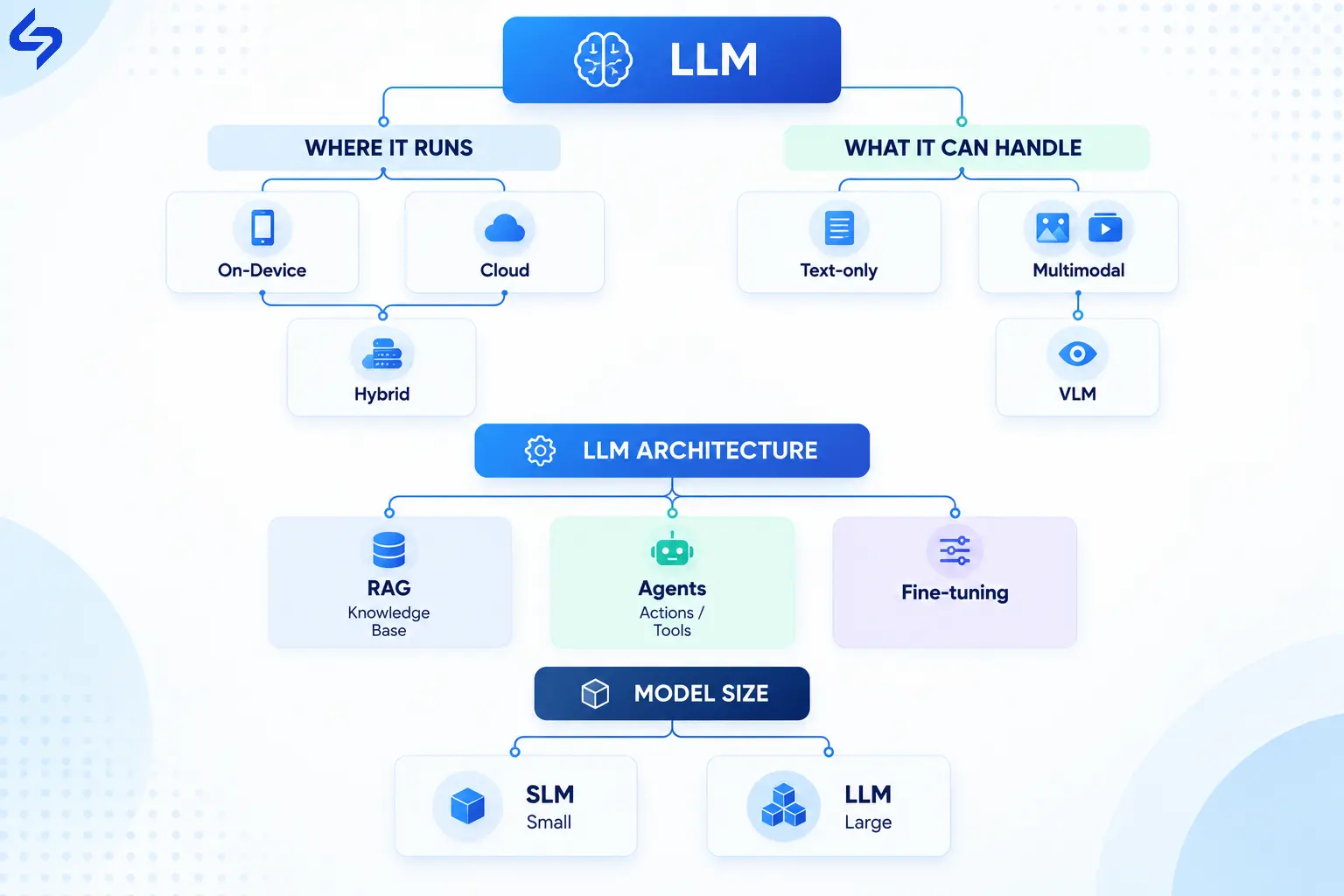
6. Should AI Run in the Cloud or on the Device?

Your deployment approach should reflect your business priorities. Cloud-based AI offers greater capabilities and easier updates, while on-device AI can improve privacy, reduce latency, and support offline experiences.

7. How Will We Measure Success?

Define success before development begins. Metrics such as customer satisfaction, support ticket reduction, task completion time, engagement, or operational efficiency help determine whether the investment is delivering value.

If the answer to most of these questions is yes, your business is likely in a strong position to benefit from LLM integration. The goal isn't simply to add AI to your mobile app, but to invest in capabilities that create measurable value for both your business and your users.

Conclusion

Integrating an LLM into your mobile app isn't about keeping up with technology trends. It's about solving real business challenges and creating better experiences for your users. The greatest value comes from identifying the right use cases, understanding the associated costs and responsibilities, and implementing AI where it can deliver measurable business outcomes.

Whether you're building a new mobile app or enhancing an existing one, the decision to invest in an LLM should always be guided by your business objectives, user needs, and long-term product strategy. Businesses that take this approach are more likely to build AI-powered mobile apps that are practical, scalable, and capable of delivering lasting value.

Frequently Asked Questions:

1. Can an LLM work offline in a mobile app?

Most commercial LLMs run in the cloud and require an internet connection. However, smaller on-device models are becoming increasingly capable and can support offline features for specific use cases such as text generation, summarization, or smart assistance.

2. Is integrating an LLM into a mobile app expensive?

The cost depends on the AI model, expected usage, infrastructure, and the complexity of the integration. Since many LLM providers use usage-based pricing, businesses should consider ongoing operational costs in addition to the initial development investment.

3. Can I add an LLM to an existing mobile app?

Yes. In most cases, an LLM can be integrated into specific features such as customer support, smart search, recommendations, or content generation without rebuilding the entire application. The implementation approach depends on your app's existing architecture.

4. Which LLM is best for a mobile app?

There isn't a single best model for every project. The right choice depends on your use case, privacy requirements, response quality, supported languages, performance expectations, and budget. Businesses should evaluate these factors before selecting an LLM provider.

5. Can an LLM integrate with Salesforce or other business systems?

Yes. LLMs can integrate with platforms such as Salesforce, ERP systems, knowledge bases, customer support software, and internal APIs to provide context-aware responses and automate business workflows.

6. Is an LLM secure for business applications?

An LLM can be secure when implemented correctly. Protecting sensitive data, encrypting communications, securing APIs, and following industry-specific compliance requirements are essential for building a secure AI-powered application.

7. How long does it take to integrate an LLM into a mobile app?

The timeline depends on the complexity of the feature and the required integrations. Simple AI-powered features may take a few weeks, while enterprise implementations involving custom workflows, security, and backend systems can take several months.

8. How do I know if my mobile app is ready for LLM integration?

Your app is a strong candidate if users frequently ask open-ended questions, search large amounts of information, generate content, or benefit from personalized guidance. It's also important to have clear business objectives, reliable data sources, and measurable success metrics before investing in AI.

9. Can an LLM improve customer support in a mobile app?

Yes. LLMs can automate responses to common questions, provide personalized assistance, summarize conversations, and help users find information faster. They work best when combined with trusted business knowledge and clearly defined response boundaries.

10. Will adding an LLM replace my existing mobile app features?

Not necessarily. In most cases, an LLM enhances selected features rather than replacing existing functionality. Businesses achieve the best results by integrating AI where it improves the user experience or solves a specific business problem, while keeping traditional functionality for predictable tasks.

Insights from Our Team

Explore comprehensive blogs, best practices, and insights from our technology experts.

blog-postPost preview
Subodh Dharmwan 04 Feb 2026

Benefits of Mobile Healthcare Apps: How mHealth Is Improving Patient Care

Mobile healthcare apps improve patient care by enabling remote monitoring, timely reminders, secure data access, better communication, and cost-efficient healthcare services through mHealth technology.

blog-postPost preview
Subodh Dharmwan 19 Sep 2025

Core Data in iOS & macOS: A Complete Guide to CRUD, Predicates, and Data Management

Core Data is one of Apple's most popular frameworks for iOS and macOS apps. Core data is used to manage the model layer objects in applications.

blog-postPost preview
Subodh Dharmwan 02 Feb 2026

10 Reasons Why B2B Apps Are a Great Investment for Your Business

B2B apps help businesses streamline operations, enable on-the-go access to data, improve client engagement, support omnichannel sales, and drive scalable revenue by simplifying complex business workflows.

blog-postPost preview
Subodh Dharmwan 27 Jul 2026

The Role of AI and Advanced Technologies in Mobile App Development

How LLMs, computer vision, predictive analytics, and AI agents are reshaping mobile apps — plus the business problems they solve, industry use cases, and how to choose the right tech for your app.

blog-postPost preview
Subodh Dharmwan 04 Sep 2025

10 Best Pharmacist-Friendly Apps

Discover the top 10 must-have pharmacist-friendly apps for your smartphone. Improve your workflow and patient care with ease.

Turning expertise into action for your business.

We are more than just developers and consultants—we are your partners in navigating the digital landscape. Let us be the engine behind your next big success while you focus on your core vision.

Explore Opportunities!