Top 8 Web Application Development Services Every Business Should Consider (2026)
.webp&w=3840&q=75)
Summary: This guide explains the eight core web application development services businesses need in 2026, from full-stack development to accessibility compliance. You will learn what each service does, the business problems it solves, and how it can generate measurable revenue and cost savings. |
A website built five years ago is not just outdated. It is actively costing you customers every single day it stays online as-is. Slow pages, content your team cannot update without a developer, and systems that do not talk to each other quietly chip away at revenue through lost search rankings, abandoned checkouts, and hours of manual work that should be automated by now.
This guide breaks down the eight web application development services that actually move the needle for a growing business, in plain language, with no assumption that you already speak developer. For each one, you will see what it does, the problem it fixes, and the kind of return you can realistically expect.
We design and develop custom websites engineered for performance, scalability, and growth, so your business can move faster online.
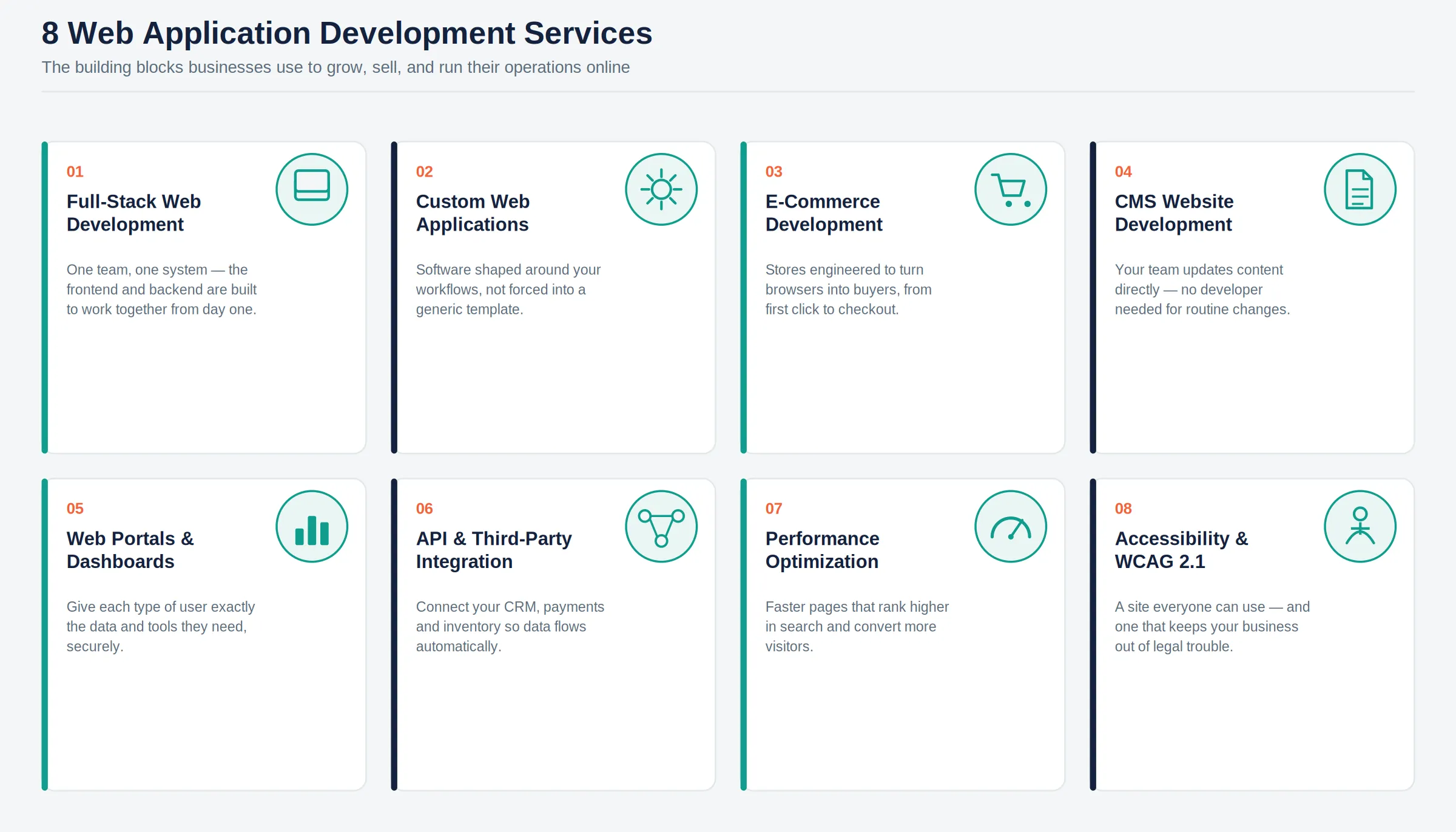
Start My Free Consultation NowFull-stack web development is the practice of building both the user-facing side and the server-side logic of a web application as one connected, end-to-end system. Businesses choose this approach when they want a single team accountable for the entire product, rather than stitching together separatefrontendd and backend vendors.
Quick Answer: Web application development services cover the full range of work needed to build, run, and grow a business-critical website or application: full-stack development, custom builds, e-commerce, content management, portals and dashboards, API integrations, performance optimization, and accessibility compliance. Most businesses do not need all eight at once. The right starting point depends on which specific problem, slow pages, outdated content tools, or disconnected systems, is costing you the most right now. |
Full stack web development is one of the core web application development services businesses rely on to build both the part of a website that users see (thefrontendd) and the part that runs behind the scenes (the backend) as a single, connected system. This means your team gets a single, cohesive web application instead of afrontendd that looks good but cannot talk properly to the database and logic running underneath it.
A full-stack engagement is rarely just one thing. It usually covers a mix of the following, depending on what your project needs:
d Development
Backend Development
Database Design & Development
Authentication & Authorization
REST API Development
GraphQL API Development
Admin Panel Development
User Dashboard Development
Responsive Web Development
Cloud Deployment
CI/CD Implementation
Security Implementation
Maintenance & Support
Legacy Application Modernization
Many businesses end up with a website where the design team built thefrontendd, another vendor built the backend, and neither was designed to work smoothly with the other. This is why full-stack development exists: it removes the disconnect between how your site looks and how it actually functions, so features do not break every time something changes on either side.
A single development team is responsible for both the user interface and the server-side logic
Database design that supports your actual business data, not a generic template
Custom business logic built around your specific workflows
Built-in scalability so the application can handle more users and data over time
A full-stack approach means fewer handoff errors, faster bug fixes, and a development team that understands your entire system end to end. This is why most mid-sized and growing businesses prefer this model over hiring separatefrontendd and backend vendors who must coordinate between two companies.
Full-stack web applications reduce the engineering hours wasted on miscommunication between separatefrontendd and backend teams, which translates directly into lower development cost and faster time to launch. Faster launches mean your product or platform starts generating revenue or saving operational hours sooner, often shaving weeks off a typical project timeline.
Cynoteck's full-stack teams work across modern stacks including React, Node.js, .NET, and Python, so you get one team that understands your application from the database up to the screen your customers see. With more than 500 projects delivered and over 16 years of experience, our developers have already solved most of the integration challenges your project is likely to encounter.
Custom web application development means designing and building a website or application specifically around your business processes, rather than adapting your business to fit a pre-built template. It is the right call once your needs go beyond what an off-the-shelf platform was designed to handle.
Custom web application development means building your website or application from the ground up to meet your specific business needs, rather than starting with a pre-built template and trying to force your business to fit inside it.
This service can cover anything from a single custom feature to a full enterprise platform, including:
Business Requirement Analysis
Custom Website Development
Custom Web Application Development
Progressive Web Apps (PWA)
Enterprise Web Applications
SaaS Product Development
CRM Development
ERP Development
Booking & Reservation Systems
Workflow Automation Applications
Business Process Automation
Legacy System Modernization
Multi-Tenant Application Development
Custom Feature Development
Template solutions work fine for a basic brochure site. This means custom development becomes necessary the moment your business has workflows, data, or customer experiences that do not match what a template was designed to handle, such as a multi-step quoting tool, a client portal, or a platform that needs to connect to your existing CRM and inventory systems.
A template gives you a fixed set of features and a layout designed for a generic business. Custom development gives you software shaped around how your business actually operates. The trade-off is straightforward: templates are faster and cheaper upfront, while custom builds cost more initially but avoid the long-term workarounds and limitations that come from forcing your business into someone else's design.
Custom-built platforms scale with your business rather than becoming a constraint. Your team also gets a system that matches your actual processes, which means fewer manual workarounds and fewer support tickets asking, "Why doesn't this do what we need?"
Businesses that move from a limiting template to a custom platform commonly report faster page load times, stronger conversion rates, and the ability for non-technical staff to manage the site without depending on a developer for every small change. Each of those translates into measurable savings: fewer developer hours billed for routine updates and more visitors who complete a purchase or fill out a form, rather than leaving in frustration.
Cynoteck starts every custom web application development project by researching your goals, your users, and the specific gaps your current site fails to fill before any code is written. From there, our team handles UX research, prototyping, development, testing, and deployment as one connected process, not a series of handoffs between separate teams.
E-commerce web development is the process of building the online store, checkout, payment, and inventory systems a business needs to sell products or services on the web. The goal is not just a working store but one engineered to convert browsers into paying customers at every step.
E-commerce web development covers everything needed to sell products or services online: the product catalog, shopping cart, checkout flow, payment processing, inventory management, and the backend systems that keep it all running smoothly as orders come in.
Depending on your business model, this service can include:
B2C E-Commerce Stores
B2B E-Commerce Portals
Multi-Vendor Marketplace Development
Custom Shopping Cart Development
Payment Gateway Integration
Product Catalog Management
Inventory Management
Order Management
Subscription Commerce
Customer Account Portal
Loyalty & Rewards System
Shipping & Logistics Integration
Mobile Commerce Optimization
E-Commerce Migration
Marketplace Integration
Businesses generally choose between platform-based solutions like Shopify, WooCommerce, or Magento, which offer faster setup with built-in features, and a fully custom-built store, which costs more upfront but removes the limitations that come with a shared platform. The right choice depends on your catalog size, your growth plans, and how much your checkout experience needs to be tailored to your specific customers.
A streamlined checkout flow that reduces the number of steps between "add to cart" and "order placed"
Multiple payment gateway options so customers are not turned away by a missing payment method
Mobile-optimized design, since most online shopping now happens on a phone
Product recommendations and personalization that increase average order value
Real-time inventory sync so customers never order something that is actually out of stock
A well-built e-commerce platform is not just a product catalog with a checkout button. It is a conversion engine built to turn browsers into buyers at every step of the journey, which means every page, from the product listing to the final confirmation, is designed to remove friction rather than add it.
Even small improvements in checkout flow and page speed produce outsized results in e-commerce, since cart abandonment is one of the most common and most fixable sources of lost revenue. A faster, simpler checkout process directly increases completed orders without requiring additional marketing spend to attract new traffic.
Cynoteck builds high-converting e-commerce platforms on Shopify, WooCommerce, Magento, and fully custom stacks, depending on what fits your catalog and growth stage. Our team has handled everything from new store launches to complex platform migrations, so your store stays live and selling throughout the transition.
CMS website development gives your team a platform to manage website content directly, without relying on a developer for routine updates. It is one of the most commonly requested web application development services by businesses that publish content regularly.
A content management system, or CMS, is software that lets your team update website content, such as text, images, and pages, without needing to write code or call a developer for every small change.
A CMS project can involve one or more of the following:
WordPress Development
Drupal Development
Joomla Development
Headless CMS Development
Custom CMS Development
CMS Migration
CMS Theme Development
CMS Plugin Development
CMS Customization
Content Workflow Management
Multi-site CMS
CMS Performance Optimization
CMS Security Hardening
CMS Maintenance & Updates
This is why most businesses with a marketing team, a blog, or frequently updated content should use a CMS. If your team needs to publish a new page, swap a hero image, or update a product description regularly, a CMS turns that into a five-minute task instead of a support ticket.
Pro Tip: Choosing a CMS is not just about features. It is about who on your team will actually use it day-to-day. A platform with more capability than your team needs often gets abandoned in favor of emailing a developer anyway, which defeats the purpose of having a CMS.
WordPress – the most widely used CMS, well-suited to content-heavy sites and blogs with a large plugin ecosystem
Drupal – built for complex, large-scale sites that need fine-grained control over content structure and permissions
Strapi – a flexible, developer-friendly option for businesses that need a custom content structure delivered through an API
Sanity – a modern, structured content platform well-suited to teams managing content across multiple channels
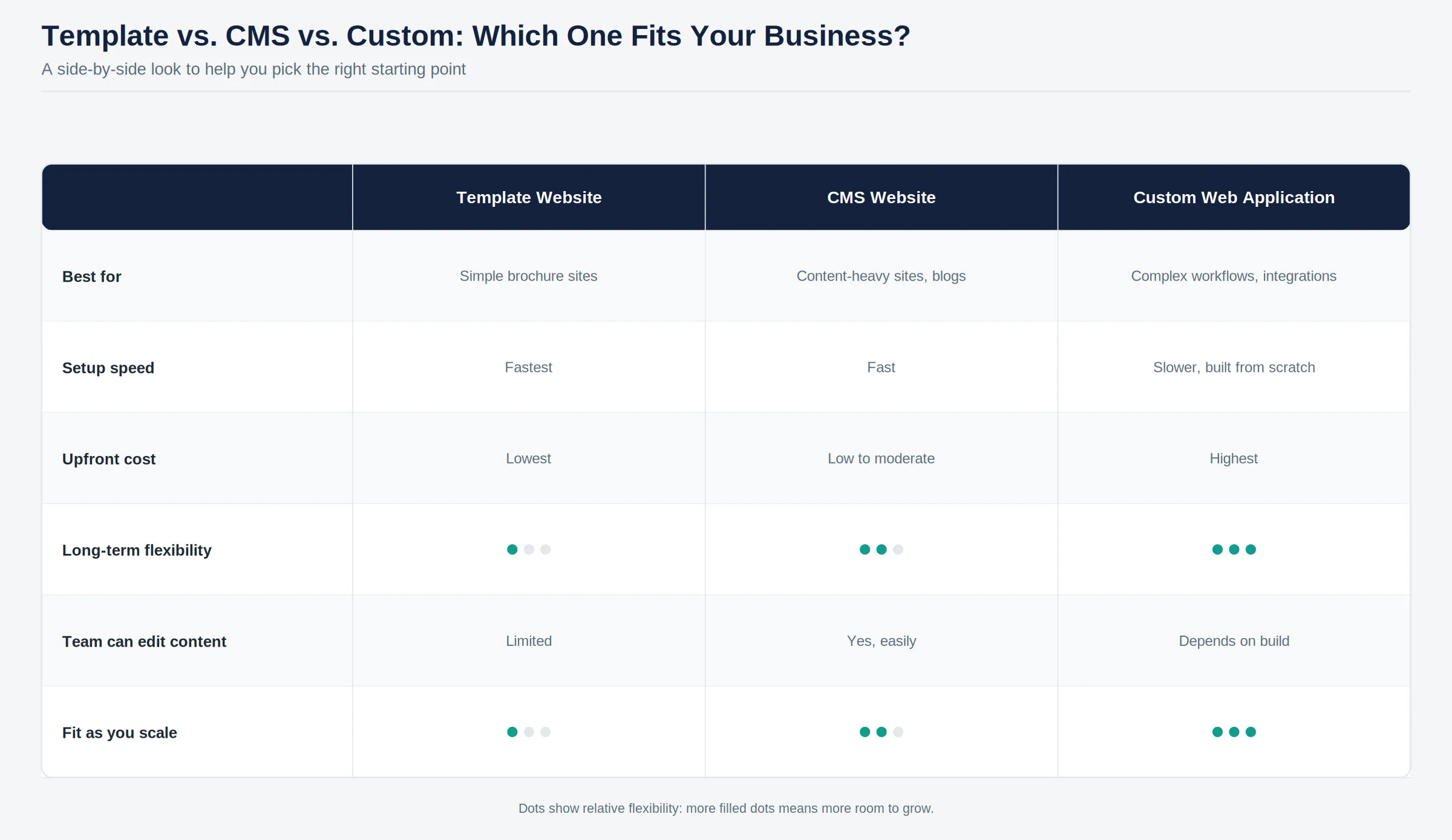
A well-built CMS means your marketing team can publish a page, update a product, or swap an image without having to file a support ticket every time. This frees up developer time for higher-value work and removes the bottleneck that slows down marketing and sales teams when content updates depend on someone else's schedule.
Faster content updates mean your business can respond to market changes, run promotions, and publish new pages without the delay of a development queue. Built-in SEO controls on a properly configured CMS also help new content get found in search faster, which compounds into more organic traffic over time without additional ad spend.
Cynoteck implements and customizes WordPress, Drupal, Strapi, and Sanity to fit your team's actual workflow, not the other way around. Every CMS build includes structured content modeling, built-in SEO controls, user role setup, and a hands-on training session, so your team is confident using it from day one.
A web portal or dashboard is a secure, login-based application that gives specific groups of users, customers, partners, or staff access to exactly the data and tools relevant to them. This service exists because a public-facing website and a private, role-based system are fundamentally different problems to solve.
A web portal or dashboard is a secure, login-based platform that gives specific users, whether customers, partners, or internal staff, access to the exact information and tools relevant to them, without exposing the rest of your business systems.
Portals and dashboards are built around who will use them. Common sub-services include:
Customer Portal Development
Employee Portal Development
Vendor Portal Development
Partner Portal Development
Patient Portal Development
Student Portal Development
HR Portal
Self-Service Portal
Admin Dashboard Development
Executive Dashboard
Business Intelligence Dashboard
Reporting Dashboard
KPI Dashboard
Analytics Dashboard
Role-Based Access Management
Customer account portals that let clients view orders, invoices, or service history
Employee dashboards that surface real-time operational data for internal teams
Partner or vendor portals that give external partners controlled access to specific data
Compliance and reporting dashboards used to track regulatory requirements across a business
When your business runs on complex data and multiple user types, a standard website simply will not cut it. This means a logistics company might need a portal showing real-time shipment tracking. In contrast, a utility provider might need a dashboard that provides field teams with live outage data and customers with self-service account access at the same time.
Web portals and dashboards give the right people access to the right information at exactly the right time, which reduces the number of phone calls, emails, and manual reports your team has to generate on demand. Role-based access also means sensitive data remains restricted to those who actually need to see it.
Businesses using customer self-service portals consistently report fewer inbound support calls, since customers can find their own account information instead of waiting on hold. Internal dashboards reduce the hours staff spend manually compiling reports, freeing that time for work that actually grows the business.
Cynoteck builds data-rich portals with role-based access, real-time reporting, and deep integration with your existing systems, all inside an interface non-technical users can navigate without training. Our utility and infrastructure clients, for example, report improved outage response times and measurable reductions in manual reporting effort after moving to a connected dashboard.
An outdated website quietly costs you customers, credibility, and revenue every day it stays online without modern development.
Book My Free Consultation TodayAPI development and integration are the work of connecting your website or application to the other software your business already runs, your CRM, payment processor, or inventory system, so data flows automatically instead of being copied by hand. This is one of the highest-leverage web application development services because it removes manual work without changing how your team operates day-to-day.
An API, or application programming interface, is what allows two different software systems to share data and communicate with each other automatically. In simple terms, it is the connector that lets your website communicate with your CRM, payment processor, or inventory system without anyone having to manually copy data between them.
This service usually includes a combination of:
REST API Development
GraphQL API Development
API Architecture Design
Custom API Development
API Documentation
Payment Gateway Integration
CRM Integration
ERP Integration
Salesforce Integration
Microsoft Dynamics Integration
Email Service Integration
SMS & WhatsApp Integration
Social Media Integration
AI API Integration
Cloud API Integration
Webhook Development
API Security
API Versioning
CRM systems such as Salesforce or Microsoft Dynamics 365
ERP and accounting platforms for order and financial data
Payment gateways for processing transactions securely
Marketing tools for email, SMS, and customer segmentation
Shipping and logistics providers for real-time tracking data
A retail business might integrate its website with its inventory system so that stock levels update automatically across all sales channels. A service business might connect its booking form directly to its CRM, so a new lead is logged and assigned the moment a form is submitted, rather than sitting in an inbox.
API integrations eliminate manual data entry, which wastes staff time and introduces errors. This is why businesses that connect their core systems through proper API integration see fewer data mismatches between departments, since everyone is working from the same live information instead of separate spreadsheets that fall out of sync.
Removing manual data entry between systems frees up hours of staff time every week, hours that can be redirected toward sales, support, or other revenue-generating work. Faster, more accurate data flow between systems also means fewer fulfillment errors and faster customer response times, both of which directly affect retention.
Cynoteck has built API integration services across web, cloud, and mobile applications for industries including banking, healthcare, insurance, and manufacturing. Our team manages both standard and custom API development, so your systems share data securely and reliably without manual intervention.
Web performance optimization is the work of making your site load faster and respond more smoothly, measured against Google's Core Web Vitals benchmarks. It matters because speed now directly affects both search rankings and how many visitors stick around long enough to convert.
A slow website does not just frustrate visitors; it actively costs you revenue and search visibility. This is why a one- or two-second delay in page load time can measurably reduce conversions, since most visitors will leave a slow page before it even finishes loading.
A performance project can cover any of the following, depending on where your site is losing speed:
Website Speed Optimization
Core Web Vitals Optimization
LCP Optimization
INP Optimization
CLS Optimization
Image Optimization
Code Minification
Lazy Loading
Browser Caching
CDN Configuration
Server Optimization
Database Optimization
JavaScript Optimization
CSS Optimization
Mobile Performance Optimization
Performance Monitoring
Core Web Vitals are a set of specific metrics Google uses to measure real-world user experience on a webpage. They include Largest Contentful Paint (LCP), which measures how quickly the main content of a page loads, Cumulative Layout Shift (CLS), which measures how much elements move around unexpectedly as a page loads, and Interaction to Next Paint (INP), which measures how quickly a page responds when a user clicks or taps something.
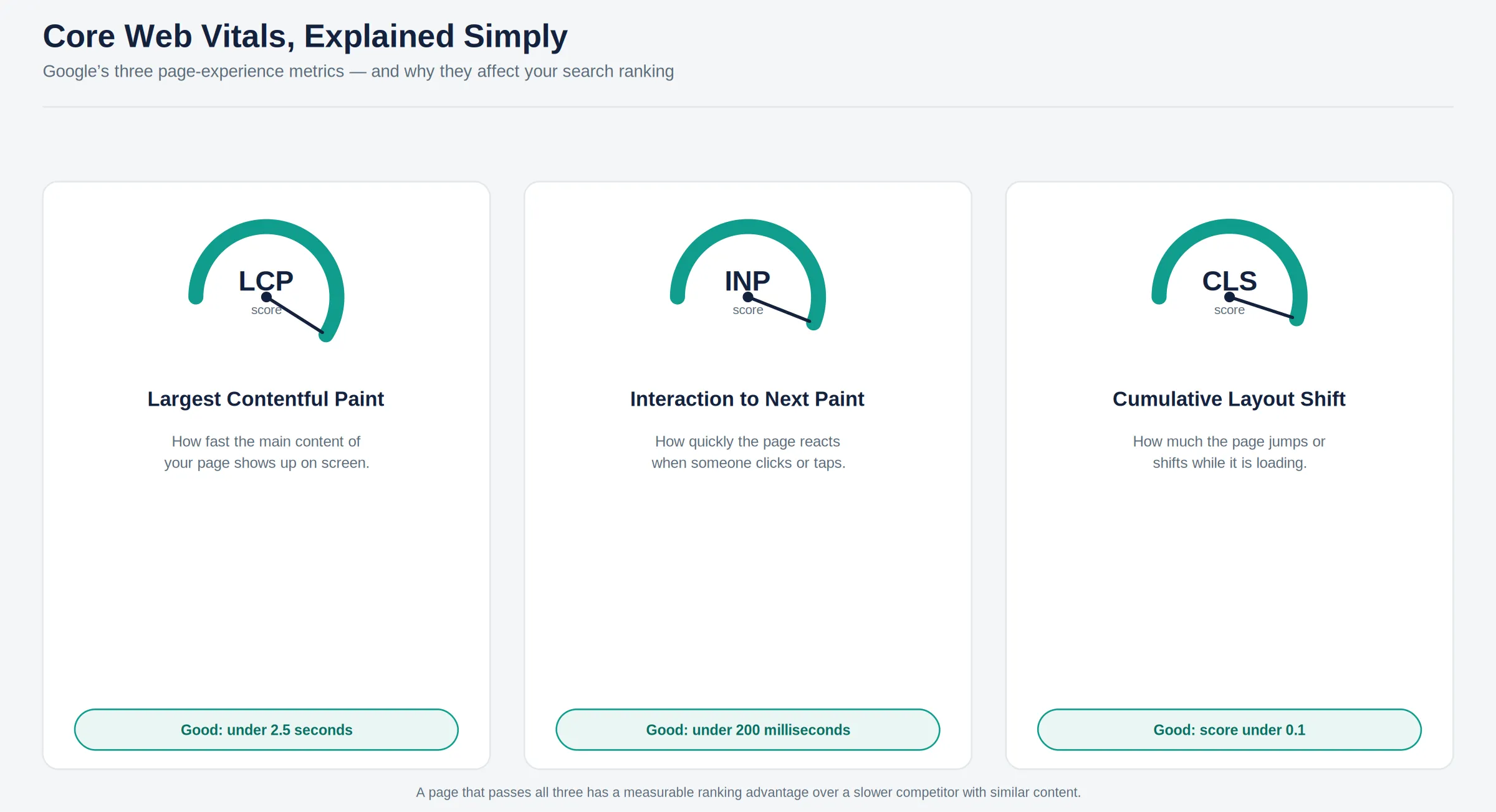
Quick Answer: Core Web Vitals are Google's three core page-experience metrics: LCP (loading speed), CLS (visual stability), and INP (responsiveness). A page that passes all three has a measurable ranking advantage over a slower competitor with similar content. |
Image compression and modern formats to reduce page weight without losing visual quality
Code splitting and lazy loading so pages only load what is needed for the current view
Caching and content delivery networks (CDNs) to serve content faster based on a visitor's location
Database query optimization to reduce backend response times
Minimizing render-blocking scripts that delay how quickly a page becomes interactive
Google uses Core Web Vitals as a ranking factor, which means a faster site has a real, measurable advantage in search visibility over a slower competitor with similar content. Beyond search rankings, a faster site simply feels more trustworthy and professional to visitors, which keeps them engaged longer.
Performance improvements are one of the highest-ROI changes a business can make to an existing website, since they require no new marketing spend and instead make every existing visitor more likely to convert. A faster checkout or sign-up flow alone can meaningfully reduce the abandonment rate that previously cost revenue every single day.
Cynoteck audits existing websites against Core Web Vitals benchmarks and implements targeted fixes, from image and code optimization to backend and database tuning. Our team has helped clients move sites from failing Core Web Vitals scores to passing, measurable improvements that show up directly in both search rankings and conversion data.
Web accessibility means building your website so people with visual, auditory, motor, or cognitive disabilities can use it as effectively as anyone else, measured against the WCAG 2.1 standard. It has shifted from a nice-to-have to a real legal and revenue consideration for any business operating online.
Web accessibility means building your website so people with disabilities, including visual, auditory, motor, or cognitive impairments, can use it just as effectively as anyone else. This means features like screen reader compatibility, keyboard navigation, and sufficient color contrast are not optional extras; they are part of a properly built website.
An accessibility engagement typically includes:
Accessibility Audit
WCAG 2.1 Compliance Assessment
Keyboard Navigation Optimization
Screen Reader Compatibility
Color Contrast Improvements
Alternative Text Implementation
Accessible Forms
ARIA Labels & Landmarks
Semantic HTML Improvements
Focus Management
Accessible Navigation
Caption & Transcript Support
Accessibility Testing
Accessibility Remediation
Accessibility Documentation
The Web Content Accessibility Guidelines (WCAG) 2.1 are the internationally recognized standard for web accessibility, and they increasingly form the basis of legal compliance requirements in the US, EU, and elsewhere. This means an inaccessible website is not just an inconvenience for some users; it is a growing legal and reputational risk for any business operating online.
Proper alt text on images so screen readers can describe visual content
Full keyboard navigation so that the site can be used without a mouse
Sufficient color contrast between text and background for visibility
Clear, consistent heading structure so screen readers can navigate the page logically
Accessible forms with clearly labeled fields and error messages
An accessible website reaches a larger audience, including the significant share of internet users who rely on assistive technology, while also reducing the legal risk of accessibility-related complaints or lawsuits. Many of the same fixes that improve accessibility, such as clear structure and fast load times, also improve the experience for every other visitor.
Businesses that improve accessibility often see a broader customer base and improved SEO, since many accessibility best practices, like clean heading structure and descriptive alt text, overlap directly with what search engines reward. Avoiding a single accessibility-related legal complaint can also save far more than the cost of building compliance from the start.
Cynoteck builds and audits websites against WCAG 2.1 standards as a core part of our development process, not an afterthought added at the end. One example: we built an online gaming platform specifically for people with physical or cognitive disabilities, letting users play games and chat in real time without requiring complex physical inputs, proof that accessible design does not mean compromising on functionality.
Choosing a development partner is as much a trust decision as a technical one. This is why Cynoteck's track record, backed by independent industry recognition, matters just as much as our technical capability.
Over 16 years, Cynoteck has been recognized by leading industry platforms and technology partners for the quality and consistency of our work. These recognitions sit alongside our ISO 27001:2022 security certification and our 500+ delivered projects, giving you an independent signal, not just our own word, that the team you are evaluating is dependable.
Note: Add the specific award names, years, and issuing bodies here once finalized, so each recognition is verifiable rather than a general claim. |
Businesses choose Cynoteck for web application development because we combine technical depth across modern frameworks with an end-to-end process, from discovery through long-term support, backed by 16+ years and 500+ delivered projects. Here is what that looks like in practice.
Talk to our development team for twenty minutes and walk away with a clear, actionable plan for your website.
Reserve My Free Session NowCynoteck's development team works across modern frameworks and languages, including React, Angular, Node.js, .NET, Python, and PHP, so your project is matched with the right technology rather than forced into whatever stack a vendor happens to specialize in.
We handle every stage of a web project under one roof: discovery, design, development, testing, deployment, and ongoing support. This means you are not coordinating between separate vendors for design, development, and maintenance.
Every application we build is designed to handle growth, whether that means more users, more data, or more features added over time. This is why businesses that start small with Cynoteck rarely need to rebuild from scratch as they scale.
Cynoteck is ISO 27001:2022-certified, reflecting a structured, audited approach to data security across all projects. Security reviews and best practices are built into our development process from the start, not bolted on after launch.
Our teams work in an agile environment, which means you see your project taking shape in regular, visible increments rather than waiting months for a single final reveal. This also makes it easier to adjust scope as real feedback comes in.
Every build undergoes structured testing before launch, covering functionality, performance, and security, so issues are caught before your customers ever see them.
Our relationship does not end at launch. Cynoteck provides ongoing maintenance, updates, and support, and a large share of our clients return for additional projects, a sign that the relationship works well past the first delivery.
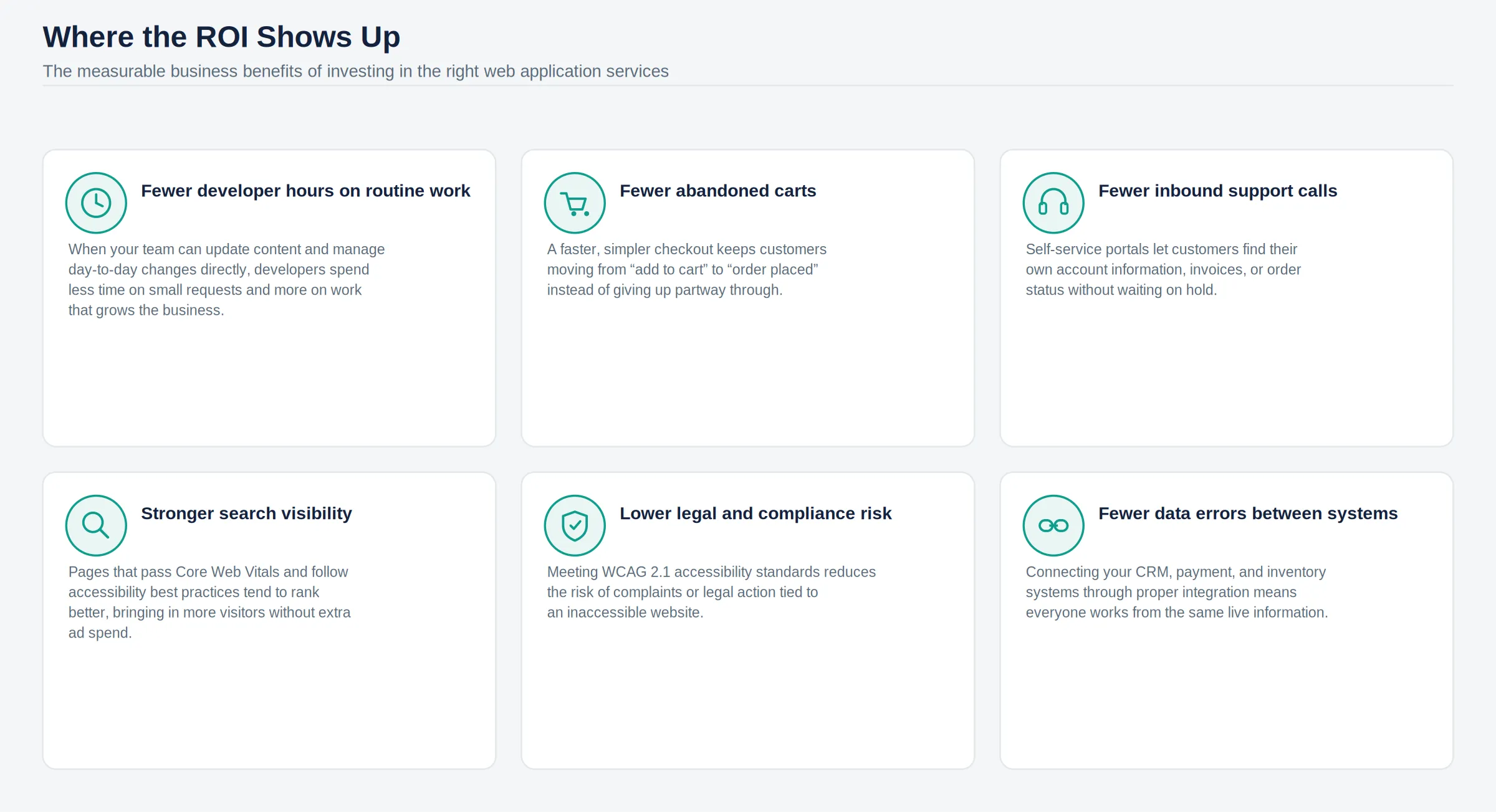
Across all eight services in this guide, the same idea keeps showing up: a website or web application should work as hard as the rest of your business does, not hold it back. Whether that means a faster checkout, a portal your customers can actually use on their own, or a backend that talks properly to your CRM, the right web investment pays for itself in time saved and revenue protected.
If your current site is creating more problems than it solves, the next step is a conversation, not a guess. Cynoteck's team can review your specific situation and recommend exactly which of these services, or combination of services, will move the needle for your business.
Book a free consultation now and start a direct conversation about turning your website into a growth engine.
Book a Free ConsultationAns: A website is primarily built to display information, such as a company's services or blog content. A web application is interactive software that runs in a browser and lets users perform tasks such as logging in to an account, processing a transaction, or managing data. Many modern business sites are actually a mix of both.
Ans: A straightforward business website typically takes 6 to 10 weeks. A custom web application with multiple features and integrations typically takes 3 to 6 months to build. Complex enterprise platforms can take 6 months or longer, depending on the number of integrations and user roles involved.
Ans: If your content needs are straightforward, such as a blog, service pages, and a contact form, a CMS like WordPress is usually enough. If you need custom workflows, complex data handling, or features a CMS cannot support out of the box, custom development is the better long-term choice.
AnFrontendend development covers everything a user sees and interacts with directly in their browser, such as layout, buttons, and design. Back-end development covers the server, database, and logic that run behind the scenes and on which the front end depends. Full-stack development means handling both as one connected system.
Ans: Google uses Core Web Vitals, a set of page experience metrics, as part of its search ranking. A slow-loading or unstable page can rank lower than a faster competitor with similar content, even if the content itself is just as good.
Ans: In many regions, including parts of the US and the EU, accessibility requirements are increasingly tied to legal compliance standards, particularly for businesses serving the public. Even when not strictly mandated, WCAG 2.1 compliance significantly reduces legal risk and expands your potential audience.
Ans: Costs vary widely based on complexity. A basic business website can start in the low thousands. At the same time, a custom web application with integrations and user roles typically falls in the tens of thousands, and enterprise-grade platforms can run higher depending on scope. A detailed scope discussion is the only reliable way to get an accurate number for your specific project.
Ans: Yes. API development and integration are among our core services, and we have connected web applications to systems including Salesforce, Microsoft Dynamics 365, and various ERP and accounting platforms.
Ans: Cynoteck provides ongoing maintenance and support after launch, covering updates, bug fixes, security patches, and feature additions as your business needs evolve. Most clients move into a support arrangement immediately after go-live.
Ans: The right choice depends on your catalog size and growth plans. Shopify and WooCommerce work well for most small- to mid-sized stores; Magento suits larger, more complex catalogs; and a fully custom build makes sense when your checkout or product experience needs to be highly specific to your business.
Ans: Yes, every website and web application we build is designed to work properly across desktop, tablet, and mobile screens, since most web traffic today comes from mobile devices.
Ans: If your site is slow, difficult for your team to update, or cannot connect to the other systems your business relies on, a rebuild is usually the better long-term investment. If the core platform is solid but specific issues, such as speed or accessibility, need fixing, targeted optimization is often enough.
Ans: Yes. Cynoteck holds ISO 27001:2022 certification and has received recognition from independent industry platforms, alongside a track record of 500+ delivered projects over 16+ years. See the "Awards and Industry Recognition" section above for details.
We are more than just developers and consultants—we are your partners in navigating the digital landscape. Let us be the engine behind your next big success while you focus on your core vision.
Explore Opportunities!
 How Salesforce Helps Small Businesses Grow.webp)