Is 1Password Safe After the GitHub Breach? What Was and Wasn't Taken
TL;DR
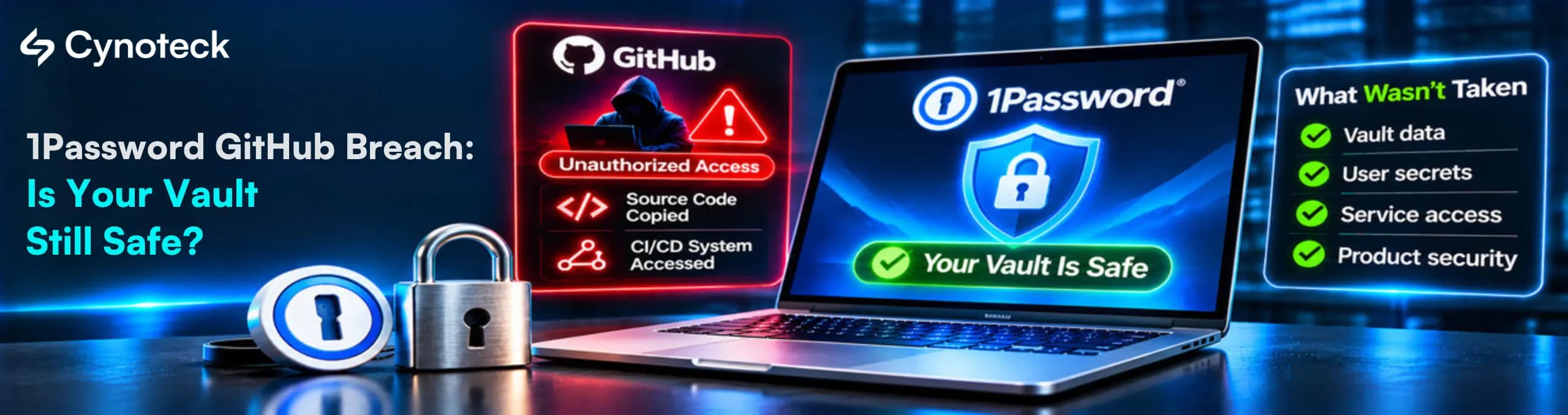
The attack hit 1Password's own systems, not your vault. The incident began when 1Password started investigating on November 19 after an unknown attacker gained access to an employee's GitHub account. The company says vault secrets are encrypted with keys only the customer holds, so neither 1Password nor an attacker who reaches its servers can read them. It also says the attacker copied source code from private repositories and reached its CI/CD system, but that source code is not customer data and contains no user secrets. 1Password says there is no impact on its services, availability, or product security.
- 1Password says a small number of users with pending invitations or recovery requests were affected by the stolen tokens and were individually notified.
- The company has not said how many customers were in the "subset" whose data was copied.
1Password says its customers' password vaults were not accessed. On November 25, 2026, the password manager disclosed that an attacker took over an employee's corporate GitHub account, used it to reach source code, and pushed malicious code to backend services that downloaded administrative data about a subset of customers. That data includes names, email addresses, account identifiers, and some emailed tokens. 1Password says no vault contents, passwords, account recovery keys, or the keys that protect them were accessed, and that customers do not need to take any action, though they should watch for phishing. One PCWorld editor suggests changing your password as a precaution.
What Was Taken, and What Was Not?
Here is the status, based on 1Password's disclosure as quoted by The Hacker News, PCWorld, and others:
Taken | Not accessed |
|---|---|
Names and email addresses | Vault contents (passwords, secrets, other items) |
Account and user identifiers, including creation and last sign-in times | Account recovery keys |
Public keys and Secure Remote Password (SRP) parameters | The keys that secure vaults |
Tokens in emailed links for invitations, provisioning and account recovery | Account passwords and Secret Keys, which 1Password does not store |
Non-secret internal metadata, such as version and file identifiers | 1Password apps and browser extensions (not affected) |
Source code from private repositories, plus access to the CI/CD system |
How Did the Attack Work?
Through one employee account. In simple terms, the attacker:
Took over an employee's corporate GitHub account, where developers store and manage code
Reached private source code and the CI/CD system, which builds and deploys software
Pushed malicious code to backend services
Used that code to download administrative customer data
1Password has not said how the account was compromised, and the coverage reviewed does not identify the attacker.
Ready To Integrate AI Into Your Business?
We helped organizations choose the right AI platform, integrate, and scale AI solutions that drive real business impact and track measurable results.
Book a Free ConsultationWhat Has 1Password Done About It?
According to the company, it has:
Disabled the affected GitHub account and revoked the stolen token
Hardened GitHub, CI/CD and endpoint controls, and added new detections
Restored clean versions of the affected services and rotated potentially exposed credentials
Lengthened the codes in invitation and recovery emails from six digits to ten alphanumeric characters, so they are harder to guess
PCWorld reported the new code as nine characters, but 1Password's own post says ten, so we use that figure.
Are the Stolen Tokens a Danger?
Not by themselves, according to 1Password. The tokens in emailed links only complete an invitation or recovery when combined with single sign-on (SSO) or a six-digit code sent to the user's registered email address. That is why the company lengthened the codes to make guessing impractical. PCWorld notes 1Password found no evidence of account takeovers at this time. The company says it will update its post if anything changes.
Do I Need to Change My Password?
The sources disagree, so here are both views.
1Password says no. It states customers do not need to update anything in their accounts, and advises staying alert for phishing
PCWorld's Alaina Yee recommends a precaution. She suggests changing your 1Password account password and passwords for important accounts such as banking and crypto, "just in case," pointing to the 2022 LastPass breach, where an initial assurance later proved incomplete. She also noted 1Password had not yet answered her questions about communication with affected customers
Some sensible steps, whichever view you take: turn on two-factor authentication if you have not, treat unexpected 1Password invitation or recovery emails as suspicious, and go to the app or website directly instead of clicking email links.
Why Is Phishing the Main Risk?
Because attackers now hold names and emails tied to 1Password accounts. That is enough to craft convincing messages about invitations, account recovery or "security notices." 1Password specifically warned about unexpected emails, texts or calls that mention 1Password. In simple terms, the data taken could make a fake message look real, even though the vaults themselves were not opened.
What Should Businesses and Development Teams Learn?
Developer accounts are now a main way in. The attack did not break encryption. It used a compromised employee account to reach code and deployment systems.
Protect GitHub and similar accounts with strong multi-factor authentication
Limit token scopes and lifetimes, and revoke unused tokens
Monitor and restrict CI/CD access, and alert on unexpected pushes to backend services
Separate duties so one account cannot both change code and reach customer data
Ask vendors how they protect developer accounts and build pipelines
Our agentic AI development and AI services & solutions teams can help you build software and AI workflows with secure development practices, access controls, and clear approval steps.
Frequently Asked Questions
Was 1Password hacked?
Yes, its backend systems were. 1Password disclosed on November 25, 2026, that an attacker took over an employee's corporate GitHub account, accessed source code, pushed malicious code to backend services, and downloaded administrative data about a subset of customers. It says customer vaults and their contents were not accessed.
Were my 1Password passwords stolen?
1Password says no. It states that no vault contents, including passwords, secrets, and other items, account recovery keys, or the keys that secure them were accessed or compromised. Vault secrets are encrypted with keys only the customer holds, so the company cannot read them, and neither can an attacker who reaches its servers.
What customer data did the attacker get?
According to 1Password, the attacker obtained names and email addresses, account and user identifiers, public keys, SRP parameters, tokens in certain emailed links, and non-secret internal metadata. The identifiers include account creation and last sign-in times. The attacker also copied source code from private repositories and reached the CI/CD system.
Do I need to change my 1Password password?
1Password says you do not need to update anything. PCWorld's Alaina Yee recommends changing your 1Password account password and passwords for important accounts as a precaution, citing the earlier LastPass breach. Either way, enable two-factor authentication and be careful with unexpected emails that mention 1Password.
Can the stolen tokens be used to take over accounts?
Not on their own, according to 1Password. The tokens complete an invitation or recovery only when combined with single sign-on or a six-digit code sent to the user's registered email address. 1Password has since expanded that code to ten alphanumeric characters and found no evidence of account takeovers, according to PCWorld.
How many 1Password customers were affected?
1Password has not said. It describes a "limited amount of customer account information from a subset of our customers" and says a small number of users with pending invitations or recovery requests were individually notified. The coverage reviewed gives no count of affected customers.
How did the attacker get in?
Through a compromised employee GitHub account. 1Password says an unknown attacker gained access to the account and used it to reach source code and push malicious code to backend services. It has not said how the account was compromised, and the coverage reviewed does not identify the attacker.
Is 1Password still safe to use?
That is a judgment each user must make. 1Password says there is no impact on its services or product security and that vaults remain protected by keys only customers hold. PCWorld's editor remains cautious. Enable two-factor authentication, watch for phishing, and follow 1Password's updates, since the company says it will revise its post if anything changes.
Explore comprehensive blogs, best practices, and insights from our technology experts.
 Cynoteck Recognized as a Clutch Global Leader for Spring 2024.png)

 Is 1Password Still Safe After the GitHub Breach.webp)
.png)
Cynoteck Technology Solutions Wins ET Leadership Excellence Award 2025 for Excellence in IT Consulting and Solutions
Cynoteck wins the ET Leadership Excellence Award 2025 for excellence in IT consulting, recognizing its business-focused, scalable, and high-impact technology solutions.

Turning expertise into action for your business.
We are more than just developers and consultants—we are your partners in navigating the digital landscape. Let us be the engine behind your next big success while you focus on your core vision.
Explore Opportunities!