Microsoft Dynamics 365 Business Central Implementation Cost: What to Budget in 2026
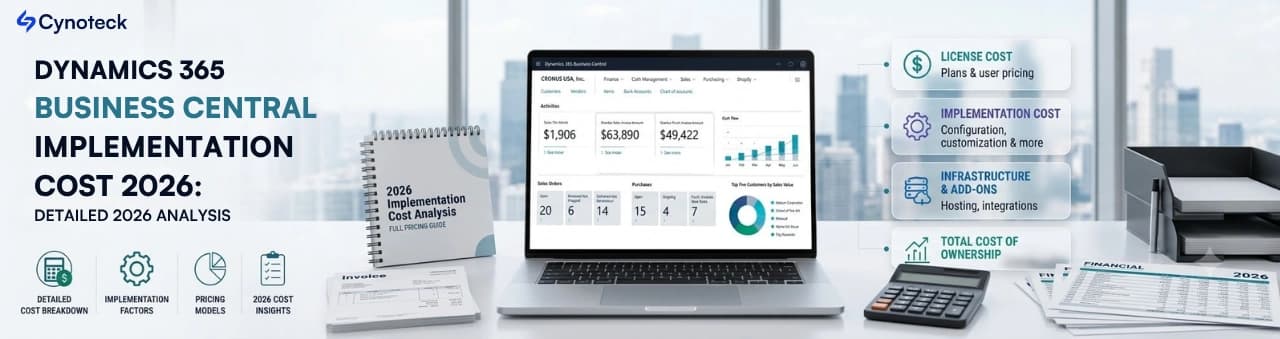
Implementing an ERP system is a major investment, and one of the first questions businesses ask is: "How much does Microsoft Dynamics 365 Business Central cost to implement?"
The answer isn't straightforward because implementation costs vary based on your business size, processes, customization needs, integrations, and deployment complexity.
For small businesses, implementation may cost $10,000–$30,000, while mid-sized organizations often invest $30,000–$100,000. Large enterprises with extensive customizations and multiple integrations can spend $100,000 or more.
In this guide, we'll break down every cost component so you can estimate your Business Central implementation budget with confidence.
Speak with our experts to understand licensing, implementation costs, and the best deployment strategy for your business.
Book a Free ConsultationLicensing tier — Essentials is $80/user/month; Premium (adds manufacturing and service management) is $110/user/month. Microsoft raised these prices in November 2025, its first increase in over five years.
Number of users — Business Central requires a minimum of 10 users to get started, and licensing costs scale linearly from there.
Data migration complexity — Clean data from a modern system migrates cheaply; legacy or messy data from spreadsheets and old accounting software adds significant hours.
Integrations — Connecting Business Central to CRM, e-commerce, payroll, or industry-specific tools adds to both timeline and cost.
Customization — Out-of-the-box configuration is far cheaper than custom workflows, reports, or extensions.
Deployment model and partner — Fixed-price implementations offer budget certainty; time-and-material projects carry more risk of overrun. Quotes for the same scope can vary from $40,000 to $140,000+ depending on the partner's delivery model and experience.
When planning a Microsoft Dynamics 365 Business Central implementation, it's important to distinguish software licensing costs from implementation costs.
Purchasing a license gives your users access to the platform, but services such as configuration, data migration, customization, integrations, and user training are billed separately by your implementation partner.
Microsoft offers flexible licensing options to accommodate businesses of different sizes and operational requirements. The three primary license types are:
License | Typical Monthly Price* | Best For |
|---|---|---|
Essentials | Around $70 per user/month | Businesses that need core ERP capabilities, including financial management, sales, purchasing, inventory, project management, and supply chain management. |
Premium | Around $100 per user/month | Organizations that require all Essentials features plus advanced manufacturing and service management capabilities. |
Team Members | Around $8 per user/month | Employees who only need limited access to view data, approve workflows, enter timesheets, update records, or perform light operational tasks. |
Microsoft licensing prices are subject to change and may vary by country, currency, licensing agreement, or Microsoft promotions. Always check the latest pricing with Microsoft or your implementation partner.
The cost of implementing Microsoft Dynamics 365 Business Central varies depending on your organization's size, business processes, level of customization, number of users, and integration requirements. A straightforward implementation for a small business will naturally cost less than a complex, multi-location deployment for a large enterprise.
The table below provides a general estimate of one-time implementation costs based on business size:
Business Size | Estimated Implementation Cost |
|---|---|
Small Business (10–20 users) | $10,000–$30,000 |
Growing Business (20–50 users) | $30,000–$75,000 |
Mid-sized Company (50–150 users) | $50,000–$150,000 |
Large Enterprise (150+ users) | $100,000–$500,000+ |
Note: These estimates cover implementation services only and do not include Microsoft Business Central licensing fees, third-party applications, or ongoing support and maintenance costs.
From planning and migration to customization and support, we deliver end-to-end Business Central implementation services.
Book a Free ConsultationWhile every Microsoft Dynamics 365 Business Central implementation is unique, most projects follow a similar cost structure. Understanding how your implementation budget is allocated can help you prioritize investments and plan for a successful deployment.
The table below provides a typical breakdown of implementation costs:
Implementation Component | Estimated Cost |
|---|---|
Business Analysis & Discovery | $2,000–$10,000 |
System Configuration & Setup | $5,000–$20,000 |
Data Migration | $3,000–$25,000 |
Customization & Development | $5,000–$50,000+ |
Third-Party Integrations | $2,000–$40,000 |
User Training | $2,000–$15,000 |
Testing & Quality Assurance | $2,000–$10,000 |
Go-Live & Hypercare Support | $2,000–$10,000 |
Note: These are estimated implementation costs and may vary depending on your business size, project scope, industry, and implementation partner.
A 30-user mid-market company (20 Essentials + 10 Premium) with standard configuration and moderate customization:
Licensing: ~$29,000/year (20 × $80 + 10 × $110, monthly, ×12)
Implementation: $60,000–$80,000 one-time
Ongoing support: roughly 25% of implementation cost annually
Small business rollouts typically take 6–10 weeks. Mid-market implementations run 3–6 months. Enterprise or multi-entity deployments can take 6–12 months, especially when phased.
Start with core finance — Phase in manufacturing, warehouse, or CRM modules later rather than going live with everything at once.
Clean your data before migration — Migration hours are one of the most underestimated cost drivers.
Ask for a fixed-price quote — This shifts scope-creep risk to the partner rather than your budget.
Request references — A partner with a strong implementation track record should provide 2–3 references from similarly sized companies without hesitation.
Avoid the cheapest bid by default — Low-cost partners that skip proper discovery and data migration planning often cause expensive surprises at go-live.
Let's discuss your goals and provide an implementation roadmap with transparent pricing.
Book a Free ConsultationImplementation typically costs $25,000 to $150,000+, separate from monthly licensing fees. Small businesses often land under $60,000, while mid-market and multi-entity companies usually spend $60,000–$150,000 depending on complexity.
Essentials costs $80 per user per month and Premium costs $110 per user per month, based on Microsoft's US list pricing effective November 2025. A minimum of 10 users is required.
The same project scope can be quoted anywhere from $40,000 to $140,000+ depending on the partner's delivery model, onshore vs. offshore team, and overhead. Methodology and experience matter as much as company size.
Not always — confirm this upfront. Data migration is one of the most commonly underestimated cost components, especially when moving from legacy or non-standardized systems.
Yes. Many companies start with core financial management and add manufacturing, warehousing, or CRM integration later. Phasing reduces upfront cost and lets your team validate the platform before committing to full scope.
No. Ongoing support is typically a separate cost, averaging around 25% of the implementation cost per year.

Discover the top 10 benefits of custom CRM software development for modern businesses. Learn how tailored CRM solutions improve efficiency, enhance customer relationships, and drive business growth.
We are more than just developers and consultants—we are your partners in navigating the digital landscape. Let us be the engine behind your next big success while you focus on your core vision.
Explore Opportunities!.png)
 Power BI vs Excel (1).webp)
 Top 10 Cloud Based CRM Platforms Compared (Features, Pricing & Pros).webp)